

Last Updated on September 11, 2026 by Daniel Globe
When a flight search says “2 seats remaining” or “only 1 left,” the message does not always mean the aircraft has only one or two empty seats. It often refers to the number of tickets currently available for the displayed fare, cabin, or offer. Reading the exact wording can help you judge the urgency without confusing ticket inventory with the seat map.
Quick Answer
“Seats remaining” usually means a limited number of tickets are available for the fare or offer shown on your screen. It does not necessarily reveal how many physical seats are empty on the aircraft. Check whether the message says “at this price,” then review the fare rules and seat map separately.
Key Takeaways
- “Seats left at this price” usually refers to the displayed fare or booking class, not every empty seat on the plane.
- A seat map shows seat-selection status, not a complete count of sold or unsold tickets.
- Unavailable seats may be blocked for operational needs, families, passengers with disabilities, or crew.
- A low count suggests that the current offer may change, but it does not guarantee that the next price will be higher.
- Party size matters because there may not be enough tickets in the lowest available fare class for everyone in your search.
Disclosure: As an Amazon Associate I earn from qualifying purchases. Some links on this page are affiliate links, at no extra cost to you.
What Does “Seats Remaining” Mean?

When you see “seats remaining,” look closely at the words around the number. A message such as “3 seats left at this price” normally applies to the fare or offer being displayed. It does not necessarily mean that only three passengers can still book the flight.
Airlines sell tickets through different booking classes, sometimes called fare classes or fare buckets. The International Air Transport Association describes a reservation booking designator as a code used to identify a booking class and support inventory control. Several booking classes can exist within the same physical cabin.
“Seats left at this price” usually describes the current ticket offer, not the total number of empty seats on the aircraft.
For example, an economy cabin may still have many sellable seats even when only one ticket remains in the lowest available booking class. Once that ticket is no longer available, the booking system may show another economy fare with different rules or a higher price.
The wording is important:
- “1 seat left at this price” usually points to limited availability for the displayed fare.
- “1 seat left in this cabin” may refer to remaining sellable inventory in that cabin, although the airline’s system controls the exact meaning.
- “Only 1 left” is more ambiguous if the booking site does not explain whether it means a fare, offer, cabin, or flight.
- “Sold out” generally means the searched cabin or flight cannot currently be booked through that channel, not that every seat shown on a map must look occupied.
Are “Seats Left” Real Seats or Fare Inventory?
In most fare-search messages, “seats left” is better understood as bookable inventory rather than a direct count of physical seats. However, several types of inventory can exist at the same time, which is why airline displays can seem contradictory.
| What You See | What It Usually Describes | What It Does Not Prove |
| “Seats left at this price” | Availability for the displayed fare or booking class | That the whole aircraft is nearly full |
| Open seat-map position | A seat that may currently be selectable by you | That the corresponding ticket is unsold |
| Occupied seat-map position | A seat already selected or assigned | The exact number of tickets sold |
| Unavailable or blocked seat | A seat you cannot select at that time | That another passenger occupies it |
This distinction explains why a flight can display a low fare count while the seat map still shows many choices. It also explains why a nearly full-looking map does not always mean the flight is sold out. Some ticketed passengers have not selected seats, while some unselectable seats are being held for operational use.
How Do Seat Maps Differ From Ticket Availability?
A seat map is mainly a seat-selection tool. It can show seats that are selectable, occupied, paid, preferred, or unavailable, but it is not a full airline inventory report.
Several situations can separate the seat map from ticket availability:
- Passengers without assignments: Some travelers have confirmed tickets but do not receive a seat until check-in or the gate.
- Operationally held seats: Airlines may reserve seats for airport staff to handle passenger needs.
- Fare restrictions: Your ticket may not include free advance selection even when a seat is physically open.
- Premium or preferred seats: A seat may be available only for a fee or for eligible status members.
- Aircraft changes: A different aircraft can change the layout and force seat reassignment.
- Partner flights: A codeshare or partner-airline system may show limited seat-selection information.
Delta explains that seats marked unavailable may be reserved to support family seating, passengers with disabilities, or crew members. Its current Delta Main Basic rules also state that some passengers receive assignments only after check-in or at the gate.
American Airlines similarly states that it withholds some seats until the day of departure so airport personnel can accommodate passenger needs. Those seats may become selectable later.
Note: An empty-looking seat on a map can belong to a ticketed passenger who has not selected a seat. An unavailable seat can be physically empty but held by the airline. Neither status gives you a complete passenger count.
Why Do Airlines Show Low Seat Counts?
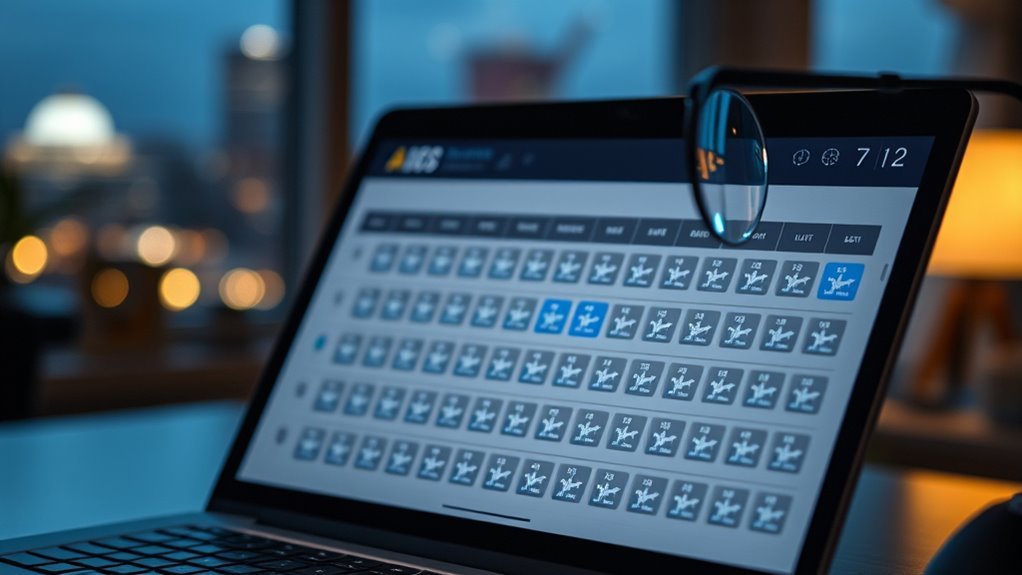
A low-seat count can serve two purposes. First, it can give you useful information that the displayed offer has limited availability. Second, it can create urgency because you may worry that the price or itinerary will disappear.
That does not make every low-inventory message deceptive. A truthful statement such as “2 seats left at this price” can help you understand why a fare may not be available for a larger group. The concern arises when a company uses false, unclear, or unsupported scarcity to rush customers.
The Federal Trade Commission’s guidance on dark patterns discusses interface tactics that create a false sense of urgency or interfere with informed decision-making. It does not mean that every real-time airline availability message is a dark pattern.
How to Judge a Scarcity Message
Before reacting to a low count, ask four questions:
- Does the message clearly say “at this price”?
- Does the count apply to your selected cabin, fare bundle, or entire itinerary?
- Is the final price still acceptable after bags, seats, and other fees?
- Would you choose the same flight without the urgency message?
If the fare meets your needs and the total price is reasonable, a genuine low count may be useful. If the ticket has poor change rules, expensive add-ons, or an inconvenient schedule, scarcity alone is not a good reason to book it.
How Fare-Class Availability Works
An airline can make different numbers of tickets available in different booking classes. These classes may share the same economy cabin while carrying different prices, refund rules, change conditions, mileage treatment, or advance-purchase requirements.
As bookings change, the airline may close one class and leave another open. It may also adjust availability later. Therefore, “1 seat left at this price” is a snapshot of the offer available during your search, not a permanent forecast.
Why Can the Count Change or Reappear?
A low count can change for several reasons:
- A customer starts checkout and then abandons the purchase.
- A held reservation expires or is canceled.
- A ticketed passenger changes or cancels the trip.
- The airline adjusts how many tickets it offers in a booking class.
- A schedule or aircraft change affects available inventory.
- The booking site refreshes information from the airline’s reservation system.
For these reasons, seeing the same low-seat message later does not by itself prove that the earlier message was false.
Why Do Prices Rise When Seats Are Limited?

Prices often rise when the lowest available booking class closes and the next available offer costs more. Demand, time before departure, route competition, fare rules, and airline inventory controls can all affect the displayed price.
However, a low-seat warning does not guarantee an immediate increase. The airline may reopen a lower booking class, another traveler may cancel, a promotion may begin, or the market price may change. Waiting creates uncertainty rather than a certain result.
A practical decision should consider:
- Whether your dates and route are flexible
- How the current fare compares with nearby dates or airports
- The total price after baggage and seat fees
- The cost of changing or canceling the ticket
- Whether the schedule is worth keeping even if the price later falls
Pro Tip: Take a screenshot of the itinerary, fare name, included benefits, and total price before paying. It gives you a clear record if the checkout page changes the fare, flight, or included services.
How Does Party Size Affect the Price You See?
Your search may request one common fare for every traveler. If only one ticket remains in the lowest booking class and you search for two passengers, the booking system may return a higher available fare for both travelers instead of mixing two prices in the same result.
You can compare a one-passenger search with a group search to understand whether party size is affecting the result. That comparison does not guarantee that splitting the purchase will be the best choice.
Warning: Separate reservations can make group travel harder. Travelers may receive different change options, seat assignments, notifications, or rebooking arrangements during a disruption. Never assume the airline will automatically treat separately booked passengers as one party.
Families should be especially careful. The U.S. Department of Transportation’s Family Seating Dashboard shows which airlines commit to seating a child age 13 or under beside an accompanying adult without an extra fee. Conditions can include having the child and adult on the same reservation and having suitable adjacent seats available.
How Can You Tell Whether a Flight Is Nearly Full?
There is no single public screen that always gives an exact passenger count. You can gather clues, but each clue has limits.
- Search whether the flight remains bookable: Try the same flight and cabin without completing another purchase.
- Check several party sizes: A flight available for one traveler but not a larger party may have limited sellable inventory.
- Review the seat map: It can show seat-selection pressure, but not every sold or unsold ticket.
- Check again near departure: Assignments, cancellations, standby passengers, and operational blocks can change the map.
- Ask the operating airline: An agent may clarify whether availability is limited, but may not provide or guarantee an exact unsold-seat count.
Use these signs together. Do not rely only on the seat map or a single low-inventory label.
What Should You Check Before Booking Quickly?
Before you click the payment button, complete this quick review:
- Read the exact scarcity wording. Confirm whether the count applies to the current price, cabin, or flight.
- Confirm the operating airline. Seat, baggage, and change rules may follow the carrier operating the flight rather than the company that sold it.
- Review the fare name and restrictions. Check changes, cancellations, refunds, standby eligibility, and mileage earning.
- Check seat-selection rules. Find out whether advance selection is free, paid, restricted, or assigned later.
- Add every expected fee. Include checked bags, carry-ons where applicable, seats, payment fees, and other extras.
- Check the full itinerary. Review airports, dates, connection times, overnight stops, and terminal changes.
- Consider your group needs. Avoid separate bookings when staying together or receiving joint rebooking help is more important than a possible fare difference.
- Compare the total value. A slightly higher flexible fare may cost less overall than a restrictive ticket with several add-on fees.
A low count should prompt you to review the offer efficiently, not skip the review. The best booking is one that fits your schedule, budget, and flexibility needs even after the urgency message disappears.
Frequently Asked Questions
How do I see how many seats are left on a Delta flight?
Search the flight on Delta’s website or app and open the seat map to view seats you may be able to select. Do not treat that map as an exact count of unsold tickets. Delta Main Basic passengers may receive assignments after check-in, and unavailable seats may be held for families, passengers with disabilities, or crew. A Delta representative may clarify availability but may not provide a guaranteed exact count.
What does “seat unavailable” mean?
It means you cannot select that seat at the moment. Another passenger may have selected it, or the airline may have blocked it for operational needs, family seating, accessibility, crew, airport assignment, or another restriction. Some unavailable seats can open closer to departure.
Does a full seat map mean the flight is sold out?
No. A full-looking map means few or no seats are currently selectable through that map. The airline may still sell tickets and assign seats later. Conversely, an open-looking map may include seats for passengers who have already bought tickets but have not selected assignments.
Can the price fall after a “1 seat left” warning?
Yes. The current low fare may disappear, but another traveler can cancel, a hold can expire, the airline can reopen lower inventory, or market pricing can change. A low count shows current availability; it does not guarantee the direction of the next price change.
Why does the fare increase when I search for two people?
There may be only one ticket left in the lowest available booking class. When you search for two passengers, the system may return a fare class that has enough inventory for both. Comparing one-person and two-person searches can reveal this, but separate reservations carry seating and rebooking risks.
Conclusion
When you see “seats remaining,” treat it as information about the offer on your screen, not a complete view of the aircraft. A low count often applies to a fare, booking class, cabin, or party-size search. The seat map answers a different question: which seats can you currently select or view?
Read the exact wording, compare the total trip cost, review the fare restrictions, and consider the needs of everyone traveling with you. The current fare may disappear, remain available, or return later. Book because the itinerary and terms work for you, not because a vague countdown makes you panic.
Sources
- International Air Transport Association: Reservations Booking Designator — defines booking classes and their inventory-control role.
- Delta Air Lines: Delta Main Basic — explains delayed seat assignment and advance-selection restrictions.
- Delta Air Lines: Seats Help — explains occupied and unavailable seat-map statuses.
- American Airlines: Reservations and Tickets FAQs — confirms that some seats are withheld until departure.
- U.S. Department of Transportation: Airline Family Seating Dashboard — lists airline family-seating commitments and conditions.
- Federal Trade Commission: Bringing Dark Patterns to Light — provides context for false urgency and manipulative online design.

