
Last Updated on July 27, 2026 by Tyler Morgan
Need a Southwest receipt for an expense report, reimbursement, or your own records? The correct retrieval method depends on whether the flight is in the past or still upcoming, how long ago you traveled, and whether you bought the ticket directly from Southwest or through a travel agency. Southwest currently allows self-service access to most past-flight receipts for 18 months after travel.
Quick Answer
To get a Southwest receipt, sign in on Southwest.com and open My Account → Trips → View Receipt for past travel within 18 months. For an upcoming flight, use Manage Reservations with the passenger name and confirmation number, then choose Resend Receipt. Older trips and optional-charge receipts use Southwest’s receipt-request process.
Key Takeaways
- Southwest says past-flight receipts can be retrieved for trips within 18 months of the travel date.
- Past receipts are available through your account on Southwest.com; Southwest says past-trip receipts are not available in its mobile app.
- For an upcoming flight, Manage Reservations lets you retrieve the reservation and use Resend Receipt.
- Trips older than 18 months and optional charges such as baggage, seats, or Priority Boarding use Southwest’s receipt-request process.
- If a travel agent issued the airfare ticket, request the airfare receipt from that agency; Southwest can provide receipts for eligible ancillary products it sold.
At a Glance
| Time Required | About 2–5 minutes for a self-service receipt; special requests may take longer |
| Difficulty | Easy |
| Tools Needed | Southwest.com access, passenger name, confirmation number, and email access |
| Cost | Free |
Disclosure: As an Amazon Associate I earn from qualifying purchases. Some links on this page are affiliate links, at no extra cost to you.
How to Access Your Southwest Receipt Online
Southwest uses different receipt steps for past and upcoming travel. Start with the trip status instead of trying several lookup tools at random. The airline’s current Flight Receipts guidance explains both routes.
Past Flights Within 18 Months
- Go to Southwest.com and sign in to your account.
- Select My Account.
- Open your Trips.
- Select the completed trip you need.
- Choose View Receipt to review or print the receipt.
Southwest says receipts can be retrieved for trips within 18 months of the travel date. It also specifically notes that receipts for past trips are not available through the Southwest mobile app, so use Southwest.com when retrieving a completed-trip receipt.
Upcoming Flights
For a flight you have not taken yet, use Southwest’s Manage Reservations process. Enter the passenger’s full name and confirmation number, retrieve the reservation, and select Resend Receipt. Southwest sends the copy to the purchaser associated with the reservation.
Pro Tip: Save the six-character Southwest confirmation number with your travel records as soon as you book. It is the main reservation identifier used for Manage Reservations, check-in, and many support requests.
How to Quickly Retrieve Recent Southwest Receipts
The quickest approach is to identify which of these situations applies to you:
| Past flight within 18 months | Sign in on Southwest.com → My Account → Trips → select trip → View Receipt. |
| Upcoming flight | Use Manage Reservations with the full name and confirmation number, then choose Resend Receipt. |
| Travel more than 18 months ago | Use Southwest’s official receipt-request process. |
| Bag, seat, or Priority Boarding charge | Use Southwest’s receipt-request process for the optional travel charge. |
| Airfare bought through a travel agent | Ask the issuing travel agency for the airfare ticket receipt. |
If an emailed receipt does not appear, check spam, junk, promotions, and archived folders. Also remember that an upcoming-flight receipt is resent to the purchaser, which may be a different person or email account from the traveler.
What Should You Do for Older Receipt Requests?
If the travel date is more than 18 months ago, use the receipt-request option linked from Southwest’s official Flight Receipts page. Southwest’s Help Center also includes a dedicated receipt request under its Contact Us options.
If you need additional assistance, Southwest’s general customer-service number is 1-800-435-9792, and current contact methods are listed on its official contact page.
Warning: Get Southwest phone numbers and receipt links from Southwest.com or an official Southwest communication. Unaffiliated search-result numbers can be outdated or misleading.
Receipts for Baggage, Seats, and Other Optional Charges
Do not assume every optional purchase will appear on the same airfare receipt. Southwest specifically directs customers needing receipts for optional travel charges—such as baggage, seats, or Priority Boarding—to its receipt-request process. This distinction is more important now that Southwest has assigned seating and charges some travelers for checked baggage.
You can review current fees on Southwest’s Optional Travel Charges page.
Note: Southwest says onboard drink transactions appear on billing statements as “SOUTHWESTAIR*INFLIGHT.” If you are reconciling a card statement, look for that description rather than expecting the charge to appear as a standard airfare receipt.
Travel-Agent Bookings
If a travel agency issued your Southwest airfare ticket, contact that agency for the receipt for the air portion. Southwest says it can provide receipts for ancillary products associated with the ticket, but the airfare ticket receipt itself comes from the issuing travel agent.
Mexico and Dominican Republic Tax Receipts
A standard Southwest receipt is not always the same document as a country-specific tax invoice. Southwest has separate procedures for a Mexican Fiscal Electronic Invoice (CFDI) and for an electronic tax receipt (e-CF) for qualifying travel originating in the Dominican Republic. Use Southwest’s official international tax-receipt instructions when you need one of these documents.
What Information Do You Need to Retrieve a Southwest Receipt?
Gather the reservation details before starting. The exact fields vary by retrieval method, but these are the most useful records to have available:
| Passenger Name | Use the name associated with the reservation. |
| Confirmation Number | Southwest’s six-character alphanumeric reservation identifier. |
| Travel Date | Especially important for older receipt requests. |
| Charge Type | Identify whether you need the airfare receipt or a receipt for a bag, seat, Priority Boarding, or another optional purchase. |
| Purchaser Details | Useful when another person or company paid for the reservation. |
If you contact support, keep a note of the date of the request and any reference information Southwest provides. That makes follow-up easier if you are retrieving an older transaction.
What Information Is Included in Your Southwest Receipt?
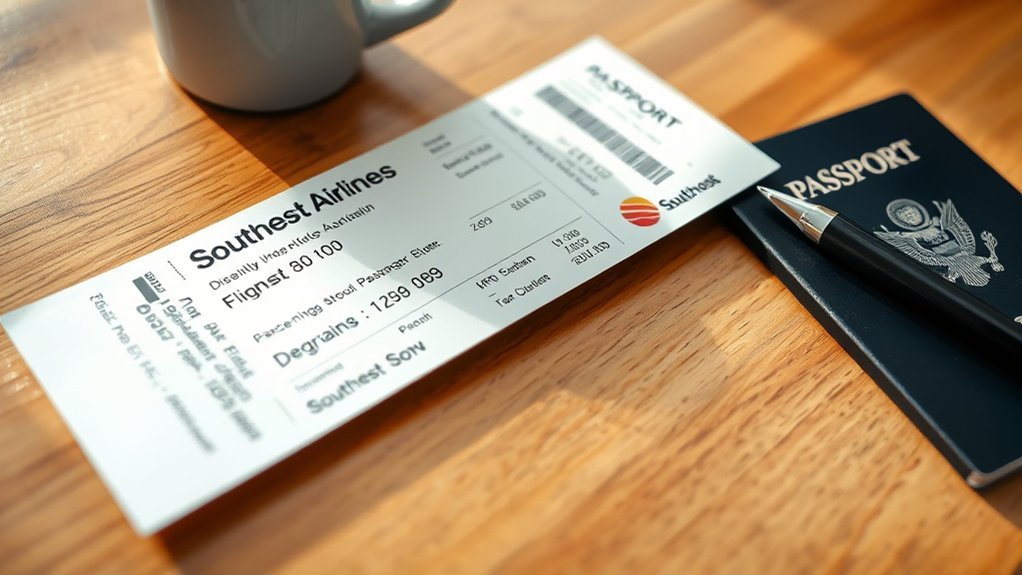
A Southwest flight receipt provides the transaction and itinerary details associated with the airfare purchase. Depending on the transaction, the document can include information such as:
- Reservation or ticket identification: Information tying the receipt to the booked trip.
- Passenger and itinerary details: The traveler and flight information associated with the purchase.
- Fare, taxes, and charges: The amounts making up the airfare transaction.
- Payment information: Details that help document how the purchase was paid.
Keep in mind that the six-character Southwest confirmation number is the reservation locator commonly used to retrieve or manage a booking. It should not automatically be treated as the same thing as a separately issued ticket number.
Optional products can have separate transaction records. If you specifically need proof of a baggage charge, paid seat, Priority Boarding purchase, or another ancillary item, use Southwest’s receipt-request process rather than relying only on the airfare receipt.
How to Organize Your Southwest Receipts
A dedicated email folder for Southwest confirmations and receipts makes future searches much easier. After each business or reimbursable trip, save the final receipt as a PDF instead of relying indefinitely on the 18-month self-service window.
A simple filename such as 2026-07-27_Dallas-Chicago_Southwest.pdf keeps receipts in chronological order and makes them easy to match with an expense report or card statement.
Note: For business expenses or tax records, keep the documentation required by your employer, accounting system, accountant, or tax professional. An itinerary or booking confirmation may not contain the same transaction detail as the final receipt.
Frequently Asked Questions
How do I look up a receipt for a Southwest flight?
For a completed flight within 18 months, sign in to Southwest.com, open My Account, choose Trips, select the trip, and click View Receipt. For an upcoming flight, retrieve the booking through Manage Reservations with the passenger name and confirmation number, then choose Resend Receipt.
How do I look up a Southwest ticket number?
For most Southwest self-service tasks, you need the six-character confirmation number rather than a ticket number. Check your Southwest confirmation email or your account for the confirmation number. A separate ticket number may exist on an agency-issued ticket; if a travel agency issued your airfare, contact that agency when you need the ticket receipt or ticket-number details.
What is the 10-minute rule for Southwest?
Southwest says passengers must have a boarding pass and be in the gate area available for boarding at least 10 minutes before scheduled departure or Southwest may cancel the reserved space. If you do not plan to travel, cancel at least 10 minutes before the flight’s original scheduled departure. No-show consequences depend on the fare: Basic and Choice fares can forfeit funds or points, while Choice Preferred and Choice Extra have different credit treatment under Southwest’s current policy.
Is a ticket number the same as a receipt number?
No. A reservation confirmation number, ticket identifier, and receipt are different records. Southwest commonly uses the six-character confirmation number to retrieve and manage a reservation, while the receipt documents the purchase transaction.
Can I get a Southwest receipt from more than 18 months ago?
Yes, but it is outside Southwest’s normal self-service window. Use the receipt-request option on Southwest’s official Flight Receipts or Contact Us page and provide the available reservation and travel details.
Can I retrieve a past Southwest receipt in the mobile app?
No. Southwest’s current receipt guidance says receipts for past trips are not available in the Southwest app. Sign in through Southwest.com and open My Account and Trips instead.
Conclusion
Retrieving a Southwest receipt is straightforward once you use the right route. Past trips within 18 months are available through My Account on Southwest.com, while upcoming reservations can use Resend Receipt through Manage Reservations. Older travel and optional-charge receipts require Southwest’s receipt-request process, and travel-agent airfare receipts should come from the issuing agency. Save the final document after each trip so you are not dependent on the 18-month self-service window later.
Sources
- Southwest Airlines — Flight Receipts — past and upcoming receipt retrieval, 18-month limit, optional-charge receipts, app limitation, and travel-agent guidance.
- Southwest Airlines — Contact Us — official receipt-request option and other customer-service requests.
- Southwest Airlines — Optional Travel Charges — current baggage, seating, Priority Boarding, and other optional charges.
- Southwest Airlines — Flight Check-In — boarding-pass and 10-minute gate requirements.
- Southwest Airlines — No-Show Policy — cancellation cutoff and fare-specific no-show consequences.
- Southwest Airlines — International Fiscal Invoice Guidance — Mexico CFDI and Dominican Republic electronic tax-receipt procedures.
