

Last Updated on September 11, 2026 by Daniel Globe
You can retrieve most Southwest receipts online in a few minutes, but the correct method depends on whether the trip is past, upcoming, more than 18 months old, or booked through a travel agent. Southwest also uses a separate request process for optional charges such as baggage, seats, and Priority Boarding.
Quick Answer
For a past Southwest flight within 18 months, sign in on Southwest.com, open My Account, select Trips, choose the flight, and click View Receipt. For an upcoming trip, retrieve the reservation and select Resend Receipt. Use Southwest’s receipt request option for older trips or optional travel charges.
Key Takeaways
- Past-flight receipts are available on Southwest.com for trips taken within the last 18 months.
- Use View Receipt to review or print a past-trip receipt.
- Use Resend Receipt for an upcoming reservation; the copy goes to the purchaser’s email address.
- Use the official receipt request process for older trips and optional charges such as baggage, seats, or Priority Boarding.
- Contact the travel agent for the airfare receipt when the ticket was purchased through an agency.
At a Glance
| Time Required | About 2 to 10 minutes |
| Difficulty | Easy |
| Tools Needed | Web browser, Southwest login or confirmation number, passenger name, and access to the purchaser’s email |
| Cost | Free |
Disclosure: As an Amazon Associate I earn from qualifying purchases. Some links on this page are affiliate links, at no extra cost to you.
Check Your Southwest Receipt in My Account
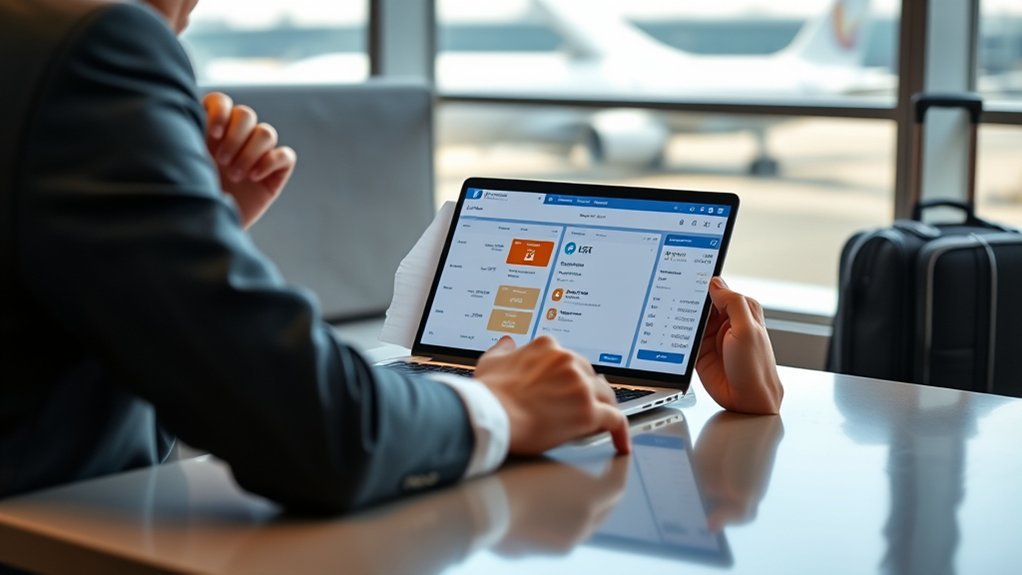
The fastest way to find a recent past-flight receipt is through your account on Southwest.com. Southwest’s official flight receipt instructions say that eligible past trips can be reviewed and printed from the Trips section.
- Go to Southwest.com and sign in.
- Select My Account.
- Open Trips.
- Choose the completed flight you need.
- Select View Receipt.
- Review the transaction and print or save it from your browser.
Note: Southwest says receipts for past trips are not available through the Southwest app. Use Southwest.com in a desktop or mobile browser instead.
Find Receipts in Trips
The Trips section can show receipts only for flights taken within the previous 18 months. A completed trip may not appear if it was not connected to your Rapid Rewards account, if you signed in with a different account, or if someone else purchased the ticket.
If the trip does not appear, search your email for the original Southwest confirmation. The confirmation number is a six-character code and may help you identify the correct purchaser, account, or reservation.
Southwest limits online past-trip receipt access to 18 months after the travel date.
For a trip older than 18 months, use Southwest’s online receipt request option rather than searching the Trips page repeatedly.
Print a Recent Southwest Flight Receipt
After opening the correct past trip and selecting View Receipt, use your browser’s print command. You can print a paper copy or choose a PDF option if your browser or device supports it.
| Step | Action | Result |
|---|---|---|
| 1 | Sign in on Southwest.com | Access your account records |
| 2 | Open My Account and Trips | See eligible past travel |
| 3 | Select the correct trip | Open its travel record |
| 4 | Select View Receipt | Display the receipt details |
| 5 | Use Print or Save as PDF | Create a reusable copy |
Pro Tip: Name the saved file with the passenger name, flight date, and confirmation number so it is easy to match with an expense report.
Request a Southwest Receipt by Email

The email process is different for upcoming and completed trips.
- Upcoming trip: Open Manage Reservations, enter the passenger’s full name and confirmation number, retrieve the trip, and select Resend Receipt. Southwest sends the copy to the purchaser’s email address.
- Completed trip: Sign in, open Trips, choose the flight, and select View Receipt. You can then print it or save it as a PDF.
- Older or special request: Use Southwest’s receipt request process.
Resend Receipt may not deliver the message to the passenger if another person, employer, or travel manager purchased the booking. Check the purchaser’s inbox and spam folder before submitting another request.
Get Older Southwest Receipts
Southwest does not provide self-service access to receipts more than 18 months after the travel date. For an older record, visit Southwest’s Contact Us page and choose the Receipt request option.
Prepare as much of the following information as possible:
- Passenger’s full name
- Confirmation number, if available
- Travel date
- Departure and destination airports
- Email address used for the purchase
- Last four digits of the payment card, if requested through Southwest’s secure process
- The type of receipt or charge you need
You can also call Southwest at 1-800-I-FLY-SWA (1-800-435-9792) for general assistance. However, the online receipt request option gives Southwest the trip details it needs in a structured form.
Warning: Do not send a complete credit card number through ordinary email, chat messages, or public forms. Enter payment details only through an official secure Southwest page when requested.
Check Receipts for Ancillary Charges
A flight receipt may not include every optional purchase. Southwest directs customers to its receipt request option for charges such as paid seats, Priority Boarding, and baggage.
| Purchase Type | Best Receipt Method |
|---|---|
| Past airfare within 18 months | My Account → Trips → View Receipt |
| Upcoming airfare | Manage Reservations → Resend Receipt |
| Baggage, paid seat, or Priority Boarding | Southwest receipt request option |
| Onboard drink purchase | Check the card statement for “SOUTHWESTAIR*INFLIGHT” |
| Airfare bought through a travel agent | Contact the travel agent |
When submitting an expense report, save each optional-charge receipt separately and match it with the related confirmation number and travel date.
What’s on a Southwest Receipt
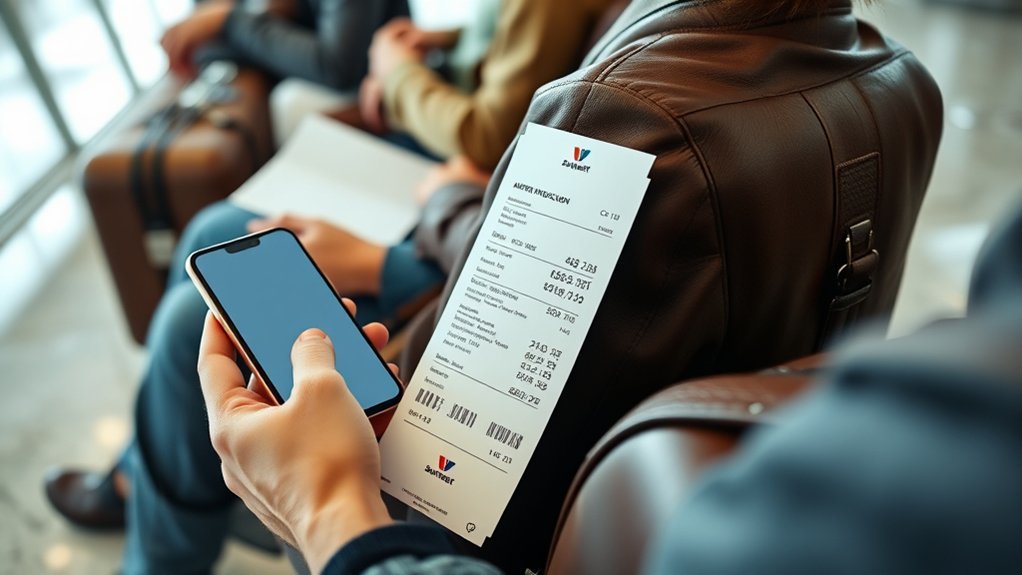
The exact receipt layout can vary by booking and purchase type. Review the document for the traveler or purchaser information, itinerary, transaction date, amount paid, taxes or fees, payment summary, and reservation identifiers.
Before using the receipt for work or tax records, confirm that it shows:
- The correct passenger or purchaser
- The correct flight dates and route
- The amount charged
- The relevant taxes, fees, or optional purchases
- A confirmation or transaction reference that matches your records
If an employer requires a field that does not appear, submit a receipt request and explain the specific information you need. Southwest may provide available transaction details, but the format can differ from an employer’s preferred expense-report format.
Get Receipts for Travel Agent Bookings
If a travel agent or travel management company issued the ticket, contact that company for the airfare receipt. Southwest can still provide receipts for eligible Southwest optional products associated with the booking, such as baggage, paid seats, or Priority Boarding.
Travel Agent Contact
Contact the agency through the same email address, booking portal, or support number used for the original reservation. Ask for an itemized passenger receipt, invoice, or proof of payment for the airfare.
| Step | Action |
|---|---|
| 1 | Confirm which agency issued the ticket |
| 2 | Provide the passenger name, dates, route, and agency record number |
| 3 | Ask for the airfare receipt or itemized invoice |
| 4 | Use Southwest’s request process for separate Southwest optional charges |
| 5 | Save both records if your expense report needs a complete total |
Booking Details Needed
Have the Southwest confirmation number and the agency’s booking or invoice number ready. These may be different. You should also provide the passenger’s name, flight dates, route, purchaser’s email, and the last four digits of the payment method if the agency asks through a secure channel.
Separate Receipt Process
Use the agency for the air ticket because the agency processed that sale. Use Southwest for eligible charges that Southwest collected directly. If you are unsure who collected a charge, compare the merchant name on the card statement with your agency invoice and Southwest confirmation emails.
Southwest customer support can explain which channel handles a charge, but it may not be able to reproduce an airfare receipt issued by a third-party agency.
Use Receipts for Refund and Reimbursement Claims
A receipt documents what you paid, but it does not determine whether Southwest must approve a refund or reimbursement. Eligibility depends on the fare rules, the reason for the request, whether the service was used, and the circumstances of any flight disruption.
For ticket refunds, review Southwest’s current refund policy. A non-refundable fare may still qualify for a refund to the original payment method after a qualifying cancellation, significant delay, or schedule change when you decide not to travel.
Expense reimbursement is a separate process. Southwest’s disruption reimbursement guidance covers certain reasonable meal, lodging, and related ground-transportation expenses after qualifying controllable disruptions. Southwest says eligible requests must be submitted no later than one year after the affected flight.
Note: Keep the original itemized receipts for hotels, meals, taxis, and other claimed costs. A bank statement may show that you paid, but it may not show what you purchased.
Troubleshoot Missing Southwest Receipts
Use this checklist when a receipt does not appear:
- Confirm the travel date: Past-trip self-service access ends after 18 months.
- Use the website: Past receipts are not available in the Southwest app.
- Check the correct account: The trip may be attached to a different Rapid Rewards account.
- Check who paid: Resent upcoming-trip receipts go to the purchaser’s email.
- Search spam and promotions folders: The resent message may have been filtered.
- Verify the confirmation number: Look in the original booking email and check every character carefully.
- Check for third-party booking: A travel agent or employer may control the airfare receipt.
- Request optional-charge receipts separately: Baggage, seats, and Priority Boarding may not appear on the airfare receipt.
- Check the card statement: Onboard drink transactions may appear as “SOUTHWESTAIR*INFLIGHT.”
- Submit an official request: Use Southwest’s Contact Us page when self-service retrieval does not solve the problem.
Frequently Asked Questions
Can I get a past Southwest receipt in the app?
No. Southwest says past-flight receipts are not available in its app. Sign in through Southwest.com, open My Account and Trips, choose the completed flight, and select View Receipt.
How far back can I find a Southwest receipt online?
Southwest allows online receipt retrieval for trips within 18 months of the travel date. Use its receipt request option for an older trip.
What Is Southwest’s Senior Discount Policy?
Southwest does not currently offer dedicated senior fares. Travelers of any age can compare the available Basic, Choice, Choice Preferred, and Choice Extra fare bundles.
How Do I Get a Detailed Receipt From Southwest?
First use View Receipt for a recent completed trip or Resend Receipt for an upcoming trip. If the available record does not contain the details you need, use Southwest’s Contact Us page, choose Receipt, and explain which transaction details are required.
Do Seniors Get to Board Early on Southwest?
Age alone does not provide a general senior boarding benefit. Southwest now uses assigned seating and boarding groups. Boarding priority can depend on the fare, seat type, Rapid Rewards status, card benefits, and purchased Priority Boarding.
How Much Baggage Can I Bring on Southwest?
Each ticketed passenger may bring one carry-on bag and one personal item without a charge. Checked-bag fees generally apply to Basic, Choice, and Choice Preferred fares. Choice Extra includes two free checked bags, and other exemptions or benefits may apply. Standard checked bags may weigh up to 50 pounds and measure up to 62 linear inches.
Who provides the receipt for a travel-agent booking?
The travel agent provides the airfare receipt because the agent issued the ticket. Southwest can provide eligible receipts for Southwest optional products associated with that booking.
Conclusion
For a recent completed trip, sign in on Southwest.com and use My Account → Trips → View Receipt. For upcoming travel, retrieve the reservation and choose Resend Receipt. Trips older than 18 months and optional charges require a receipt request, while a travel agent must provide the airfare receipt for a ticket it issued.
Save the receipt as soon as you find it, confirm that the passenger, dates, route, and amount are correct, and keep optional-charge records with the main airfare receipt when submitting an expense or reimbursement request.
Sources
- Southwest Flight Receipts — past, upcoming, older, optional-charge, and travel-agent receipt procedures
- Southwest Contact Us — official receipt and expense-request options
- Southwest Delay and Cancellation Reimbursement — eligible disruption-expense requests and deadlines
- Southwest Senior Fares — current senior-fare policy
- Southwest EarlyBird Check-In — discontinuation of EarlyBird purchases
- Southwest Optional Travel Charges — current baggage, seating, boarding, and other optional fees

