Last Updated on September 10, 2026 by Daniel Globe
Disclosure: As an Amazon Associate, we earn from qualifying purchases. If you click a link on this page and make a purchase, we may receive a small commission at no extra cost to you.
Carrying an oversized gaming or workstation laptop can rule out many standard backpacks before you even consider storage, comfort, or travel features. The KROSER 18.4-Inch XXXL Travel Laptop Backpack is built for that problem, with a large laptop compartment, organized storage, a luggage strap, RFID pockets, and an external USB charging port. Its biggest advantage is room for large devices and extra gear, but its 3.08-pound empty weight and 20.1-inch height make it less convenient for light daily commuting. This review helps you decide whether the extra capacity is useful for your routine or simply more bag than you need.
Editorial note: This assessment is based on the current manufacturer specifications and product listing. It does not claim hands-on testing.
Quick Verdict
Rating: 8.3/10, recommended with caveats
Best For: Large gaming laptops, mobile workstations, business travel, campus use, and buyers who carry a laptop with clothing or accessories
Bottom Line: The KROSER backpack offers unusually generous laptop compatibility and useful travel organization. Its large dimensions and 3.08-pound base weight are the tradeoffs, so it makes the most sense when you will use the extra space.
| Specification | Detail |
|---|---|
| Brand | KROSER |
| Product | 18.4-Inch XXXL Travel Laptop Backpack |
| Amazon ASIN | B07TZ7F2MP |
| Laptop compatibility | Most laptops up to 18.4 inches |
| External dimensions | 20.1 × 13.4 × 10.2 inches |
| Empty weight | 3.08 pounds |
| Material | Water-repellent fabric |
| Storage design | XXXL multi-compartment layout with side mesh pockets |
| Security feature | RFID pockets for compatible cards, IDs, and passports |
| Charging feature | External USB port connected to your own internal power bank |
| Travel features | Luggage strap, reflective front strips, and side compression straps |
| Comfort features | Air-flow back padding and sturdy steel-cable top handle |
| Power bank included | No |
| Care | Wipe with a soft damp cloth, air dry, and do not machine wash or soak |
| Best use | Travel, business, school, commuting, large-laptop setups, and daily carry |
What Is the KROSER 18.4-Inch Travel Laptop Backpack?
The KROSER is a large computer backpack designed for people whose laptop and daily gear exceed the space offered by a typical school or office bag. Its published external dimensions are 20.1 × 13.4 × 10.2 inches, and the laptop compartment is listed for most devices up to 18.4 inches. That makes it relevant for large gaming notebooks, mobile workstations, and thick desktop-replacement laptops.
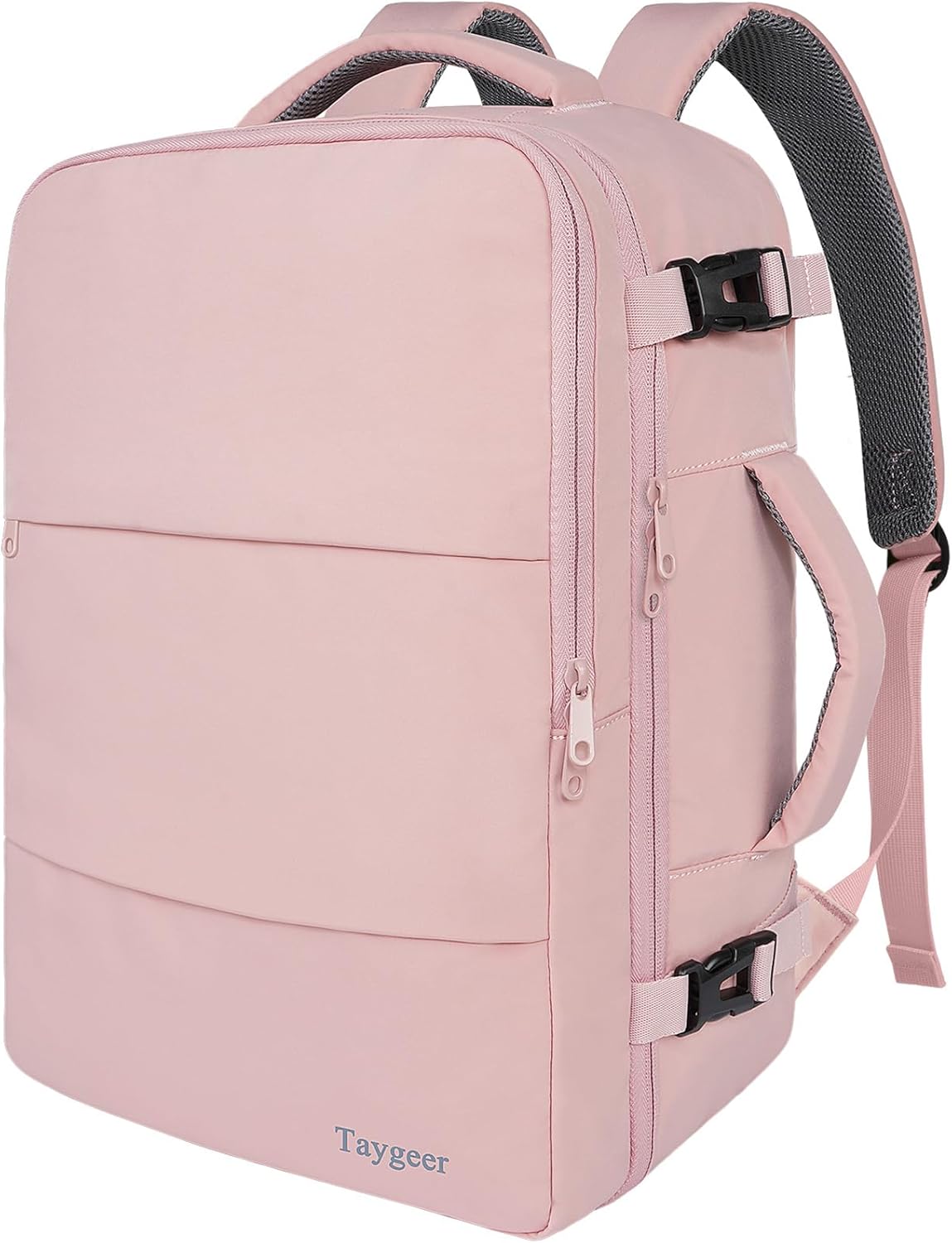
The XXXL layout separates a computer, tablet, documents, a power bank, clothing, and smaller accessories. Two elastic mesh pockets keep a water bottle or umbrella outside the main compartments. The bag also includes RFID pockets, an external USB port, a luggage strap, reflective front strips, air-flow back padding, side compression straps, and a reinforced top handle.
The tradeoff is scale. The bag weighs 3.08 pounds before loading, and its profile becomes bulky when every compartment is full.
Before You Buy: Do not rely on the advertised screen size alone. Measure your laptop’s full width, depth, and thickness, then compare those measurements with the compartment and bag dimensions. Also check your airline’s current baggage limits because a 20.1-inch backpack may be too large for some personal-item allowances.
Who Should Buy It?
Best For
- You carry an oversized gaming laptop or mobile workstation that will not fit a standard 15.6-inch bag.
- You need separate space for documents, accessories, a power bank, clothing, and travel essentials.
- You frequently move through airports, hotels, offices, or campuses and can use the luggage strap and large storage layout.
Skip If
- You carry a small laptop and only a few accessories, since the empty bag is already 3.08 pounds.
- You need a compact personal item that fits strict airline size limits without careful checking.
- You want a technical hiking pack, a fully waterproof bag, or a built-in battery.
Detailed Features
Large-Laptop Fit and Protection
The main reason to consider this backpack is its stated support for laptops up to 18.4 inches. Large gaming systems and mobile workstations often have thick bodies, extended cooling sections, or wide chassis that do not fit bags designed around common 15.6-inch computers. The KROSER gives you a better starting point for those devices.
The laptop area is padded, but fit still depends on the chassis. Thick rear vents, bulky corners, and protective cases can prevent an 18.4-inch computer from fitting. Never force the zipper around the device.
XXXL Organization and Side Storage
Separated compartments let you divide technology from documents, clothing, and smaller personal items. The listing specifically mentions room for a computer, tablet, power bank, A4 files, wallet, cards, and clothes. This layout is useful when you want one backpack for a workday, an overnight stay, or a campus schedule instead of carrying a separate laptop bag and small duffel.
Elastic side pockets hold a bottle or umbrella. Compression straps help control loose volume and reduce sagging, although they cannot turn the bag into a compact daypack.
USB Charging Port
The external USB port provides a convenient pass-through connection between your phone and a power bank stored inside the backpack. You supply the power bank, connect it to the internal cable, and then attach your device cable outside. The port does not create or store power by itself.
This feature reduces the need to open the bag while charging. Disconnect the power bank during storage, keep liquids away from the port, and inspect the internal cable if charging becomes intermittent.
RFID Pockets and Visibility Features
The RFID pockets are designed to reduce unauthorized scanning of compatible cards, IDs, and passports, but they do not prevent physical theft. Reflective front strips improve visibility when light hits them in dim conditions, though you still need proper lights or reflective clothing near traffic.
Travel and Carrying Comfort
The luggage strap slides over a rolling suitcase handle, while the steel-cable top handle provides a sturdy grab point. Air-flow back padding adds cushioning and breathability, but comfort still depends on load weight, strap adjustment, and carrying time.
Water-Repellent Fabric and Care
The water-repellent fabric can help with light splashes or brief drizzle, but it is not verified as waterproof. For cleaning, use a soft damp cloth and air dry the bag. Do not machine wash, soak, bleach, or iron it.
Pro Tip: Put the laptop flat against the padded back panel, place heavier accessories low and near your back, and use the outer compartments for lighter items. This reduces outward pull and can make a loaded bag feel more stable.
How It Performs in Real Use
For a Large Gaming or Workstation Laptop
The oversized compartment holds a large computer, charger, mouse, headset, documents, and other work gear. Place a heavy power brick low and near your back, ideally inside a pouch so it cannot scrape the laptop.
For Business Travel
The luggage strap and organized compartments suit airport and hotel movement, with room for documents, a bottle, and a change of clothing. Verify airline limits before treating the packed bag as a personal item.
For School or Long Workdays
The backpack separates a computer, tablet, A4 files, chargers, and daily essentials for classes or long workdays. Its large footprint can still feel awkward under a small desk or on a crowded bus.
For Evening and Outdoor Movement
Reflective strips, water-repellent fabric, and side pockets support short outdoor transfers. This remains a computer travel backpack, not a technical hiking pack with verified waterproofing or a specialized load-support system.
Setup Tips Before First Use
- Measure your laptop: Compare the complete chassis, including rear vents and any protective shell, with the backpack’s available space.
- Test the zipper without force: The zipper should close naturally around the laptop. Pressure at the corners can stress both the device and bag.
- Connect your own power bank: The USB port needs an internal power source. Confirm that your cable and power bank work before travel.
- Balance the load: Keep the laptop and heavy adapters near your back. Spread smaller items across compartments instead of overfilling one section.
- Tighten the compression straps: Use them to control the bag’s profile after packing, but do not tighten them hard against fragile equipment.
- Check transport limits: Measure the packed bag, not only the empty dimensions, before a flight or any trip with size restrictions.
Compatibility and Safety
Confirm that your laptop fits without bending the zipper line or pressing on the screen. A maximum load rating is not stated in the current manufacturer specifications reviewed, so inspect the straps, handle, seams, and zippers when carrying heavy equipment.
Keep electronics protected from moisture and do not use the USB port when the port, cable, power bank, or surrounding fabric is wet. Continue to use normal theft precautions even when cards are stored in the RFID pockets.
Pros and Cons
Pros
- Fits most laptops up to 18.4 inches, a size many standard backpacks do not support.
- XXXL multi-compartment layout separates technology, documents, clothing, and small accessories.
- Luggage strap, side compression straps, mesh pockets, and reinforced handle improve travel convenience.
- External USB pass-through gives you charging access with your own power bank.
- RFID pockets, reflective front strips, water-repellent fabric, and air-flow back padding add useful everyday features.
Cons
- The 3.08-pound empty weight is noticeable before you add a large laptop and charger.
- The 20.1 × 13.4 × 10.2-inch body can be cumbersome for crowded commutes or strict personal-item limits.
- A power bank is not included, and the water-repellent fabric is not verified as waterproof.
Is It Worth the Price?
The KROSER offers strong value for the price when your main requirement is carrying a very large laptop with a full set of work, school, or travel gear. The verified feature list is substantial: an 18.4-inch laptop fit, multiple compartments, RFID pockets, an external USB port, luggage attachment, reflective details, compression straps, and padded back support.
You get the most value when those features replace the need for a second bag. It is not the best fit when you carry a small computer and a charger only, because a lighter backpack would be easier to store and carry. Check the current seller, return terms, and warranty details before ordering because these can vary by sales channel.
How It Compares to Alternatives
The EVERKI Business 120 is another option for laptops up to 18.4 inches and is worth comparing if you want a more premium travel-focused design. The SWISSGEAR 1900 ScanSmart fits most laptops up to 17 inches and may suit you better when you prioritize a TSA-style lay-flat laptop section but do not need 18.4-inch compatibility.
KROSER also sells smaller 17.3-inch backpacks with USB and RFID features. A smaller KROSER model may be the smarter choice when your computer fits comfortably and you want less bulk. This 18.4-inch XXXL version makes the most sense when maximum laptop fit and broad storage matter more than a compact profile.
Frequently Asked Questions
Can the KROSER backpack fit an 18.4-inch laptop securely?
It is designed for most laptops up to 18.4 inches and includes a padded laptop area. You should still measure the full chassis, including vents and any protective case, because computers with the same screen size can have different exterior dimensions.
Does the USB port charge devices by itself?
No. The port is a pass-through connection that works with your own power bank inside the backpack. A power bank is not included, and you still need a compatible charging cable for your device.
Is the backpack waterproof?
The material is described as water-repellent, not waterproof. It can help during light splashes or brief drizzle, but you should use extra protection for electronics in heavy rain or prolonged wet conditions.
Will it count as an airline personal item?
Do not assume that it will. The published dimensions are 20.1 × 13.4 × 10.2 inches, and airline limits differ. Check the current limit for your carrier and fare, then measure the backpack after packing.
What is the backpack’s maximum weight limit?
A maximum load rating is not stated in the current manufacturer specifications reviewed. Pack conservatively, distribute heavy items near your back, and inspect the straps, handle, seams, and zippers if you regularly carry a heavy workstation setup.
What do the RFID pockets protect?
They are intended to reduce unauthorized scanning of data encoded on many compatible credit cards, IDs, and passports. They do not prevent physical theft, so keep the backpack secured and supervised.
How should you clean and store the backpack?
Wipe it with a soft damp cloth and let it air dry fully. Do not machine wash, soak, bleach, or iron it. Store it in a cool, dry place with the USB cable disconnected from your power bank.
Who should choose a smaller backpack instead?
Choose a smaller model when your laptop is 17.3 inches or below and you carry only a few accessories. A smaller bag will usually be easier to fit under seats, store in lockers, and handle on crowded commutes.
The Bottom Line
The KROSER 18.4-Inch XXXL Travel Laptop Backpack is recommended with caveats for you if you need room for a large gaming laptop or workstation plus substantial work, school, or travel gear. Its strongest qualities are laptop compatibility, organization, and practical travel features, while its main limitations are weight and bulk. Skip it when a compact commuter bag would cover your needs.