

Last Updated on September 11, 2026 by Daniel Globe
The KEOFID classic backpack is a compact laptop bag made for school, work, commuting, and light travel. Its strongest features are simple organization, a hidden rear pocket, a luggage strap, and an external USB pass-through. However, several online listings mix up the bag’s 17.3-inch size label with its actual laptop fit, so checking the verified specifications matters before you buy.
Quick Answer
The KEOFID classic backpack is a seller-listed 23-liter laptop bag with four compartments, two bottle pockets, a hidden pocket, a luggage strap, and a USB pass-through. Its listed size is 17.3 × 12.6 × 7.2 inches, but the laptop sleeve is designed for devices up to 15.6 inches.
Key Takeaways
- The bag measures about 17.3 × 12.6 × 7.2 inches, but seller specifications list laptop compatibility only up to 15.6 inches.
- You get four compartments, two elastic side pockets, a padded laptop sleeve, a tablet sleeve, a hidden pocket, and a luggage strap.
- The USB port does not create power. It only connects your device to a separate power bank stored inside the backpack.
- The material is described as water-resistant, not waterproof, so electronics still need extra protection in heavy rain.
- Prices, ratings, colors, and features can vary by seller and model, so match the listing photos, dimensions, and model details before ordering.
Disclosure: As an Amazon Associate I earn from qualifying purchases. Some links on this page are affiliate links, at no extra cost to you.
What Is the Keofid Backpack?
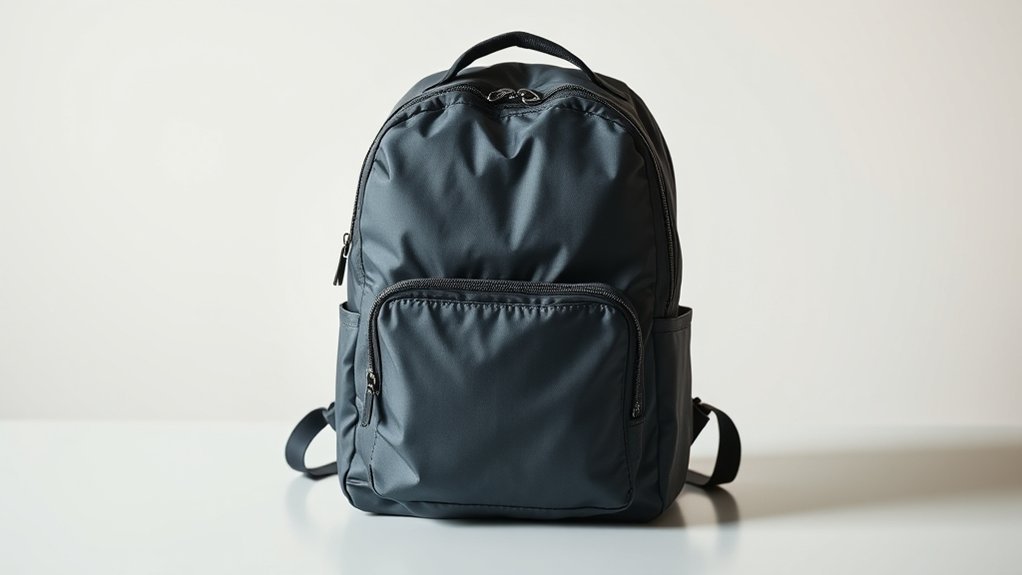
The KEOFID classic backpack is an affordable, general-purpose laptop backpack for daily commuting, school, office use, and short trips. Seller listings describe a soft-shell polyester exterior, nylon lining, four compartments, two side pockets, a padded laptop area, a tablet sleeve, an external USB connection, a luggage-handle strap, and a hidden pocket.
It is best viewed as a practical organizer rather than a rugged hiking pack or fully weatherproof travel bag. The available product pages do not provide independent durability tests, a waterproof rating, a maximum load rating, or detailed information about long-term strap comfort.
KEOFID Backpack Verified Specifications
| Specification | Seller-Listed Detail |
|---|---|
| Bag dimensions | 17.3 × 12.6 × 7.2 inches |
| Laptop compatibility | Up to 15.6 inches |
| Listed capacity | 23 liters on one current product-data listing; capacity may vary by model |
| Listed weight | About 0.81 kilograms, or 1.8 pounds |
| Materials | Polyester outer material with nylon lining |
| Storage | Four compartments and two elastic side pockets |
| Travel features | Hidden pocket, luggage strap, and external USB pass-through |
| Care | Hand wash only |
Note: These are seller-supplied specifications, not measurements from an independent laboratory. KEOFID has several similar-looking variants, so confirm the exact model, color, dimensions, and laptop-sleeve size on the listing you plan to purchase.
Why Choose the KEOFID Backpack?
The KEOFID backpack makes sense when you want several storage areas without moving to a large or heavy travel pack. The four-compartment layout separates a laptop, tablet, books, files, chargers, and personal items. Two elastic side pockets keep bottles or compact items outside the main storage area.
The hidden pocket and luggage strap are useful during commuting and airport transfers. The USB pass-through can also reduce cable clutter when you already carry a compatible power bank. These features add convenience, but they do not turn the backpack into a theft-proof, waterproof, or powered smart bag.
Who It Suits Best
- Students carrying a 15.6-inch or smaller laptop, books, and daily supplies
- Office commuters who want separate pockets for electronics and small accessories
- Travelers who need a compact personal bag with a luggage-handle strap
- Buyers who value organization more than premium materials or technical outdoor features
Who Should Skip It
- Owners of 17-inch or 17.3-inch laptops
- People who need a waterproof bag for exposed outdoor use
- Hikers who need a framed suspension system, hip belt, hydration compatibility, or verified load support
- Travelers who need guaranteed personal-item compliance for a specific airline
KEOFID Backpack Size and Materials
The classic model is listed at 17.3 × 12.6 × 7.2 inches. The first number describes the backpack’s approximate height; it does not mean the laptop sleeve fits a 17.3-inch computer. The product specifications reviewed list compatibility with laptops up to 15.6 inches.
One product-data listing describes the bag as 23 liters and about 1.8 pounds. It lists polyester as the outer material and nylon as the lining. Sellers also describe the fabric as water-resistant and tear-resistant, but they do not publish a recognized waterproof rating or independent abrasion-test result.
Warning: Water-resistant fabric can help with light splashes or brief drizzle, but it is not the same as waterproof construction. Use a laptop sleeve, dry bag, or rain cover when carrying electronics in sustained or heavy rain.
KEOFID Backpack Compartments and Storage
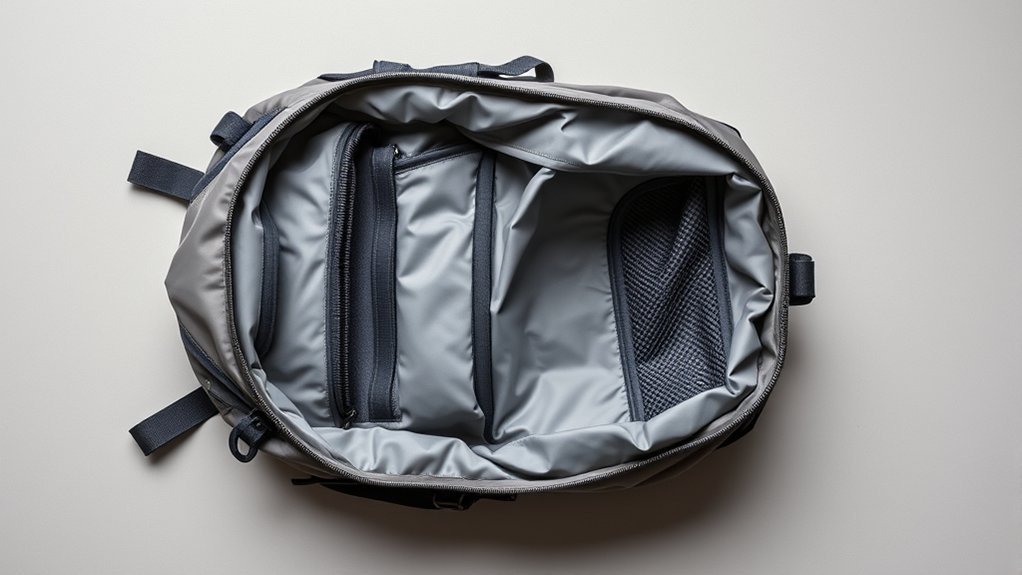
The backpack uses four compartments plus two elastic side pockets. The main area includes a laptop sleeve for devices up to 15.6 inches and an additional padded sleeve for a tablet or e-reader. A front organizer and two front pockets hold smaller items that would otherwise settle at the bottom of the bag.
Main Compartment Layout
Place the laptop in the padded sleeve closest to your back, then pack books, files, or clothing in the open center area. Keeping the heaviest items close to your body can reduce pulling and make the load feel more stable. Do not force an oversized or thick gaming laptop into the sleeve, because pressure on the zipper, seams, and device corners can cause damage.
Front Pocket Organization
The front storage works best for items you use often. A simple layout prevents small objects from becoming difficult to find.
| Suggested Use | |
|---|---|
| Front pocket 1 | Keys, cards, and travel documents |
| Front pocket 2 | Chargers, pens, and cables |
| Organizer slots | Small accessories that need separation |
| Hidden rear pocket | Passport, wallet, or phone while the bag is worn |
Side Pocket Storage
The two elastic side pockets are intended for bottles and similarly sized items. Test the fit before walking or cycling, especially with tall metal bottles, because the available listings do not state pocket depth or bottle-diameter limits.
- Keep liquids outside the laptop compartment when possible.
- Tighten bottle lids before placing them in the pockets.
- Balance the load if one side carries a heavy bottle.
- Do not rely on an elastic pocket to secure valuable items.
Comfort and Load Management
The listings reviewed do not provide detailed measurements for strap width, foam thickness, back-panel ventilation, or maximum carrying weight. Comfort will therefore depend on your body size, laptop weight, packing style, and how long you wear the bag.
Use both shoulder straps and adjust them so the backpack sits close to your back rather than hanging low. For children and teenagers, the American Academy of Pediatrics advises keeping a loaded backpack at or below about 15% of body weight and using separate compartments to distribute the load.
Pro Tip: Pack the laptop and heaviest books against the back panel. Put lighter clothing and small accessories farther away from your body, then remove items you do not need before each trip.
KEOFID Backpack Safety and Travel Features
The hidden rear pocket places a wallet, passport, or phone against your back while you wear the bag. This can make quick access harder for an opportunistic pickpocket, but it does not make the backpack theft-proof. The product specifications reviewed do not verify lockable zippers, slash-resistant panels, RFID-blocking pockets, or cut-resistant straps.
The luggage strap slides over a rolling suitcase handle and can free your hands during airport transfers. Water-resistant fabric provides limited weather protection. Reflective safety strips were not confirmed in the matching classic-model specifications, so do not depend on the bag for nighttime visibility unless your exact listing clearly shows and describes them.
KEOFID Backpack USB Charging Port
The built-in USB feature is a pass-through connection. You connect a power bank to the internal cable, place the battery inside the backpack, and plug your phone cable into the external port. The backpack does not include a power bank and does not generate or store electricity by itself.
- Use a power bank and cable that are in good condition.
- Keep the battery dry and away from loose metal objects.
- Disconnect the cable if the battery becomes hot, swollen, damaged, or wet.
- Remove the power bank before washing the backpack.
Air-travel warning: The FAA requires spare lithium batteries and power banks to stay in carry-on baggage, not checked baggage. If an airline gate-checks your backpack, remove the power bank and keep it with you in the cabin. Most personal power banks are limited to 100 Wh without airline approval, and individual airlines may apply stricter rules.
KEOFID Backpack for School and Work
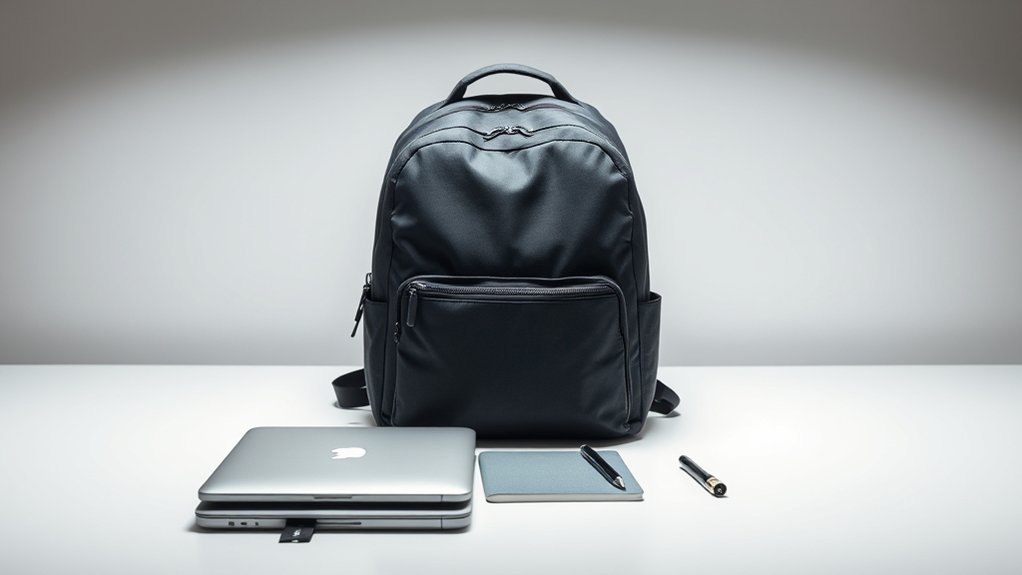
For school and office use, the strongest benefit is separation. The laptop sleeve, tablet sleeve, center compartment, front organizer, and side pockets give common daily items a clear place. A 23-liter listing suggests enough room for a laptop, notebooks, a light layer, chargers, and small personal items, but bulky lunch containers or gym gear can quickly reduce the available space.
Before using it every day, load the backpack with your normal equipment and wear it indoors for several minutes. Check whether the shoulder straps stay comfortable, the zipper closes without strain, and the laptop does not press against hard objects.
KEOFID Backpack for Travel and Outdoor Use
The listed 17.3 × 12.6 × 7.2-inch dimensions total about 37.1 linear inches, which is below the FAA’s general 45-linear-inch rule of thumb for many carry-on bags. That does not guarantee acceptance. Airlines set their own carry-on and personal-item limits, and a fully packed soft bag can become larger than its listed dimensions.
The bag is better suited to airports, commuting, sightseeing, and light day use than exposed hiking or severe weather. The matching classic-model specifications reviewed do not list a waterproof thermal-insulation pocket. Some KEOFID variants may include insulated storage, but you should not assume that feature is present unless it appears in the exact listing you are buying.
- Measure the packed bag, not only the empty bag.
- Compare all three dimensions with your airline’s current limit.
- Keep medicine, documents, electronics, and the power bank easy to remove.
- Use a separate waterproof pouch for electronics and important papers.
KEOFID Backpack Pros and Cons
| Pros | Limitations |
|---|---|
| Four compartments and two bottle pockets | Does not fit a 17.3-inch laptop according to the matching seller specifications |
| Hidden pocket and luggage strap | Hidden storage does not make it theft-proof |
| External USB pass-through | Power bank is not included |
| Compact size for commuting and light travel | No independent waterproof, durability, or comfort testing found |
| Hand-washable polyester construction | Features and review counts vary across similar KEOFID variants |
How to Clean the KEOFID Backpack
The available care information says to hand wash the backpack. Gentle spot cleaning is the safest starting point because machine agitation and heat can stress coatings, foam, cables, seams, and zippers.
Surface Cleaning Steps
- Empty every compartment and remove the power bank, cables, loose inserts, and debris.
- Check the care label inside the exact backpack and follow it if it differs from the online listing.
- Use a soft cloth or brush to remove dry dust and crumbs.
- Mix a small amount of mild soap with cool or lukewarm water.
- Test the solution on a hidden area before cleaning visible fabric.
- Wipe stained areas gently without soaking the laptop padding or USB connector.
- Use a clean damp cloth to remove soap residue.
Drying and Care
Open all compartments and let the backpack air dry in a shaded, well-ventilated place. Do not use a tumble dryer, direct high heat, or the backpack’s USB connection until every part is dry. Once dry, inspect the seams, zipper tracks, elastic pockets, straps, and charging cable for damage.
Note: Avoid applying a waterproofing spray unless its label confirms compatibility with polyester and you have tested it on a hidden area. Some treatments can change the color, feel, or breathability of fabric.
KEOFID Backpack Reviews and Ratings
Review numbers should be treated as snapshots tied to a specific seller and variant. A third-party deal page recently displayed an average of 4.6 out of 5 from 15 reviews for one KEOFID classic listing, while Walmart and other marketplaces showed different totals for other KEOFID models. That means the original “15 reviews” figure is not a stable brand-wide rating.
Use reviews to look for repeated patterns rather than relying only on the average score. Pay special attention to laptop fit, zipper durability, strap comfort, bottle-pocket security, color accuracy, and whether the review matches the exact size and model you plan to order.
Frequently Asked Questions
Does the KEOFID backpack fit a 17.3-inch laptop?
The matching classic-model specifications say the backpack fits laptops up to 15.6 inches. The “17.3 inches” in some product titles refers to the backpack’s approximate height or size label, not verified laptop-sleeve compatibility.
Do anti-theft backpacks really work?
A hidden pocket can make valuables less visible and harder to reach while the bag is worn, but no backpack is theft-proof. This model’s matching specifications do not confirm RFID blocking, cut-resistant fabric, lockable zippers, or slash-resistant straps.
Is a 40-liter backpack allowed as a carry-on?
Capacity alone does not decide whether a backpack is allowed. Airlines judge the packed bag by its outside dimensions and sometimes its weight. Many 40-liter travel packs can meet carry-on limits, while others cannot, so compare the packed measurements with the airline’s current rules.
What is the point of a USB port on a backpack?
It gives you an external connection to a separate power bank stored inside the bag. It can make phone charging easier, but it does not include a battery or charge anything by itself.
Is the KEOFID backpack waterproof?
No verified waterproof rating was found. Sellers describe the fabric as water-resistant, which may help with light splashes or brief drizzle but does not guarantee protection in heavy or prolonged rain.
Can you machine wash the KEOFID backpack?
The available product-care information says hand wash only. Remove electronics and the power bank, clean gently with mild soap and water, and air dry the bag fully before reconnecting the USB cable.
What are useful backpack essentials?
Useful basics include a protective laptop sleeve, charging cable, approved power bank, water bottle, small first-aid kit, tissues, pen, reusable bag, and a waterproof pouch for documents. Carry only what you need so the load remains comfortable.
Sources
- Newegg KEOFID classic backpack listing — seller-listed dimensions, 15.6-inch laptop fit, storage layout, USB port, luggage strap, and hidden pocket
- KEOFID product-data listing — material, lining, weight, 23-liter capacity, water-resistance level, and hand-wash care information
- Federal Aviation Administration: PackSafe Lithium Batteries — power-bank carry-on and watt-hour rules
- Federal Aviation Administration: Carry-On Baggage Tips — general size guidance and airline-specific limits
- American Academy of Pediatrics: Backpack Safety — load distribution, strap use, and the 15% body-weight guideline for children
Conclusion
The KEOFID classic backpack offers useful organization for school, work, commuting, and light travel. Its four compartments, two side pockets, hidden pocket, luggage strap, and USB pass-through are practical at this price-focused end of the market. The main caution is sizing: the bag may be labeled 17.3 inches, but the matching specifications support laptops only up to 15.6 inches. It is a reasonable choice when those limits match your needs and you confirm the exact variant before buying.

