Last Updated on July 29, 2026 by Daniel Globe
Your phone hits 12% battery just as you board, and you have a four-hour flight ahead. Whether United Airlines can keep it charged depends on the aircraft, interior version, cabin, row, and whether the installed port is working. Here is how to check your flight, find the outlet, and prepare a safe backup.
Quick Answer
Yes, many United Airlines aircraft have in-seat charging, but it is not available at every seat or on every plane. Depending on the aircraft, you may find AC outlets, USB-A, USB-C, or wireless charging. Check the assigned aircraft and United’s official fleet page, then carry a compliant power bank as a backup.
Key Takeaways
- United charging-port availability depends on the aircraft, interior version, cabin, row, and seat.
- Current aircraft may offer AC power, USB-A, USB-C, wireless charging, or no in-seat power at all.
- Use the aircraft type in United My Trips and compare it with United’s official fleet page before departure.
- United says laptops and aircraft power ports may be used only after the plane is above 10,000 feet.
- Power banks must stay in your carry-on and must meet FAA watt-hour limits.
What’s in This Article
- What In-Flight Amenities Does United Airlines Offer?
- Which United Airlines Flights Have Charging Ports?
- How to Check Charging Before Your United Flight
- United Charging-Port Examples by Aircraft
- What Types of Charging Ports Does United Airlines Have?
- Where Are the Charging Ports Located?
- Are United Charging Ports Compatible With Your Devices?
- When Can You Use United’s Seat Power?
- Tips for Getting the Most Out of In-Flight Charging
- What to Do If Your Seat Does Not Have a Working Port
- Power-Bank Rules for United Flights
- Frequently Asked Questions
- Sources
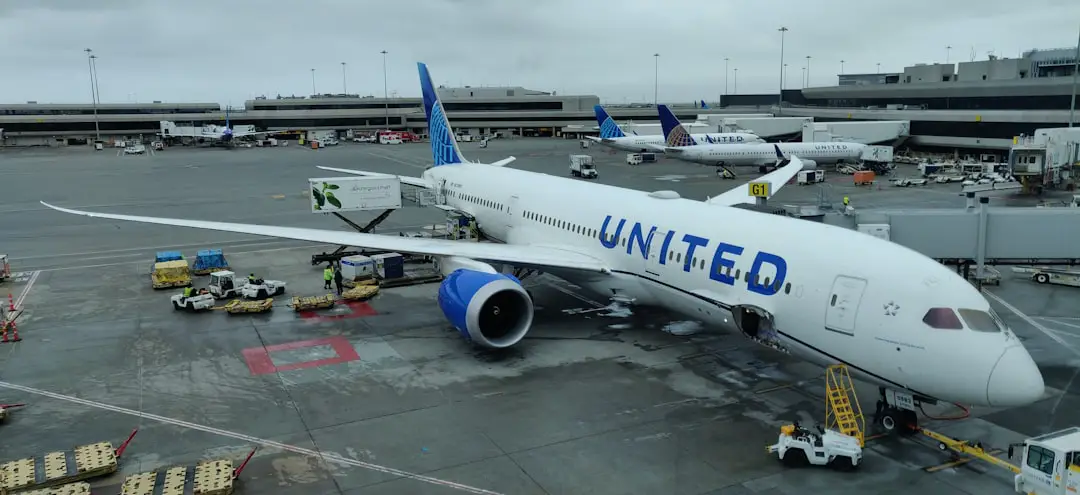
United Airlines traces its roots to Varney Air Lines, which began flying in 1926. United Air Lines was formed in 1931 through the consolidation of several early carriers, according to the SFO Museum’s history of United. The airline is based in Chicago, serves a large domestic and international network, and was one of the five airlines that established Star Alliance in 1997.
As passengers have become more dependent on phones, tablets, headphones, and laptops, United has added power to many aircraft. The rollout is not uniform, however. Two United flights on similar routes can have different charging options when they use different aircraft or interior configurations.
Disclosure: As an Amazon Associate I earn from qualifying purchases. Some links on this page are affiliate links, at no extra cost to you.
What In-Flight Amenities Does United Airlines Offer?
United’s onboard features vary by cabin, aircraft, route, and flight length. Food and beverage service may range from snacks and drinks to full meals. Premium cabins generally receive more service than economy, but the exact menu depends on the flight rather than one fleet-wide standard.
Entertainment may be available through a seatback screen or through United Private Screening on your own device. Wi-Fi availability, seat design, headrests, legroom, storage, Bluetooth audio, and charging equipment also vary by aircraft and interior version.
Which United Airlines Flights Have Charging Ports?
Charging availability depends primarily on the aircraft assigned to the flight. Newer or updated United interiors are more likely to include USB ports, AC outlets, or wireless charging. Some older mainline aircraft have power only in selected cabins or rows, while certain regional aircraft have no charging equipment.
Do not rely only on the route, flight length, or cabin name. A short flight can use a well-equipped aircraft, while a longer flight can have a configuration with fewer charging options. The same aircraft model may also have more than one seat-map version.
Note: Aircraft assignments can change because of maintenance, weather, scheduling, or operational needs. Recheck your flight details after check-in and again before boarding.
How to Check Charging Before Your United Flight
- Open your reservation. View the trip in United My Trips or the official United app.
- Find the aircraft type. Look in the flight details for a name such as Boeing 737-800, Boeing 787-9, Airbus A321neo, or Embraer E175.
- Open United’s aircraft page. United’s fleet pages list whether power outlets, USB ports, wireless charging, and entertainment are available.
- Choose the correct version. Some models have several interior layouts. Compare the displayed cabin sizes and seat map with your reservation.
- Check the cabin or row details. A page may say that outlets are available only in selected cabins or rows.
- Recheck before departure. If United changes the aircraft, the charging equipment can change too.
Pro Tip: Take a screenshot of the aircraft type and seat-map version after check-in. It gives you a quick reference if the app becomes slow or the assigned aircraft changes at the gate.
United Charging-Port Examples by Aircraft
The following examples show why there is no single answer for every United seat. These listings reflect United’s current fleet pages and can change as aircraft are refurbished or replaced.
| Aircraft | What United Lists | Practical Takeaway |
| Airbus A321neo | Power outlets, USB ports, and wireless charging | One of the strongest charging setups in the current narrow-body fleet. |
| Boeing 787-9 | Power outlets and USB ports | Charging is broadly available, but check the exact interior version and cabin. |
| Boeing 737-800 | Power outlets in selected cabins; USB listed as unavailable | Do not assume an economy seat has a USB port merely because the aircraft has some power. |
| Boeing 737-700 | Power in selected rows; USB listed as unavailable | Your row matters, so review the row-level information. |
| Bombardier CRJ-550 | Power in selected cabins and USB availability | Some regional flights have charging, but cabin availability may differ. |
| Bombardier CRJ-200 | Power outlets and USB ports listed as unavailable | Bring a charged power bank and do not expect in-seat charging. |
What Types of Charging Ports Does United Airlines Have?
United uses several charging systems across its fleet. The exact connector and power source depend on when the cabin was installed or refurbished.
USB-A Ports
USB-A is the older rectangular USB connector. It can charge many phones, tablets, headphones, and small electronics when you bring a cable with a USB-A plug on the aircraft end. A device that uses USB-C or Lightning can still charge from USB-A when the cable has the correct connector at each end.
USB-C Ports
USB-C ports appear in newer and updated United cabins. United has announced newer interiors with USB-C and electrical outlets, but USB-C is not yet a fleet-wide feature. Bring a USB-A cable or an AC charger as a second option when charging is important.
AC Power Outlets
AC outlets let you connect a normal phone, tablet, or laptop power adapter. They are often the best choice for a laptop because USB ports on older interiors may charge slowly. However, aircraft outlets have limited electrical capacity, and a high-performance laptop or large power brick may charge slowly, cycle on and off, or fail to start.
Wireless Charging
United lists wireless charging on aircraft such as the Airbus A321neo and in some newer premium-seat designs. Wireless charging requires a compatible phone or charging case. Thick cases, metal attachments, wallet inserts, and poor alignment can prevent charging.
Where Are the Charging Ports Located on United Airlines Planes?
USB ports commonly appear near a seatback screen, on the lower seatback panel, or inside a seat console. AC outlets may be beneath the seat, between two seats, under an armrest, or inside a premium-seat storage area. Wireless pads are normally built into a tray or console surface.
In United Polaris business class, charging controls and outlets are generally positioned within the passenger’s seat area. Newer premium interiors may include more accessible outlets, USB-C, and wireless charging, making it easier to power a phone and laptop without reaching beneath the seat.
Economy layouts vary more. One outlet may serve a group of seats, power may exist only in selected rows, or the aircraft may have no charging equipment. Check beside the seatback screen first, then look carefully beneath or between the seats without reaching into another passenger’s space.
Note: Ask a flight attendant before moving seats or reaching into a difficult area. Never disconnect another passenger’s charger to test an outlet.
Are United Airlines Charging Ports Compatible With Your Devices?
Compatibility depends on your cable and charger. A USB-A port requires a cable with USB-A on the aircraft end. A USB-C port requires USB-C on that end. Your phone end may be USB-C, Lightning, or another connector. Bring your own cable and do not count on the crew having a spare.
AC outlets work with many standard phone, tablet, and laptop power adapters. Check that your charger is undamaged and that the plug sits firmly without being forced. High-draw gaming laptops, workstations, and specialized equipment may demand more power than an aircraft outlet can supply.
Wireless charging works only with compatible devices. Remove magnetic wallets, metal rings, thick cases, or other attachments when the phone does not begin charging.
Warning: Do not use a damaged cable, loose charger, swollen battery, or recalled power bank. If a device becomes unusually hot, expands, smokes, sparks, or burns, disconnect it only if safe and alert a flight attendant immediately.
When Can You Use United’s Seat Power?
United states that laptops and aircraft power ports may be used only when the plane is above 10,000 feet. A port that does nothing during boarding, taxi, takeoff, or the first part of the climb may therefore be operating normally rather than broken.
Follow all crew instructions and put devices into airplane mode when required. Airplane mode disables cellular communication. You can normally turn Wi-Fi or Bluetooth back on separately when the crew permits those connections.
A seat outlet that appears dead on the ground may begin working after the aircraft climbs above 10,000 feet.
Tips for Getting the Most Out of In-Flight Charging
- Charge before leaving home. Even an equipped seat may have a damaged, loose, or temporarily unavailable outlet.
- Bring more than one connection method. Pack a USB-A cable, a USB-C cable if needed, and a compact AC charger.
- Use a short cable. A shorter cable is less likely to snag on a tray table, armrest, or another passenger.
- Turn on low-power mode. Reduce screen brightness, stop background syncing, and close games or navigation apps.
- Download entertainment before departure. Local playback normally uses less power than continuous streaming.
- Do not block the aisle. Keep cables close to your seat and away from feet, bags, carts, and moving seat parts.
- Confirm that charging actually started. Look for the battery symbol instead of assuming that a connected cable is delivering power.
Pro Tip: A short 20–30 cm (8–12 inch) USB cable is easier to manage in a tight seat than a full-length cable. Keep one longer cable in your bag in case the outlet is beneath the seat.
Avoid running power-hungry apps while charging from an older USB port. Video streaming, gaming, maximum screen brightness, hotspot use, and repeated photo or video uploads can consume power faster than a low-output port replaces it.
What to Do If Your Seat Does Not Have a Working Port
If the outlet appears dead, use these steps before assuming that it is broken:
- Wait until the aircraft is above 10,000 feet and the crew has allowed normal device use.
- Disconnect and reconnect the cable once, making sure it is fully seated.
- Try a different cable or lower-power charger when you have one.
- Check whether the device says “not charging” or shows intermittent charging.
- Stop using a plug that feels dangerously loose, sparks, smells burnt, or becomes hot.
- Ask a flight attendant whether the outlet should be active or whether another approved seat is available.
If no charging source is available, turn on low-power mode, reduce brightness, lock the screen when it is not needed, and disable background downloads. Airplane mode turns off cellular service; Wi-Fi and Bluetooth can be switched back on separately when needed and permitted.
A portable power bank is the most dependable backup, but it does not guarantee a specific number of full charges. Real-world performance depends on the bank’s usable capacity, the device battery, conversion losses, cable quality, temperature, and whether the device is being used while charging.
Power-Bank Rules for United Flights
The Federal Aviation Administration’s passenger battery rules treat a power bank as a spare lithium battery:
- Carry-on only: Power banks and portable chargers are not allowed in checked baggage.
- Up to 100 Wh: Rechargeable lithium batteries rated from 0 to 100 watt-hours are generally allowed for personal use.
- 101–160 Wh: Airline approval is required, and no more than two larger spare batteries are allowed per passenger.
- Over 160 Wh: These batteries are forbidden on passenger aircraft.
- Protect the battery: Keep it away from crushing, punctures, metal objects, and accidental activation.
- Remove it from a gate-checked bag: If your carry-on is taken at the gate, keep the power bank with you in the cabin.
- Do not bring damaged or recalled units: A battery likely to spark or create dangerous heat must not be carried unless it has been made safe under applicable rules.
Check the watt-hour rating printed on the power bank. When only milliamp-hours and voltage are shown, the FAA formula is: divide mAh by 1,000 to obtain amp-hours, then multiply by voltage. For example, a 20,000 mAh bank rated at 3.7 volts is approximately 74 Wh.
Warning: Keep your power bank accessible during the flight. Tell the crew immediately if it overheats, swells, smokes, sparks, or burns. Do not place a hot battery inside a bag or seat pocket where the crew cannot see it.
Frequently Asked Questions
Do all United Airlines seats have charging ports?
No. Availability depends on the aircraft, interior version, cabin, row, and seat. Some aircraft have power throughout several cabins, some have it only in selected areas, and aircraft such as the CRJ-200 are listed without power outlets or USB ports.
Does United charge a fee to use an in-seat outlet?
United does not publish a separate usage fee for an installed seat outlet. When charging equipment is available and operating, it is treated as part of that aircraft or seat’s onboard amenities.
Does United Airlines have USB-C charging?
Some newer and updated United interiors have USB-C ports, but USB-C is not available fleet-wide. Older aircraft may have USB-A, AC power only, selected-row power, or no charging equipment.
Can I charge a laptop on a United flight?
You can charge many laptops when your seat has a compatible AC outlet. High-wattage gaming laptops and workstations may draw more power than the outlet can supply. United also limits laptop and aircraft-power use to periods above 10,000 feet.
Can I bring my own charging cable?
Yes. Bring a cable that matches both your device and the expected port. A USB-A-to-USB-C cable, USB-C-to-USB-C cable, Lightning cable, and compact AC adapter cover most common combinations.
Can I pack a power bank in checked luggage?
No. Power banks are spare lithium batteries and must remain in carry-on baggage. Units through 100 Wh are generally allowed, while 101–160 Wh units require airline approval. Batteries over 160 Wh are forbidden on passenger aircraft.
Why is the charging port not working during takeoff?
It may not be broken. United says laptops and aircraft power ports can be used only above 10,000 feet. Wait until the climb is complete and the crew allows normal device use before testing the port again.
Which United routes are most likely to have seat power?
Aircraft type is a better predictor than route length. Wide-body aircraft and newer interiors often have broader charging coverage, but regional and domestic aircraft vary. Check the assigned aircraft and its official United fleet page for your specific flight.
Keeping your devices charged on a United flight is straightforward when you confirm the aircraft instead of relying on the route alone. Check the flight details, review the correct United fleet page, bring cables for more than one port type, and keep an FAA-compliant power bank in your carry-on. Those steps protect you when the seat has no outlet, the port is slow, or the aircraft changes before departure.
Sources
- United Airlines: Airbus A321neo seat map and aircraft features — confirms power outlets, USB ports, and wireless charging.
- United Airlines: Boeing 787-9 Dreamliner seat map and features — confirms power and USB availability on the aircraft.
- United Airlines: Boeing 737-800 seat map and features — confirms selected-cabin power and the absence of USB on the listed configuration.
- United Airlines: Bombardier CRJ-200 seat map and features — confirms that power outlets and USB ports are unavailable.
- United Airlines: Electronic-device rules — confirms that laptops and aircraft power ports may be used only above 10,000 feet.
- Federal Aviation Administration: Airline Passengers and Batteries — confirms carry-on, watt-hour, approval, damage, and short-circuit rules for power banks.