

Last Updated on July 24, 2026 by Daniel Globe
You have settled into your Copa Airlines seat and want to send a message, finish some work, or stream something before landing. Staying connected in the air is now possible on some Copa flights, but availability depends on whether your aircraft has received the airline’s new Starlink equipment.
Quick Answer
Yes, Copa Airlines now offers Starlink high-speed WiFi on equipped aircraft. However, the service is still rolling out, so it is not available on every flight. Eligible passengers may receive free access, while other travelers can buy a plan through the onboard portal. Check again on your travel day.
Key Takeaways
- Copa began introducing Starlink WiFi across its fleet in 2026, and the first equipped aircraft has entered service.
- WiFi is available only when the aircraft operating your flight has been equipped, so a route or ticket does not guarantee access.
- Copa says the new connection can support browsing, messaging, streaming, online gaming, and cloud-based work.
- Some Business Class passengers, eligible ConnectMiles members, and qualifying Starlink subscribers may receive complimentary access. Other passengers can buy access through the onboard portal.
- Copa Showpass is a wireless entertainment system, not open internet access, so download important files and entertainment before boarding.
What’s in This Article
- Why In-Flight WiFi Matters
- Copa Airlines WiFi Availability
- How to Check Whether Your Flight Has WiFi
- Copa WiFi at a Glance
- Cost and Free Access
- Quality and Speed
- How to Connect
- Troubleshooting
- Limitations and Security
- What Passengers Can Expect
- Alternatives When WiFi Is Unavailable
- Frequently Asked Questions
- The Bottom Line
Copa Airlines is based in Panama and has operated since 1947. Its passenger fleet is built around Boeing 737 aircraft, and the airline is introducing Starlink as its new onboard internet service. This is a major change from Copa’s older onboard setup, which focused on downloaded entertainment rather than internet access.
Disclosure: As an Amazon Associate I earn from qualifying purchases. Some links on this page are affiliate links, at no extra cost to you.
Why In-Flight WiFi Matters
In-flight internet can turn travel time into useful time. You may be able to send email, message family, check a connection, confirm a hotel, review documents, or follow live updates before landing.
Fast internet also gives leisure travelers more choices. On an equipped Copa aircraft, the airline says Starlink can support streaming, web browsing, cloud-based work, online gaming, and continuous messaging. You should still keep a backup because aircraft assignments and service conditions can change.
Copa Airlines WiFi Availability
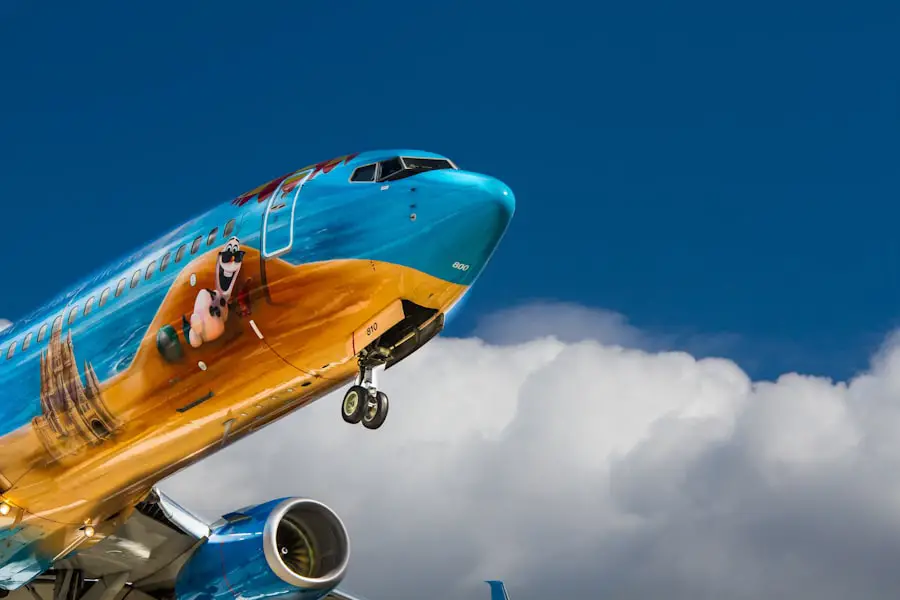
Copa Airlines is progressively introducing Starlink high-speed WiFi across its fleet. Copa announced the rollout for 2026 and later confirmed that its first Starlink-equipped aircraft had completed its inaugural flight.
This does not mean every Copa flight has WiFi. During a fleet rollout, the same route may use an equipped aircraft one day and an unequipped aircraft another day. Operational aircraft swaps can also change availability shortly before departure.
Note: A Copa ticket, route, or flight length does not guarantee WiFi. The aircraft operating your flight must have Starlink installed and activated.
How to Check Whether Your Copa Flight Has WiFi
Use more than one check because aircraft assignments can change:
- Review your trip in the Copa app or the Manage My Booking area before departure.
- Visit Copa’s official Starlink WiFi page for current terms and rollout information.
- Look for Starlink or WiFi information at the gate and inside the aircraft.
- Ask a crew member after boarding if you do not see a clear notice.
- Once permitted, open your device’s WiFi menu and check for the onboard network named in the aircraft instructions.
The onboard network is the final confirmation. If no internet network appears and the crew says WiFi is unavailable, the assigned aircraft may not yet be equipped.
Copa WiFi at a Glance
| Internet provider | Starlink |
| Current availability | Only on aircraft already equipped during the fleet rollout |
| Supported activities | Messaging, browsing, streaming, cloud work, and online gaming, subject to service conditions |
| Access model | Complimentary for eligible travelers and paid through the onboard portal for other passengers |
| Main limitation | Not every aircraft has the system yet, and aircraft assignments can change |
The biggest benefit is flexibility. Business travelers may be able to work in cloud apps, review files, and communicate with colleagues. Leisure travelers can browse, stream, follow live events, and stay in touch with family.
Real-time access can also reduce arrival stress. You may be able to check a gate change, arrange transportation, or update a hotel before landing. Travelers comparing in-flight WiFi on other airlines should remember that availability and access rules differ by carrier and aircraft.
Cost and Free Access
Copa’s launch terms provide complimentary Starlink WiFi on equipped aircraft for Business Class passengers and ConnectMiles PreferMember Gold, Platinum, and Presidential members. Customers with qualifying Starlink Residential or Starlink Roam subscriptions may also be eligible for complimentary onboard access.
Other passengers can purchase internet through the Starlink onboard portal. Copa has not published one universal public price that applies to every flight, so the portal on your aircraft is the best place to see the current fee and terms before you pay.
Pro Tip: Have your ConnectMiles details or eligible Starlink account information ready before boarding. Save any login details securely because you may not be able to retrieve them without internet access.
Quality and Speed of In-Flight WiFi

What You Can Do on an Equipped Aircraft
Copa describes Starlink as a high-speed, low-latency connection designed for demanding activities. The airline says passengers can use it for streaming sports, movies, and series, working in cloud applications, browsing in real time, playing online games, and sending messages.
What Affects Your Experience
Actual performance can still vary. The number of connected passengers, the condition of the onboard equipment, network management, and temporary service interruptions can affect speed or stability. Do not assume every app will work perfectly throughout the full flight.
Copa Showpass Is Not the Same as Internet WiFi
Copa Showpass is the airline’s wireless entertainment platform. It lets you access stored movies, series, music, and other content on supported aircraft, but it does not provide normal open-internet access. You may see a wireless network for entertainment even when Starlink internet is unavailable.
On Copa, seeing a wireless entertainment network does not automatically mean your flight has internet access.
How to Connect to Copa Airlines WiFi
Follow the instructions shown on your specific aircraft because network names and portal screens can change:
- Keep your device in airplane mode and make sure the cellular connection stays off.
- Turn on WiFi after the crew permits device use.
- Select the Copa or Starlink network shown in the onboard instructions.
- Open a web browser. The access portal may appear automatically.
- Choose the free-access option if you qualify, sign in with the requested account, or select a paid plan.
- Review the price and terms before completing payment.
- Wait for the confirmation page, then test the connection in a browser before opening other apps.
Warning: Follow all crew instructions. Copa requires smartphones to remain in airplane mode or have their cellular connection disabled while onboard.
What to Do If Copa WiFi Will Not Connect
No WiFi Network Appears
Confirm with the crew that the aircraft has Starlink and that the service is active. If the plane is not equipped, troubleshooting your device will not create a connection.
The Login Portal Does Not Open
- Turn WiFi off, wait a few seconds, and turn it back on.
- Forget the onboard network, then reconnect.
- Open a new browser tab and visit a normal website to trigger the portal.
- Temporarily pause a VPN, Private Relay, or custom DNS service if it blocks the captive portal. Re-enable your protection after signing in.
- Close and reopen the browser, or try another browser already installed on your device.
You Paid but Still Have No Internet
Save the confirmation screen or receipt. Reconnect to the same onboard network, reopen the portal, and sign in again if the portal allows it. Ask the crew for the correct support process if the session still does not activate.
The Connection Is Slow or Keeps Dropping
Pause large downloads, cloud backups, and automatic app updates. Close unused tabs and apps. A temporary interruption may clear after a few minutes, but the crew cannot always repair a satellite or network issue during the flight.
Limitations, Restrictions, and Security
The main limitation is fleet coverage. Starlink is being installed progressively, so WiFi remains unavailable on many Copa flights during the rollout. An equipped aircraft can also be replaced for operational reasons.
High-speed service does not guarantee perfect performance. Some apps, websites, payment methods, or account-verification steps may fail. Content restrictions and onboard usage rules may also apply.
Treat the onboard connection like any shared network. Prefer websites that use HTTPS, avoid sending highly sensitive information when it is not necessary, and use a trusted VPN after the login portal has authenticated your session.
Note: Download your boarding pass, important work files, hotel details, maps, and entertainment before departure. In-flight internet should be a convenience, not your only copy of essential information.
What Passengers Can Expect From Copa WiFi
Copa’s Starlink service is new, so broad passenger-review claims are not yet reliable. Early official demonstrations and launch information show that the system is intended to handle much more than basic email, including live streaming and cloud-based work.
Your experience will depend first on whether your aircraft is equipped. After that, speed, portal access, account eligibility, and temporary service conditions will shape the result. It is more accurate to judge the service flight by flight than to assume every Copa aircraft offers the same connection.
Alternatives If WiFi Is Unavailable
Download movies, podcasts, playlists, books, maps, and work files before boarding. Many streaming apps allow offline downloads, but their download limits and expiration rules vary.
On supported Copa aircraft, Showpass may provide movies, TV shows, music, and other stored entertainment through your device even when open internet is unavailable. Charge your device before boarding and bring a compatible charging cable.
Use airport WiFi before departure or during a connection to send urgent messages, sync documents, and save anything you may need offline.
Frequently Asked Questions
Does Copa Airlines offer WiFi on all flights?
No. Copa is progressively installing Starlink across its fleet. WiFi works only on aircraft that have already been equipped, and the aircraft assigned to a flight can change.
How much does Copa Airlines WiFi cost?
Copa does not publish one universal price for every flight. Eligible travelers may receive complimentary access. Other passengers can view the current price and terms in the onboard Starlink portal before purchasing.
Who may receive free Copa Starlink WiFi?
Copa’s launch terms include complimentary access on equipped aircraft for Business Class passengers, ConnectMiles PreferMember Gold, Platinum, and Presidential members, and customers with qualifying Starlink Residential or Starlink Roam subscriptions. Check the current portal terms because eligibility can change.
Can you stream video on Copa Airlines WiFi?
On a Starlink-equipped aircraft, Copa says the service is designed to support streaming, including sports, movies, and series. Actual quality can vary with service conditions and network demand.
How can I tell whether my Copa flight has WiFi?
Check your booking and the official Copa Starlink page before travel, then confirm at the gate or onboard. The final sign is the Starlink network and access instructions on the aircraft. An aircraft swap can change availability.
Is Copa Showpass the same as WiFi internet?
No. Showpass is a wireless entertainment platform with stored content. Starlink is the internet connection. A flight may offer Showpass even when open internet access is unavailable.
What devices work with Copa Airlines WiFi?
Most WiFi-capable smartphones, tablets, and laptops with a modern browser should work. Keep the device in airplane mode with cellular service disabled, then turn WiFi on and follow the onboard portal instructions.
The Bottom Line on Copa Airlines WiFi
Copa Airlines now has high-speed Starlink internet, but the rollout is still in progress. The correct answer is not that every flight has WiFi. Your aircraft must be equipped, and an operational swap can change availability.
Check Copa’s official Starlink information before travel, confirm again onboard, and keep offline copies of anything important. On an equipped aircraft, the new service should be far more capable than Copa’s older entertainment-only wireless system.
Sources
- Copa Airlines Help Center: Does Copa Airlines offer WiFi? – confirms the progressive Starlink fleet rollout.
- Copa Airlines: Starlink WiFi onboard – official service, availability, benefits, and terms page.
- Copa Airlines 2026 connectivity announcement – confirms Starlink selection and the planned 2026 rollout.
- Copa Airlines official LinkedIn updates – confirms that the first Starlink-equipped aircraft completed its inaugural flight.
- Copa Airlines onboard experience – explains Copa Showpass and permitted electronic-device use.

