

Last Updated on July 25, 2026 by Daniel Globe
American Airlines does have TVs on some planes, but not on every flight. Widebody jets and select premium transcontinental aircraft usually have seatback screens, while many domestic narrowbody and regional flights use free streaming to your phone, tablet, or laptop. Because aircraft assignments can change, check your flight-specific entertainment before departure.
Quick Answer
Yes, American Airlines has seatback TVs on select aircraft, especially Boeing 777s, Boeing 787s, the Airbus A321 Transcon, the Airbus A321XLR, and one Airbus A319 configuration. Many other domestic planes use free personal-device streaming instead. Check “What’s on your flight” before departure because aircraft assignments can change.
In-flight entertainment has changed from shared newspapers and early film experiments to on-demand screens and wireless streaming. A 1921 Aeromarine Airways sightseeing flight showed an early onboard film, while regularly scheduled in-flight movies became established decades later. Today, the useful question is not simply whether American Airlines offers entertainment, but whether your specific aircraft has a seatback screen or expects you to use your own device.
Key Takeaways
- Seatback TVs are available on select American Airlines aircraft, not across the whole fleet.
- Boeing 777s, Boeing 787s, the A321 Transcon, and the A321XLR normally have seatback entertainment.
- Many A320-family and Boeing 737 flights provide free movies and shows through personal-device streaming.
- American’s entertainment library is free; paid or membership-based internet access is a separate service.
- The safest plan is to check your flight, charge your device, install the American Airlines app, and bring headphones.
Disclosure: As an Amazon Associate I earn from qualifying purchases. Some links on this page are affiliate links, at no extra cost to you.
American Airlines Fleet and In-Flight Amenities
American operates a large mixed fleet, and the onboard experience varies by aircraft type and configuration. In its 2025 annual filing, American reported 1,013 mainline aircraft plus 567 regional aircraft operated under the American Eagle brand as of December 31, 2025. That scale is one reason a single yes-or-no answer about TVs can be misleading.
American’s official aircraft guide identifies whether each configuration normally offers a seatback screen, personal-device entertainment, Wi-Fi, and power. Most long-haul Boeing 777 and 787 aircraft have seatback screens in every cabin. Many domestic Airbus and Boeing narrowbody aircraft instead provide entertainment through the passenger’s own device.
Newer premium aircraft are improving the experience. American’s Airbus A321XLR includes complimentary seatback entertainment with Bluetooth connectivity, while newer Boeing 787-9 interiors include updated screens and charging options. These improvements do not mean that American is installing seatback TVs on every aircraft, so flight-specific checking remains important.
Note: An aircraft swap can change the entertainment setup after you book. Recheck your flight close to departure, especially when a seatback screen matters to you.
Types of In-Flight Entertainment Offered by American Airlines
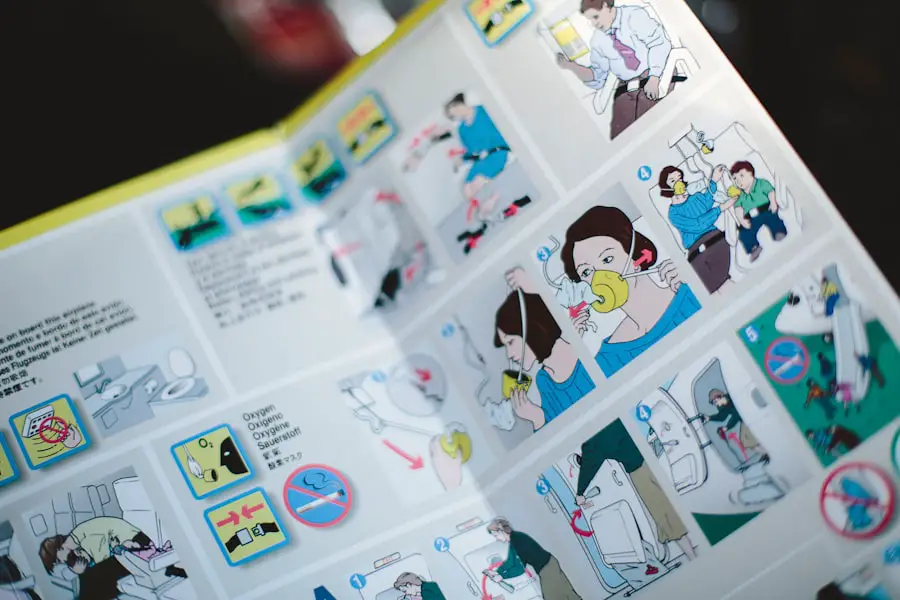
American Airlines offers two main entertainment formats: seatback entertainment on select aircraft and free personal-device streaming on many Wi-Fi-equipped flights. The airline’s official entertainment page says its library includes movies, television, music, and other programming, with the movie and TV selection updated monthly.
Seatback systems may include movies, TV shows, music, and games. Personal-device entertainment can include movies, TV, music, audiobooks, and podcasts. American also features channels and partnerships such as Apple TV, Apple Music, Skillshare, Matador Network, and a Kids Room, although availability varies by aircraft and flight.
Apple TV programming is included in American’s free entertainment library. Apple Music is different: it is available on supported Viasat-equipped flights without buying an internet package, but it requires an Apple Music subscription or eligible trial. American also reports accessibility options within its entertainment library, including subtitles, dubbed content, and audio descriptions on supported titles.
Availability of In-Flight TVs on American Airlines Flights
The presence of a TV depends more on the aircraft configuration than the route name. A route can be operated by different aircraft on different dates, so route-wide percentages are not reliable unless American publishes them for a specific period.
| Aircraft or configuration | Typical entertainment setup |
| Boeing 777-200ER, 777-300ER, 787-8, and 787-9 | Seatback screens in all listed cabins |
| Airbus A321 Transcon and A321XLR | Seatback screens; the A321XLR also offers Bluetooth connectivity |
| Airbus A319 | Varies by version: one configuration has seatback screens, while others use personal-device entertainment |
| Airbus A320, standard A321, A321neo, Boeing 737-800, and 737 MAX 8 | Personal-device entertainment rather than seatback TVs |
| CRJ700, CRJ900, and E175 regional jets | Personal-device entertainment where the listed aircraft has Wi-Fi |
| E145 and some E170 regional flights | Entertainment may not be available; verify the exact flight |
This table reflects American’s published aircraft configurations, but it is not a guarantee for a particular departure. Maintenance substitutions, retrofits, and partner-operated flights can produce a different setup.
How to Check Whether Your Flight Has a Screen
- Open American’s What’s on your flight tool.
- Enter the departure date, airport, and flight number.
- Look for seatback entertainment or personal-device entertainment.
- Check again on the day of travel in case the aircraft changes.
If the segment is operated by British Airways, Envoy, PSA, Republic, or another partner or regional carrier, the operating airline and aircraft determine the final amenities.
How to Access In-Flight TVs on American Airlines
Using a Seatback Screen
On an aircraft with seatback entertainment, turn on or tap the screen after the crew permits use. Browse the available categories, choose a title, and connect compatible headphones. Some newer systems support Bluetooth, but wired headphones are the safest backup because Bluetooth is not available on every screen.
Streaming to a Phone or Tablet
- Before the trip, install or update the American Airlines app and charge your device.
- On board, enable airplane mode and turn Wi-Fi back on.
- Connect to the “AA-Inflight” network.
- Open the American app or a browser. If the portal does not appear, enter aainflight.com.
- Select “View free entertainment,” then choose a movie, show, or audio program.
Streaming to a Laptop
Connect the laptop to “AA-Inflight,” open a browser, and enter aainflight.com if the portal does not load automatically. A laptop does not require the mobile app.
Pro Tip: Free American Airlines entertainment does not require you to buy an internet plan. Connect to the onboard network and choose the free entertainment option rather than the paid internet option.
What to Do If Entertainment Is Not Working
- Wait until the aircraft reaches the altitude at which the entertainment service becomes available; American notes that streaming may not start until 10,000 feet.
- Confirm airplane mode is on and Wi-Fi is connected to “AA-Inflight.”
- Open a fresh browser window and enter aainflight.com.
- Restart the app or device if the portal freezes.
- Ask a flight attendant whether the system is temporarily unavailable.
The Cost of Using In-Flight TVs on American Airlines
American Airlines’ movies, TV shows, and audio entertainment are complimentary. That applies whether the content is delivered through a seatback screen or through the airline’s personal-device entertainment portal. The original claim that domestic passengers may have to pay for newer movies or premium titles is not supported by American’s current policy.
Free Entertainment and Internet Access Are Different
You can use American’s onboard entertainment library without purchasing internet access. Internet service is a separate product used for browsing, messaging, work, social media, or streaming from outside services.
Free Wi-Fi for AAdvantage Members
In 2026, American rolled out free high-speed Wi-Fi sponsored by AT&T for AAdvantage members on most domestic flights and select international flights. Members sign in through the onboard portal with their AAdvantage credentials. On flights or devices that are not eligible for the free option, American may offer paid plans, with its entertainment FAQ listing plans from $10 on many routes.
Services That May Still Require a Subscription
American’s own entertainment library is free, but third-party services can have separate requirements. For example, Apple Music requires an active subscription or eligible trial even when supported onboard access does not require an internet purchase.
Popular TV Shows and Movies Available on American Airlines
American updates its movie and television catalog each month, so a fixed list of titles becomes outdated quickly. The library generally includes new releases, older favorites, international programming, children’s content, documentaries, and themed collections. Seatback systems may also include music and games, while personal-device entertainment can include audiobooks and podcasts.
To see the most useful list, use the flight-specific entertainment preview before departure. This is more reliable than assuming that a movie or series mentioned in an older article will still be available.
American updates its movie and TV selection monthly, and the available catalog varies by aircraft and flight.
What the Passenger Experience Is Like
Seatback entertainment is the easiest option because it does not use your battery or require you to hold a device. It is most common on American’s long-haul widebody aircraft and a few select narrowbody configurations. The experience can still vary if a screen, controller, or headphone jack is not working.
Personal-device entertainment offers a broad free library on many domestic flights, but the passenger must supply the screen, battery, and headphones. Some aircraft have device holders and power at the seat, while smaller regional aircraft may have limited or no power. This makes preparation more important on flights without seatback TVs.
Technical outages can occur with either system, and no airline can guarantee that every screen, Wi-Fi antenna, or content server will work on every departure. Downloading a backup movie, podcast, book, or game before leaving home is a practical safeguard.
Future Plans for In-Flight Entertainment on American Airlines
American’s confirmed direction is a mix of better connectivity and upgraded screens on new premium aircraft, not a published plan to install seatback TVs across every plane. In 2026, the airline expanded free high-speed Wi-Fi for AAdvantage members across most of its network. It also introduced newer cabins with larger, higher-resolution seatback displays, Bluetooth support on selected aircraft, and improved charging.
The Airbus A321XLR and newer Boeing 787-9 interiors are the clearest examples of this approach. American has not publicly confirmed the speculative Netflix, Hulu, or virtual-reality partnerships previously described in this article, so travelers should rely on the airline’s current entertainment page and newsroom for announced features.
Alternatives to In-Flight TVs on American Airlines
If your flight does not have a seatback TV, free personal-device entertainment is usually the closest substitute on a Wi-Fi-equipped American flight. You can also download movies, TV episodes, podcasts, music, ebooks, or games before leaving home. Downloads are especially useful on regional aircraft where entertainment or connectivity may be unavailable.
Books, magazines, puzzle apps, and offline work are reliable options that do not depend on the aircraft’s system. Families may want to download child-friendly content in advance because the exact onboard selection can vary.
Note: Content downloaded from Netflix, Disney+, Prime Video, or another subscription service follows that service’s offline-viewing rules and expiration limits. Download and test it before traveling.
Tips for Making the Most of In-Flight Entertainment on American Airlines
- Check the exact flight: Use American’s entertainment tool, then recheck close to departure.
- Install the app: Update the American Airlines app before boarding, when you still have normal internet access.
- Charge everything: Start with a full battery because power availability varies, especially on regional jets.
- Bring wired headphones: They remain the most dependable option even when a newer aircraft supports Bluetooth.
- Download a backup: Save at least one movie, podcast, ebook, or game for offline use.
- Follow crew instructions: Keep devices in airplane mode and stow larger electronics when required during taxi, takeoff, and landing.
- Protect your battery: Lower screen brightness and close unused apps during a long flight.
A reliable charger can also help when your assigned aircraft has limited seat power. This guide to 3 Portable Phone Chargers You Need for Your Next Getaway explains practical backup-power options for travel.
Frequently Asked Questions
Does American Airlines have TVs on its planes?
Yes. American has seatback TVs on select aircraft, including its Boeing 777 and 787 fleets, the Airbus A321 Transcon, the Airbus A321XLR, and one A319 configuration. Many other aircraft use personal-device streaming instead.
Do all American Airlines planes have seatback TVs?
No. Most standard domestic Airbus A320-family and Boeing 737 aircraft rely on free personal-device entertainment. Some small regional aircraft may have limited entertainment or none.
How can I find out whether my American Airlines flight has a TV?
Enter your date and flight number in American’s “What’s on your flight” tool. Recheck near departure because an aircraft substitution can change the entertainment setup.
What content is available on American Airlines entertainment?
The library can include movies, TV shows, music, children’s programming, audiobooks, podcasts, and games. Content varies by aircraft and is updated regularly.
Is American Airlines in-flight entertainment free?
Yes. American’s movies, television, and audio library is complimentary on supported flights. You do not need to buy an internet plan to use the airline’s free entertainment portal.
Is Wi-Fi free on American Airlines?
Free high-speed Wi-Fi sponsored by AT&T is available to AAdvantage members on most domestic flights and select international flights. Other flights or nonmember access may offer paid plans.
Do I need the American Airlines app to watch entertainment?
American recommends the app for phones and tablets. You can also open a browser and enter aainflight.com if the portal does not load automatically. Laptop users access entertainment through a browser.
Can I use Bluetooth headphones with American Airlines seatback TVs?
Bluetooth is available on selected newer aircraft, including the A321XLR, but not on every seatback system. Bring wired headphones as a backup.
What should I do if the screen or streaming service does not work?
Confirm that you are connected to AA-Inflight, open aainflight.com, restart the app or device, and ask a flight attendant whether the system is temporarily unavailable. Keep downloaded entertainment as a backup.
Sources
- American Airlines: Inflight Entertainment — free entertainment, content categories, monthly updates, and partner channels
- American Airlines: How to Watch — connection steps for personal-device and seatback entertainment
- American Airlines: Aircraft and Cabin Amenities — seatback screens, personal-device entertainment, Wi-Fi, and power by aircraft configuration
- American Airlines Newsroom: Free High-Speed Wi-Fi Rollout — 2026 AAdvantage Wi-Fi availability and fleet coverage
- American Airlines Group 2025 Form 10-K — mainline and regional fleet totals as of December 31, 2025
- Smithsonian Air & Space: History of In-Flight Movies — early onboard film history
