

Last Updated on July 25, 2026 by Daniel Globe
Yes, Alaska Airlines offers Wi-Fi on most Alaska-operated flights, but the price, speed, and coverage depend on the aircraft. As of July 26, 2026, free Starlink Wi-Fi is available to Atmos Rewards members on equipped aircraft, while many other Alaska flights offer Standard or Basic internet for a flat $8 per flight.
Quick Answer
Alaska Airlines has Wi-Fi on most flights. Starlink is free for Atmos Rewards members on equipped aircraft. Other aircraft generally offer Standard or Basic Wi-Fi for $8 per flight. Free texting is also available on Standard and Basic Wi-Fi flights, although supported messaging does not include SMS, photos, or videos.
Alaska Airlines traces its roots to McGee Airways, which began flying in Alaska in 1932. The carrier adopted the Alaska Airlines name in 1944 and later grew into a major West Coast airline. Internet access has become an important part of its onboard service, especially for passengers who want to work, message family, browse the web, or stream entertainment during a flight.
Alaska is currently moving from its existing satellite systems to Starlink. That means two passengers flying on different Alaska aircraft may receive very different internet experiences. The operating aircraft, rather than the ticket type or cabin, is usually the most important factor.
Key Takeaways
- Free Starlink Wi-Fi is available to Atmos Rewards members on currently equipped Alaska aircraft.
- Alaska currently lists all Embraer E175 regional jets and select Boeing 737 MAX 8 aircraft as Starlink-equipped.
- Standard and Basic paid Wi-Fi currently cost $8 for the full flight.
- Standard service supports streaming, while Basic service is intended mainly for email and normal web browsing.
- Wi-Fi availability can change because of aircraft substitutions, weather, congestion, route limitations, or technical issues.
Disclosure: As an Amazon Associate I earn from qualifying purchases. Some links on this page are affiliate links, at no extra cost to you.
Why In-Flight Wi-Fi Matters to Passengers
In-flight Wi-Fi allows travelers to remain productive or entertained without waiting until landing. Business passengers may use it for email, cloud documents, workplace messaging, and other online tasks. Leisure passengers may use it to browse, message friends, follow a trip itinerary, or stream content when the installed system supports streaming.
Internet availability can also affect which flight a traveler chooses. However, passengers should not assume that every aircraft operated under the same airline name offers identical service. Alaska is in the middle of a fleetwide technology upgrade, so speed and coverage can vary between aircraft.
Wi-Fi is also different from Alaska’s free onboard entertainment. A passenger may be able to watch movies from Alaska’s entertainment portal without buying full internet access. Likewise, free texting is a limited service and is not the same as unrestricted web access.
Is Wi-Fi Available on Alaska Airlines Flights?
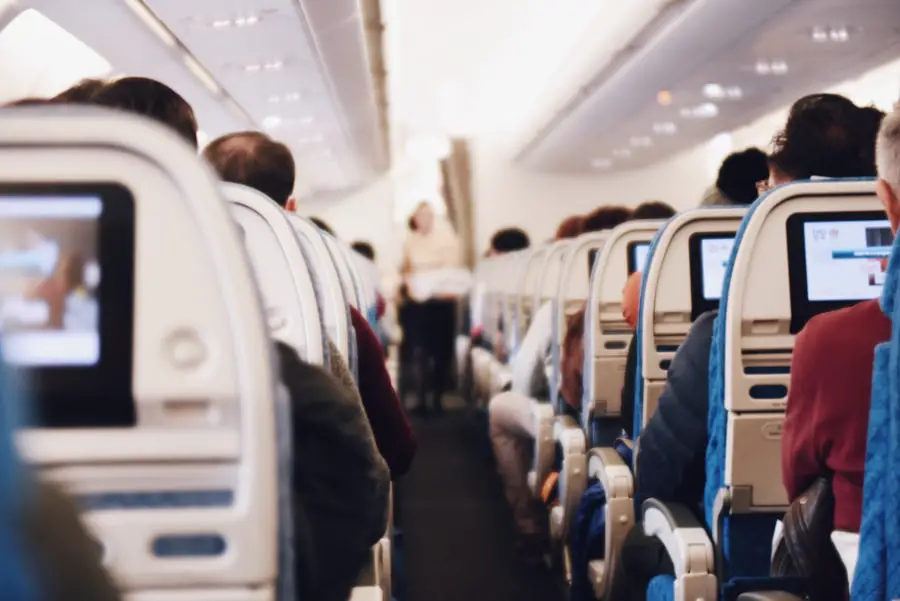
Wi-Fi is available on most Alaska-operated flights, but the exact service depends on the aircraft assigned to the route. Alaska currently publishes three main internet categories: Starlink Wi-Fi, Standard paid Wi-Fi, and Basic paid Wi-Fi.
| Service | Currently Listed Aircraft | Price | What It Supports |
|---|---|---|---|
| Starlink Wi-Fi | All Embraer E175 regional jets and select Boeing 737 MAX 8 aircraft | Free for Atmos Rewards members | Streaming, browsing, messaging, gaming, and other high-bandwidth activities |
| Standard Wi-Fi | Select Boeing 737 MAX 8, Boeing 737 MAX 9, Boeing 737-900ER, and Boeing 737-800 aircraft | $8 per flight | Streaming, browsing, email, social media, and messaging |
| Basic Wi-Fi | Boeing 737-700 aircraft | $8 per flight | Email, shopping, and normal web browsing; streaming and large attachment downloads are not supported |
Note: Aircraft assignments can change before departure. A newly delivered aircraft may also operate temporarily without its expected Wi-Fi equipment. The network and options shown after boarding provide the most reliable confirmation.
Types of Internet and Messaging Services
Alaska’s onboard portal may show several options, but they should not all be treated as full internet packages. Full internet access, free texting, and onboard entertainment serve different purposes.
| Onboard Service | Description |
|---|---|
| Starlink Internet | High-speed internet that is free to Atmos Rewards members on equipped aircraft. It is designed to support streaming, browsing, messaging, gaming, and multiple connected devices. |
| Standard Internet | A $8 full-flight internet option that supports normal browsing, messaging, and streaming on equipped aircraft. |
| Basic Internet | A $8 full-flight service for email, shopping, and web browsing. It does not support streaming or large attachment downloads. |
| Free Texting | Limited messaging through supported internet apps on Standard and Basic Wi-Fi flights. No internet purchase is required. |
| Free Movies and TV | Onboard entertainment accessed through Alaska’s portal. Watching Alaska’s provided entertainment does not normally require purchasing full internet access. |
What Free Texting Includes
On aircraft with Standard or Basic Wi-Fi, passengers can select the free-texting option without buying internet. Alaska currently lists iMessage, Facebook Messenger, Telegram, Google Messages, and WhatsApp as supported services.
Free texting is limited to text sent through those apps. It does not support ordinary carrier SMS messages, photos, videos, or other file transfers. The recipient must also use the same supported messaging platform.
How Much Does Alaska Airlines Wi-Fi Cost?
The current pricing structure is simpler than the one described in many older guides:
- Starlink-equipped flight: Free to passengers who sign in to or join Atmos Rewards.
- Standard Wi-Fi: $8 for the flight.
- Basic Wi-Fi: $8 for the flight.
- Free texting: No purchase required on Standard and Basic Wi-Fi aircraft.
- Eligible T-Mobile customers: May receive complimentary sessions on Standard or Basic Wi-Fi flights, depending on their mobile plan.
The published $8 paid rate is a full-flight flat price. It is not described as increasing with the length of the route, and Alaska does not currently publish a separate higher-priced premium streaming package.
Note: Older articles may mention Alaska Access or a monthly Wi-Fi voucher. Alaska stopped accepting new Alaska Access subscriptions beginning November 1, 2025. Existing members can keep remaining benefits only until their subscription ends or October 31, 2026, whichever occurs first.
Wi-Fi Coverage and Reliability

Coverage depends on the installed system. Starlink is designed to offer broad gate-to-gate connectivity and high-bandwidth performance. Alaska states that it is available in flight throughout its network on equipped aircraft. One published exception is ground service in Japan: connectivity begins after departure and ends during descent rather than operating at the gate.
Standard Wi-Fi is available across most of Alaska’s network, but Alaska identifies flights above the Arctic Circle as an exception. Brief interruptions may also occur because of aircraft movement, limited coverage, or network congestion.
Basic Wi-Fi has narrower coverage. Alaska states that Basic internet is not available while flying to Hawaii, Mexico, Costa Rica, or parts of Alaska. Passengers on a Boeing 737-700 should therefore avoid assuming that internet will remain available for the whole route.
No in-flight connection should be treated as guaranteed. Torrential rain, banking, snow or ice on the aircraft, deicing, network congestion, and technical problems can reduce performance or interrupt service.
Warning: Do not depend on in-flight Wi-Fi for a critical deadline, required video meeting, time-sensitive financial transaction, or document that has not been saved elsewhere. Download essential files before boarding and keep an offline copy.
Which Devices Work With Alaska Airlines Wi-Fi?
Most Wi-Fi-enabled smartphones, tablets, and laptops can connect. The device should have a working browser and Wi-Fi capability. Common operating systems such as iOS, Android, Windows, ChromeOS, and macOS can use the browser-based portal.
Place the device in Airplane Mode before enabling Wi-Fi. Cellular voice and data service should remain disabled unless the crew provides different instructions.
How to Connect to Free Starlink Wi-Fi
- Place your device in Airplane Mode.
- Turn Wi-Fi back on.
- Select the network named Free WiFi at Alaskawifi.com.
- Open a browser and visit AlaskaWiFi.com.
- Sign in to an existing Atmos Rewards account or create a free account.
- Follow the prompts to begin the complimentary session.
How to Connect to Standard or Basic Wi-Fi
- Place your device in Airplane Mode.
- Turn Wi-Fi on and choose the Alaskawifi.com network.
- Open a web browser.
- Visit AlaskaWiFi.com if the portal does not open automatically.
- Choose free texting, entertainment, or internet.
- Complete the purchase or eligible T-Mobile verification when required.
Pro Tip: If the portal does not appear, type AlaskaWiFi.com directly into the browser. If that fails, try another browser or clear the browser’s cookies before reconnecting.
What Speed and Reliability Should Passengers Expect?
The expected speed depends on the service shown onboard. Starlink is intended for high-bandwidth activities such as streaming and real-time online applications. Standard Wi-Fi can also support streaming, although performance may slow when many passengers are connected.
Basic Wi-Fi is designed for lighter activities. Email, basic websites, shopping, and text-based work are more realistic than video streaming or downloading large attachments.
Passenger reviews can vary because the experience depends on the aircraft, route, weather, number of connected users, and the type of work being performed. One traveler may have a fast Starlink connection while another passenger on a 737-700 receives limited Basic service.
Alaska advises passengers to limit large uploads on its non-Starlink satellite system. Files larger than about 10 MB may upload slowly. Automatic cloud backup, operating-system updates, photo syncing, and app updates can also consume bandwidth without the passenger noticing.
The operating aircraft determines whether a passenger receives free Starlink, $8 streaming-capable Standard Wi-Fi, or more limited Basic service.
Alaska Airlines Starlink Expansion Plans
Alaska’s Starlink upgrade is already underway rather than being only a possible future project. The airline currently lists all Embraer E175 regional jets and select Boeing 737 MAX 8 aircraft as equipped with Starlink.
Alaska also states that its Boeing 787 Dreamliners are scheduled to receive Starlink by the end of 2026. The carrier’s published target is to equip its full fleet by the end of 2027.
This transition should eventually reduce the differences between aircraft. Until the installation program is complete, passengers should continue to expect a mix of free Starlink, Standard Wi-Fi, and Basic Wi-Fi.
How Alaska Airlines Wi-Fi Compares
Alaska’s strongest current feature is its straightforward price: Standard and Basic paid service are both listed at $8 per flight. Free Starlink for Atmos Rewards members can provide significantly more value on equipped aircraft.
The main weakness is inconsistency during the transition. The experience can range from high-speed complimentary Starlink to limited Basic service, depending on the aircraft. Passengers comparing airlines should therefore look beyond a simple “Wi-Fi available” label and consider these questions:
- Is full internet access free or paid?
- Does the installed service support streaming?
- Is loyalty-program membership required?
- Are there route or geographic coverage gaps?
- Is the aircraft type guaranteed or subject to substitution?
Alaska’s planned fleetwide Starlink conversion should make its service more consistent after the rollout is completed.
Tips for Using Wi-Fi on Alaska Airlines
- Join Atmos Rewards before departure. Membership is required to use complimentary Starlink on an equipped Alaska flight.
- Download essential files first. Save documents, boarding information, entertainment, and work materials before leaving the ground.
- Use the correct network. Starlink and existing paid-service aircraft may display different network names.
- Open AlaskaWiFi.com manually. Do this when the captive portal does not appear automatically.
- Pause automatic syncing. Disable cloud photo backup, large app updates, and unnecessary file synchronization.
- Avoid large uploads on Basic or Standard service. Uploading can be slower than downloading, especially during congestion.
- Keep sound off or use headphones. Streaming audio through the device speaker can disturb nearby passengers.
- Bring a charged device. Continuous Wi-Fi, video streaming, and screen use can drain the battery quickly.
- Ask for onboard help promptly. The portal may include a help or support option while the aircraft is connected.
Warning: Treat onboard internet as a shared public network. Confirm that sensitive websites use HTTPS, keep your operating system and browser updated, use strong passwords, and enable two-factor authentication where available.
Overall, Alaska Airlines offers Wi-Fi on most flights, but the best answer depends on the aircraft. Starlink-equipped passengers who join Atmos Rewards receive the strongest value, while Standard and Basic aircraft currently provide a flat $8 full-flight option. Check the onboard network and portal after boarding for the final service available on your flight.
Travelers who plan to work during a flight may also benefit from choosing a compact device with good battery life. This guide to the best lightweight laptop for travel explains features that can make working in transit easier.
Sources
- Alaska Airlines Inflight Wi-Fi — current prices, aircraft, connection steps, coverage limits, T-Mobile benefits, and Starlink rollout status.
- Alaska Airlines Free Texting — supported messaging applications and texting limitations.
- Alaska Airlines Starlink Announcement — fleetwide Starlink strategy and completion target.
- Alaska Access — subscription phaseout and remaining member-benefit deadline.
- About Alaska Airlines — airline history and company background.
- Federal Trade Commission Public Wi-Fi Guidance — security practices for shared internet networks.
Frequently Asked Questions
Does Alaska Airlines have Wi-Fi on its flights?
Yes. Wi-Fi is available on most Alaska-operated flights. The aircraft determines whether the flight offers free Starlink for Atmos Rewards members, $8 Standard Wi-Fi, or $8 Basic Wi-Fi.
How do I connect to Alaska Airlines Wi-Fi?
Place your device in Airplane Mode, turn Wi-Fi on, and join the Alaska network shown on your device. Open a browser and visit AlaskaWiFi.com. Starlink users select “Free WiFi at Alaskawifi.com” and sign in to Atmos Rewards. Standard and Basic users select “Alaskawifi.com” and choose an available service.
How much does Wi-Fi cost on Alaska Airlines?
Starlink Wi-Fi is free to Atmos Rewards members on equipped aircraft. Standard and Basic internet are currently listed at $8 per flight. Eligible T-Mobile customers may receive complimentary access on Standard or Basic flights, depending on their plan.
Which Alaska Airlines aircraft have Starlink?
Alaska currently lists all Embraer E175 regional jets and select Boeing 737 MAX 8 aircraft as Starlink-equipped. Boeing 787 aircraft are scheduled to receive Starlink by the end of 2026, and Alaska is targeting full-fleet completion by the end of 2027.
Can I stream video on Alaska Airlines Wi-Fi?
Streaming is supported on Starlink and Standard Wi-Fi when network conditions allow. Basic Wi-Fi does not support streaming or large attachment downloads.
Does Alaska Airlines offer free texting?
Yes. Free texting is available on Standard and Basic Wi-Fi aircraft through supported apps such as iMessage, Facebook Messenger, Telegram, Google Messages, and WhatsApp. It does not support SMS messages, photos, videos, or file transfers.
What devices can use Alaska Airlines Wi-Fi?
Most Wi-Fi-enabled smartphones, tablets, and laptops can connect through a web browser. Place the device in Airplane Mode, turn Wi-Fi back on, and follow the instructions at AlaskaWiFi.com.
Does Alaska Airlines Wi-Fi work on flights to Hawaii or Mexico?
It depends on the aircraft and service type. Starlink is designed for broad network coverage, while Basic Wi-Fi is not available when flying to Hawaii, Mexico, Costa Rica, or parts of Alaska. Standard service has a separate limitation above the Arctic Circle.
What should I do if AlaskaWiFi.com does not open?
Confirm that Airplane Mode is on, Wi-Fi is enabled, and the correct Alaska network is selected. Enter AlaskaWiFi.com directly in the browser. If it still does not load, try another browser, clear cookies, reconnect to the network, or use the onboard help option when available.

