Last Updated on November 4, 2026 by Caleb Warren
Choosing the best digital lock for your main door in 2026 means finding the right balance of security, easy access, and reliable daily use. Two options worth comparing are the Ulecoce U68 Fingerprint Keypad Deadbolt and the DESLOC B200 Smart Door Lock. The Ulecoce is a practical choice if you want a fingerprint deadbolt with matching knob hardware. The DESLOC B200 stands out for its Bluetooth app control, multiple unlocking methods, and optional remote-access features. Both offer keyless convenience, but their hardware and connectivity requirements differ. This guide helps you compare their features, understand their limitations, and choose the right lock for your entrance.
Disclosure: As an Amazon Associate I earn from qualifying purchases. Some links on this page are affiliate links, at no extra cost to you.
Quick Verdict: Which Digital Deadbolt Should You Choose?
Best for a Complete Door Lock Set: Choose the Ulecoce U68 if you want a fingerprint deadbolt with accompanying knob hardware and several unlocking methods.
Best for Smart Features: Choose the DESLOC B200 if Bluetooth app control, temporary access codes, and optional smart-home integration are priorities.
Key Takeaways
- Choose a deadbolt for main-door security: A properly installed deadbolt is generally a stronger primary locking option than a standard spring-latch knob.
- Check your door measurements: Door thickness, backset, hole diameter, and hardware spacing affect compatibility.
- Understand app limitations: Bluetooth control does not automatically provide remote access over the internet.
- Plan for battery problems: Look for low-battery alerts, mechanical backup keys, and emergency power options.
- Compare the complete package: Some digital deadbolts include a matching knob, while others require separate handle hardware.
| Ulecoce U68 Fingerprint Keypad Deadbolt with Knob Set |  |
Best Complete Lock Set | Access Methods: Fingerprint, passcode, app, and physical keys | Auto-Lock: Adjustable delay, with settings listed from 5-60 seconds | Main Benefit: Deadbolt with accompanying knob hardware | CHECK PRODUCT DETAILS ON AMAZON | Read Our Analysis |
| DESLOC Smart Door Lock B200 with App Control |  |
Best Smart Features | Access Methods: Fingerprint, PIN, Bluetooth app, and physical keys | Remote Access: Optional G2 gateway required | Emergency Access: Backup keys and USB Type-C power port | CHECK PRODUCT DETAILS ON AMAZON | Read Our Analysis |
More Details on Our Top Picks
-
Ulecoce U68 Fingerprint Keypad Deadbolt with Knob Set
If you want a fingerprint digital deadbolt with accompanying door knob hardware, the Ulecoce U68 deserves consideration. This keyless entry system combines a fingerprint reader, keypad passcodes, Bluetooth app functions, and physical backup keys. It can be useful for families who want several convenient ways to unlock the main door without depending on one access method.
Why You’ll Like It
The biggest advantage is the combination of biometric access and a deadbolt-and-knob setup. The model is advertised with support for up to 50 fingerprint profiles and up to 100 keypad passcodes. This gives households flexibility when assigning access to different users. Always confirm the supported limits for the exact version being sold.
The companion app provides additional code-management functions, including temporary guest credentials and access records. These features can be helpful when relatives or visitors need occasional access. However, Bluetooth-based communication has a limited range, and internet-based remote operation may require a separately compatible gateway.
The adjustable auto-lock function is another practical feature. It can engage after a selected delay, helping reduce the chance of leaving the deadbolt unlocked after entry. The instructions describe settings between 5 and 60 seconds, although available choices depend on the lock’s programming options.
Who Should Buy This?
This model is worth considering if you want a digital deadbolt with accompanying knob hardware, fingerprint unlocking for daily use, and keypad codes for family members or guests. It may also suit households that prefer having physical keys as an alternative to electronic access.
Who Should Avoid This?
Consider another model if you require guaranteed built-in Wi-Fi, a specific smart-home ecosystem, or a confirmed weather rating for an exposed entrance. You should also measure the spacing between the deadbolt and knob holes before ordering. The included hardware must fit your existing door preparation.
Buying Tip: Confirm the exact package contents, app requirements, door dimensions, and seller warranty. Do not assume that every product variation includes identical accessories or remote-access features.
- Access Codes:Advertised support for up to 100 keypad passcodes
- Fingerprint Profiles:Advertised support for up to 50 fingerprints
- Auto-Lock Function:Adjustable delay, with settings listed from 5-60 seconds
- Emergency Access:Physical backup keys included; confirm package quantity
- Weather Resistance:Confirm the exact model’s outdoor rating before installation
- Installation:Designed for compatible standard door preparations; verify both lock and knob spacing
- Warranty:Confirm coverage and eligibility with the current seller
- Additional Feature:Bluetooth-based app functions and guest code management
- Additional Feature:Deadbolt with accompanying knob hardware
-
DESLOC Smart Door Lock B200 with App Control
The DESLOC Smart Door Lock B200 is a strong option to consider if you want a fingerprint deadbolt with app-based access management. It offers several unlocking methods, including fingerprint recognition, PIN codes, physical keys, and compatible electronic credentials. The B200 is designed for homeowners who want keyless convenience and optional connected-home capabilities.
Why You’ll Like It
One of the B200’s main advantages is Bluetooth app control through the TTLock app. You can manage supported access settings and create temporary credentials for guests. Local Bluetooth communication is subject to distance and installation conditions, so it should not be confused with unlimited remote access.
For control over the internet, the lock requires an optional G2 gateway sold separately. The gateway is also needed for the advertised Alexa and Google Assistant integrations. This is important if you plan to unlock your door while away from home or integrate the lock with other connected devices.
The lock operates using four AA batteries, which are not included. DESLOC advertises approximately 12 months of battery life under its stated usage assumptions. Actual runtime depends on access frequency, battery quality, temperature, and feature usage. A low-battery indicator helps you identify when replacement batteries may be needed.
For unexpected battery depletion, the B200 includes mechanical backup keys and a USB Type-C emergency power port. The USB port provides temporary power for access; it should not be treated as evidence that ordinary AA batteries can be recharged inside the lock.
Who Should Buy This?
Choose the DESLOC B200 if you want a smart front-door deadbolt with fingerprint unlocking, keypad access, Bluetooth app management, and the option to add remote functions through a compatible gateway. It is particularly appealing if you expect to manage temporary access for family members or visitors.
Who Should Avoid This?
This model may not be the best fit if you need built-in Wi-Fi without extra equipment or want a complete deadbolt-and-handle package at the base model’s cost. The G2 gateway and handle hardware may require separate purchases depending on the selected bundle.
Buying Tip: Before ordering, check whether the selected package contains only the B200 deadbolt or includes additional hardware. Review the gateway requirements, current warranty, and door measurements as well.
- Access Codes:PIN codes and supported temporary access credentials
- Auto-Lock Function:Automatic locking with configurable settings
- Emergency Access:Physical keys and USB Type-C emergency power
- Weather Resistance:Advertised IP54 rating; avoid prolonged direct water exposure
- Installation:Designed for compatible standard deadbolt openings
- Warranty:Confirm current model-specific and seller-specific coverage
- Additional Feature:Bluetooth control through the TTLock app
- Additional Feature:Optional G2 gateway for supported remote and voice functions
- Additional Feature:Four AA batteries; approximately 12-month advertised battery life
Factors to Consider When Choosing Digital Locks for Main Doors
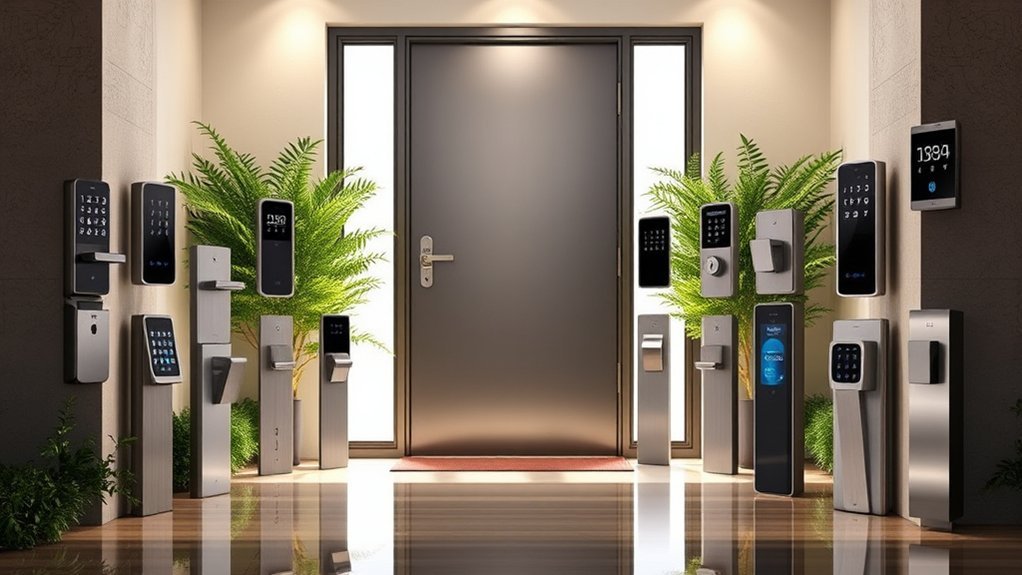
When choosing a digital lock for your main door, focus on more than fingerprint recognition or attractive keypad designs. The right lock must fit your door, provide reliable access, and meet your household’s security requirements. You should also understand what happens when batteries run low, whether the app works remotely, and which accessories are included.
Security Features and Locking Mechanism
A digital deadbolt is generally a better primary security choice for a main entrance than a basic spring-latch knob. A deadbolt uses a solid bolt that extends into the strike opening, while a standard spring latch is designed mainly to keep a door closed. However, the lock alone cannot guarantee security. Door construction, frame strength, strike plate installation, and maintenance are also important.
Look for convenient and reliable unlocking methods such as fingerprint recognition, keypad passcodes, physical keys, and compatible app control. Multiple access methods can be helpful if one method temporarily fails.
Other useful functions include automatic locking, temporary access codes, low-battery notifications, and controls that limit unauthorized code changes.
Security-grade claims should be checked against the exact model and applicable standard. A claimed certification is not a guarantee against every form of forced entry.
Installation Ease and Door Compatibility
Before purchasing a smart deadbolt, measure your door carefully. A lock that looks suitable online may not fit your existing hardware openings.
Check the following dimensions:
- Door thickness: Measure the thickness of your main door and compare it with the manufacturer’s supported range.
- Backset: Measure from the door edge to the center of the lock opening. Common U.S. residential backsets are 2-3/8 inches and 2-3/4 inches.
- Cross-bore diameter: Check the diameter of the main lock hole. Many U.S. deadbolts use a 2-1/8-inch opening.
- Door handing: Confirm that the lock supports your door’s opening direction.
- Hardware spacing: If buying a combination deadbolt-and-knob set, verify that the existing holes have enough clearance.
- Frame and strike alignment: The deadbolt must extend freely into the strike opening without excessive friction.
The DESLOC B200 installation instructions specify a door thickness of approximately 1-3/8 to 2 inches, a 2-1/8-inch cross-bore opening, and a 2-3/8-inch or 2-3/4-inch backset. Always compare these figures with the latest instructions for the exact version you purchase.
Many digital locks are designed for installation using a screwdriver on compatible, already-prepared doors. However, additional drilling or adjustment may be necessary if your existing hardware uses different dimensions.
Pro Tip: Photograph your existing deadbolt and measure your door before buying. Compare those measurements with the product’s installation diagram rather than relying on statements such as “fits most doors.”
Code Management and Guest Access
Good access code management makes a digital front-door lock more useful for families, guests, and service providers.
Start by checking how many individual passcodes the lock supports. A larger number can be helpful when several people need separate access, but most small households will not need dozens of codes.
For occasional visitors, look for temporary or one-time access codes. These features let you grant access without sharing a permanent household PIN. Remove guest credentials when they are no longer needed.
Code length also matters. Choose a PIN that is difficult to guess and avoid common sequences, birthdays, or repeated digits. Some locks support anti-peeping entry, allowing additional numbers around the valid PIN.
After installation, change the default administrator code, register authorized users, and confirm that deleted codes no longer work.
Battery Life and Emergency Access
Battery life is an important part of digital lock reliability. Actual runtime varies by model, battery quality, usage frequency, wireless activity, and environmental conditions.
The DESLOC B200 operates on four AA batteries and advertises roughly 12 months of battery life. This should be treated as an estimate rather than a guaranteed replacement interval.
Look for low-battery alerts that provide time to replace batteries before they run out. Regularly checking battery status is especially important when you use the lock every day.
For emergency access, mechanical keys provide an alternative to electronic unlocking. A USB Type-C emergency power port can also temporarily power certain locks if their installed batteries are depleted.
Remember that a USB emergency power connection does not necessarily recharge the batteries. Check the manufacturer’s instructions before using any external power source.
App Control, Bluetooth, and Wi-Fi Connectivity
Not every digital lock with app control works remotely from anywhere. Understanding the difference between Bluetooth and Wi-Fi access can prevent frustration after installation.
Bluetooth lets a compatible smartphone communicate with the lock over a limited distance. This is useful for nearby unlocking, setup, and local access management.
Wi-Fi-based remote control generally requires built-in networking hardware or a compatible gateway that connects the lock to your home network.
For example, the DESLOC B200 uses Bluetooth with the TTLock app. Its advertised internet-based remote control and supported Alexa or Google Assistant features require a separately purchased G2 gateway.
If you need to manage a lock while traveling, check the exact gateway, app, network, and account requirements before purchasing. Also review how the system handles lost phones, account security, and connectivity failures.
Weather Resistance and Durability
Since a main door may face rain, humidity, dust, and temperature changes, weather resistance deserves careful attention.
An IP rating describes a product’s resistance to certain dust and water exposure under specified test conditions. For example, an advertised IP54 rating indicates limited dust ingress protection and resistance to splashing water. It does not mean the entire lock is waterproof under every condition.
Check whether the rating applies to the outdoor keypad assembly, the complete device, or another specific component. The interior electronic unit may have different installation requirements.
Consider whether your entrance has a covered porch, direct sunlight, wind-driven rain, or regular exposure to moisture. If the door is heavily exposed, confirm the manufacturer’s suitability guidance before installation.
Materials, finish quality, strike plate strength, and reliable mechanical movement are also important for long-term performance.
Design and Aesthetics
A digital lock should complement your main door while remaining comfortable to use.
Look at the exterior keypad size, finish, fingerprint sensor position, and how the new lock will match your existing handle or knob.
Some buyers prefer a complete lock-and-knob set for a coordinated appearance. Others prefer a standalone smart deadbolt that allows them to keep their existing door handle.
The keypad should be easy to read and operate. A suitable finish should also withstand the environmental conditions around your entrance.
Most importantly, avoid choosing a lock based on appearance alone. Fit, security, backup access, and reliable everyday operation should come first.
Before You Buy: Digital Door Lock Checklist
Check These Details Before Ordering
- Confirm that the product is a deadbolt suitable for your entrance.
- Measure door thickness, backset, hole diameter, and hardware spacing.
- Check which unlocking methods are supported by the exact model.
- Verify whether an internet gateway is included or sold separately.
- Confirm that backup keys or emergency power options meet your needs.
- Review battery requirements and replacement procedures.
- Check the outdoor exposure rating and installation limitations.
- Read the current seller’s warranty and return terms.
- Check the complete package contents before purchasing.
- Compare the latest product details and buying options on Amazon.
Frequently Asked Questions
How Do Digital Locks Work in Power Outages?
Many digital deadbolts use internal batteries rather than household electricity. As a result, their local keypad and fingerprint functions can continue working during a power outage if the batteries have sufficient charge. However, internet-based features may become unavailable when your router or gateway loses power. Always keep an approved backup entry method available.
Can Digital Locks Be Hacked Easily?
Digital locks can have security vulnerabilities, but the risk depends on the model, authentication methods, software maintenance, and how the lock is configured. Use strong administrator passwords, remove unused access codes, keep compatible apps updated, and protect your home Wi-Fi network. Also pay attention to the physical strength of the door, strike plate, and lock installation.
Are Digital Locks Weather-Resistant for Outdoor Use?
Some digital locks are designed for exterior entrances, but weather resistance varies by model. Look for a clearly stated environmental rating and confirm whether the manufacturer permits direct exposure to rain. An IP rating should not be interpreted as unlimited waterproof protection.
What Is the Lifespan of a Digital Lock Battery?
Battery lifespan varies with the lock’s design, usage frequency, battery quality, and wireless features. Some manufacturers advertise approximately one year of operation under typical conditions, but actual results can be shorter or longer. Check your specific model’s instructions and replace batteries when the low-battery warning appears.
Can I Install a Digital Lock Myself?
Yes, many digital deadbolts are designed for DIY installation on compatible doors. You may need only a screwdriver if your existing door holes match the new lock. If the measurements are different, the strike plate is misaligned, or additional drilling is required, professional installation may be the safer choice. Always test the lock with the door open before relying on it.
Do Smart Door Locks Need Wi-Fi?
No. Many smart locks work locally using a keypad, fingerprint sensor, mechanical key, or Bluetooth connection without Wi-Fi. Internet-based remote access, notifications, and voice assistant features may require a compatible gateway or built-in Wi-Fi hardware. The DESLOC B200 requires an optional G2 gateway for its advertised remote-control and voice integrations.
What Happens if the Fingerprint Reader Stops Working?
If fingerprint recognition fails, you may be able to enter a registered keypad code or use a physical backup key, depending on the model. Keep your backup keys in a secure, accessible location outside the locked area. If repeated fingerprint failures occur, follow the manufacturer’s instructions for cleaning the sensor or registering your fingerprint again.
Is a Smart Deadbolt Better Than a Keypad Door Knob?
For a main entrance, a properly installed deadbolt is generally a better primary security choice than a basic spring-latch knob. A keypad knob can provide convenient access, but it should not automatically be treated as an equivalent replacement for a deadbolt. The strength of the door, frame, strike plate, and installation also matters.
Conclusion
Choosing the right digital lock for your main door can make everyday access more convenient while supporting your home’s overall security. The most important factors are a suitable deadbolt mechanism, correct door compatibility, dependable backup access, and features that match your needs.
If you want fingerprint entry with a coordinated deadbolt-and-knob setup, the Ulecoce U68 Fingerprint Keypad Deadbolt is worth comparing. If app management, multiple credentials, and optional remote connectivity matter more, the DESLOC B200 Smart Door Lock may be the better fit.
Before making your final decision, check the latest product specifications, package contents, warranty terms, and Amazon buying options. A carefully selected and correctly installed digital deadbolt can offer a practical combination of keyless convenience, access flexibility, and everyday reliability.