
Last Updated on July 29, 2026 by Ethan Caldwell
Filing an expense report and cannot find your Delta receipt? Delta provides several ways to retrieve ticket, baggage, and other eligible purchase receipts. The correct method depends on when you completed the trip, whether you have a delta.com account, and who sold the ticket.
Quick Answer
To get a Delta receipt, use My Trips within 24 hours after your last flight and choose Payment Details > Email Receipt. Logged-in customers can use My Receipts for eligible Delta purchases from the past 24 months. Without an account, email ticketreceipt@delta.com with the details Delta requests.
Key Takeaways
- Use My Trips when it has been no more than 24 hours since your last flight.
- Signed-in customers can use My Receipts for eligible ticket, baggage, and other delta.com purchase receipts from the past 24 months.
- Email ticketreceipt@delta.com if the flight was more than 24 hours ago and you do not have a delta.com login.
- A Delta ticket number contains 13 digits and normally begins with 006; baggage receipt numbers begin with 00682.
- Never send Delta your complete credit card number in a receipt-request email.
At a Glance
| Time Required | About 3–5 minutes to submit a request; delivery time varies for emailed requests. |
| Difficulty | Easy |
| Tools Needed | Delta booking details, an email account, and optionally a delta.com login |
| Cost | Delta lists no fee for retrieving a receipt. |
What’s in This Article
- Get Your Delta Receipt Online
- What You’ll Need
- Find Your Delta Booking
- Where to Find Your Ticket Number
- Request a Delta Receipt by Email
- Get Older Delta Receipts
- Use WellyBox for Delta Receipts
- Save, Print, or Download Your Receipt
- Fix Delta Receipt Access Problems
- Save Delta Receipts for Next Time
- Frequently Asked Questions
Disclosure: As an Amazon Associate I earn from qualifying purchases. Some links on this page are affiliate links, at no extra cost to you.
Get Your Delta Receipt Online
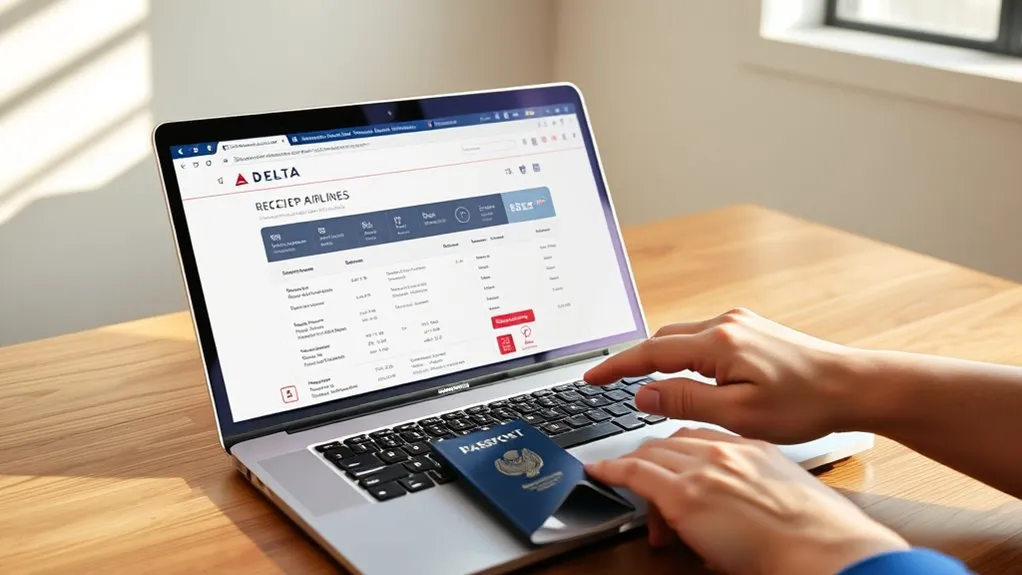
Delta provides two main online receipt options: My Trips and the logged-in My Receipts page.
Use My Trips when you completed your last flight within the previous 24 hours. Enter your first name, last name, and confirmation number, then open the trip details. Scroll to Payment Details, select Email Receipt, enter your email address, and submit the request.
If you have a delta.com account, sign in and open My Receipts. Delta says this feature can display eligible historical ticket receipts, baggage receipts, and receipts for other purchases made through delta.com during the past 24 months.
Logged-in customers may be able to retrieve eligible Delta ticket, baggage, and other delta.com purchase receipts from the past 24 months through My Receipts.
The 24-hour rule refers to the time since your last flight traveled. It does not mean the ticket must have been purchased within the previous 24 hours.
What You’ll Need
Gather the correct information before opening My Trips or emailing Delta. The details vary depending on whether you know the ticket number.
For My Trips:
- First name as shown on the booking
- Last name as shown on the booking
- Confirmation number, ticket number, or eligible payment-card lookup information
- Email address where you want the receipt sent
For an older trip when you know the ticket number:
- Passenger name
- 13-digit ticket number beginning with 006
- Type of credit card used, such as Visa, Mastercard, or American Express
For an older trip when you do not know the ticket number:
- Passenger name
- Date of travel
- Origin airport
- Payment type, such as Visa, Mastercard, American Express, Discover, or cash
Warning: Include only the card type in your email. Delta specifically says not to send the complete credit card number. The request must come from the ticketed passenger or the credit card holder.
Pro Tip: If you paid with SkyMiles or another non-card payment method, state the actual form of payment instead of guessing a card type. Include the ticket number whenever possible.
Find Your Delta Booking
Start by searching your inbox for an email titled or containing Your Flight Receipt. Delta says the confirmation number appears near the top of that email, below the Delta logo and passenger name.
Open Delta My Trips. You can look up an itinerary by confirmation number, credit or debit card number, or ticket number. The passenger name must match the reservation.
Locate Your Confirmation Number
Your confirmation number is the short record locator attached to the reservation. Check:
- The original Flight Receipt or confirmation email
- Your Delta account under upcoming or saved trips
- The confirmation supplied by the travel agency that issued the ticket
Delta’s official trip-management instructions show where to locate the confirmation number in the Flight Receipt email.
How to Use the My Trips Page
- Open Delta My Trips on a computer or mobile browser.
- Select the lookup method: confirmation number, payment card, or ticket number.
- Enter the passenger’s first and last name.
- Select Search or Find My Trip.
- Open Payment Details.
- Select Email Receipt, enter your email address, and submit.
The Fly Delta app can display and manage trips, but Delta’s published receipt instructions specifically direct customers to delta.com. Use the website if the app does not show an email-receipt option.
Check a Recent Booking Fast
For a recently completed trip, first confirm that no more than 24 hours have passed since the final flight in the itinerary. Then use My Trips and open Payment Details.
If the trip does not appear, check the spelling of the passenger name and try the ticket-number lookup. Signed-in customers should also check My Receipts before sending an email request.
Where to Find Your Ticket Number
A Delta-issued ticket number contains 13 digits and begins with 006. This prefix identifies Delta ticket stock. Baggage receipt document numbers begin with 00682.
Search your inbox for Your Flight Receipt. Delta says the ticket number appears as the first item in the Flight Receipt section of that email. Its official ticket-number instructions include the same guidance.
A saved boarding pass may contain useful trip details, but it is not the most reliable source for the full ticket number. Use the purchase receipt or confirmation email first.
For more background on the format, see this guide to locating a 13-digit ticket number.
Request a Delta Receipt by Email
If your last flight was more than 24 hours ago and you do not have a delta.com login, send the request to ticketreceipt@delta.com. Use a clear subject such as Receipt Request for Delta Ticket 006XXXXXXXXXX.
| Detail | When to include it | Purpose |
|---|---|---|
| Passenger name | Every request | Matches the ticket record |
| 13-digit ticket number | When known | Identifies the exact ticket |
| Card type | When a card was used | Helps verify the purchase without exposing the card number |
| Travel date | When the ticket number is unknown | Narrows the record search |
| Origin airport | When the ticket number is unknown | Helps Delta locate the itinerary |
| Payment type | When the ticket number is unknown | Provides another matching detail |
Delta does not publish a guaranteed turnaround time for emailed receipt requests on its current receipt guidance page. Submit the request early if you have an expense-report or tax deadline, and keep a copy of the sent email.
Note: If a travel agency, corporate booking service, or online travel seller issued the ticket, contact that seller for the receipt. Delta advises customers to obtain agency-issued ticket copies from the agency or online site.
Get Older Delta Receipts
The best method for an older receipt depends on whether you can sign in to a delta.com account.
- Sign in first: Open My Receipts and search eligible purchases from the past 24 months.
- Check the purchase email: Search for “Your Flight Receipt,” the ticket number, the route, or the travel date.
- Email Delta when needed: If the trip was more than 24 hours ago and you do not have a delta.com login, send the required details to ticketreceipt@delta.com.
- Contact the original seller: For agency or online-site bookings, request the ticket receipt from that seller.
Delta’s official receipt guidance explains the My Trips, My Receipts, and email options.
If you need a baggage receipt, include its document number when available. Delta says baggage receipts begin with 00682.
Use WellyBox for Delta Receipts
WellyBox is an optional third-party receipt-management service. It can connect to an email inbox, identify receipt messages, and organize the extracted documents in one dashboard.
This type of service may help frequent business travelers who manage many airline, hotel, and meal receipts. WellyBox advertises a free trial, although features, limits, and pricing can change.
Warning: WellyBox is not Delta. Before connecting an inbox, review the service’s privacy policy, data-retention practices, account permissions, security controls, and current pricing. Grant only the access you are comfortable providing.
Save, Print, or Download Your Receipt
Save a permanent copy as soon as you receive or open the receipt. Depending on how Delta presents it, you may be able to download it directly or use your browser’s print function to create a PDF.
- Open the receipt from your email, My Trips, or My Receipts.
- Select the available download or print option.
- Choose Save as PDF if no direct PDF download appears.
- Use a clear filename such as 2026-07-15-Delta-006XXXXXXXXXX.pdf.
- Save a second copy in secure cloud storage or your employer’s expense system.
Store the ticket receipt with related baggage charges, hotel documents, and expense reports. Avoid placing complete payment-card details in filenames or shared folders.
Fix Delta Receipt Access Problems

| Problem | What to do | Why it helps |
|---|---|---|
| My Trips cannot find the booking | Check the name spelling and try the ticket-number or payment-card lookup. | A different search key may locate the same reservation. |
| More than 24 hours have passed | Sign in and check My Receipts, or email Delta if you do not have a login. | The standard My Trips receipt route is intended for the first 24 hours after the last flight. |
| The ticket number is missing | Send the passenger name, travel date, origin airport, and payment type. | These are Delta’s fallback search details. |
| A baggage receipt is missing | Check My Receipts or email Delta with the 00682 document number. | The document number identifies the baggage transaction. |
| The ticket came from a third party | Contact the agency or online seller named in the booking email. | That seller issued and recorded the original transaction. |
| The Delta page will not load | Try a private browser window, disable interfering extensions, or use another browser before emailing Delta. | This rules out cached sessions and browser conflicts. |
If the website continues to fail, use Delta’s Help Center or Message Us option. Do not send sensitive payment details through an unofficial phone number, social-media account, or website.
Save Delta Receipts for Next Time
Create a simple receipt routine after every trip:
- Keep the original Flight Receipt email.
- Download the ticket and baggage receipts after the final flight.
- Use a dedicated email folder for airline and travel messages.
- Name saved files with the travel date, airline, and ticket number.
- Back up business-travel receipts in your company’s approved expense platform.
Do not rely only on a credit card statement. A statement may confirm the amount and merchant, but an employer, accountant, insurer, or tax professional may require the itemized ticket receipt.
Frequently Asked Questions
Can I get a receipt for inflight purchases?
Receipt handling depends on the purchase. Delta says a receipt for a paid Wi-Fi flight pass is sent to the email address entered during purchase. For another onboard charge that does not appear in your email or account, keep the card transaction details and contact Delta through its official support channels.
How long does it take to receive a Delta receipt by email?
Delta does not publish a guaranteed turnaround time for requests sent to ticketreceipt@delta.com on its current receipt-guidance page. Send the request as early as possible, include every required detail in the first email, and keep a copy of the message.
What if I cannot find my confirmation number?
Search your inbox for “Your Flight Receipt.” Delta says the confirmation number appears near the top of that email. You can also search My Trips by ticket number or eligible payment-card information. For an agency booking, contact the agency that issued the ticket.
Does the My Trips page show receipts for all past flights?
No. Delta directs customers to My Trips within 24 hours of the last flight traveled. Signed-in customers can use My Receipts for eligible historical ticket, baggage, and other delta.com purchase receipts from the past 24 months. Other older requests may need to be emailed to Delta.
How do I request a Delta baggage receipt?
Check My Receipts first if you have a delta.com account. Otherwise, email ticketreceipt@delta.com with the passenger name, baggage receipt document number, and card type. Delta says baggage receipt numbers begin with 00682.
Should I include my credit card number in the request?
No. Delta asks for the card type, such as Visa or Mastercard, but specifically says not to include the complete credit card number. The request must be sent by the ticketed passenger or the cardholder.
Final Thoughts
Start with the method that matches your situation. Use My Trips within 24 hours after your last flight, use My Receipts for eligible purchases from the past 24 months when signed in, and email ticketreceipt@delta.com when the trip is older and you do not have a delta.com login.
Keep the confirmation email and 13-digit ticket number, include only the payment type rather than the complete card number, and contact the original seller for agency-issued tickets. Saving the receipt immediately will make future expense reports, insurance claims, and tax records easier to complete.
Sources
- Delta Air Lines — Other Helpful Information — My Trips, My Receipts, email requests, baggage receipts, and third-party booking guidance
- Delta Air Lines — Find Your Trip — available trip lookup methods
- Delta Air Lines — How to Cancel or Change Your Flight — locating the confirmation number
- Delta Air Lines — How to Rebook Using an eCredit — locating the 13-digit ticket number
- Delta Air Lines — Onboard Wi-Fi — receipt delivery for paid Wi-Fi passes
- WellyBox — first-party information about its optional receipt-management service

