
Last Updated on July 30, 2026 by Ethan Caldwell
You can add your AAdvantage number to most American Airlines reservations after booking. The fastest method is to retrieve the trip on aa.com, open the passenger information section, enter the number, and save the change. The same trip may also be available in the American app. For agency, partner-airline, or locked reservations, contact the booking provider or American Airlines before departure.
Quick Answer
To add an AAdvantage number after booking, open your trip on aa.com with the passenger’s last name and six-character confirmation code. In Passenger information, add the number and save. You can also retrieve the trip in the American app or ask the booking agency or an airport agent for help.
Key Takeaways
- Use the six-character American Airlines confirmation code and the passenger’s last name to retrieve the trip.
- Add the number in the reservation’s Passenger information section and confirm that it remains saved.
- For third-party or codeshare bookings, you may need the American record locator or help from the travel agency or operating airline.
- Adding a number does not guarantee mileage credit; the ticket and flight must qualify under AAdvantage rules.
- For missing miles, allow normal posting time, then submit an online request within 12 months of the flight date.
At a Glance
| Time Required | About 2–5 minutes |
| Difficulty | Easy |
| Tools Needed | AAdvantage number, passenger last name, American confirmation code, and aa.com or the American app |
| Cost | Free |
Disclosure: As an Amazon Associate I earn from qualifying purchases. Some links on this page are affiliate links, at no extra cost to you.
How to Add Your AAdvantage Number
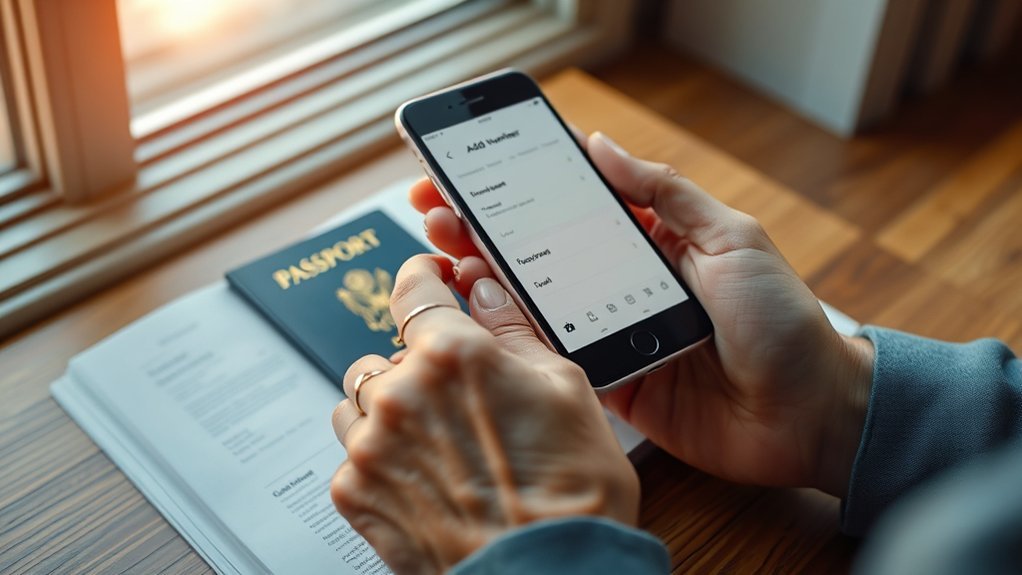
American Airlines says you can add your number by finding the trip online, opening the Passenger information section, and entering the AAdvantage number. You do not have to be signed in if you have the passenger’s last name and the American confirmation code, although signing in can make your upcoming trips easier to find.
Before you begin, have these details ready:
- Your AAdvantage number.
- The passenger’s last name exactly as shown on the ticket.
- The six-character American Airlines confirmation code, also called a record locator.
- The ticket number if you need to request missing miles later.
The confirmation code is usually in the booking email or receipt. A third-party provider may show its own reference number as well as a separate American Airlines record locator, so look for the code labeled “airline confirmation,” “American confirmation,” or “record locator.”
Pro Tip: Add the AAdvantage number before check-in, then reopen the trip to confirm it is still attached. This gives you time to fix a name mismatch, duplicate loyalty number, or agency-controlled reservation before departure.
Add Your AAdvantage Number on AA.com
For most reservations, aa.com is the clearest self-service option. Follow the current process described in the American Airlines AAdvantage FAQ:
- Open Find your trip on aa.com.
- Enter the passenger’s last name and the six-character American confirmation code.
- Open the Passenger information section.
- Select the edit option, add the correct AAdvantage number, and save.
- Refresh or reopen the reservation and confirm that the number appears.
If you are signed in, you can also open Your trips from your AAdvantage account. Make sure you attach the number to the correct traveler. Each passenger should use only their own loyalty number; one member’s number should not be copied to every person on the reservation.
If the number disappears after saving, the reservation may be controlled by a travel agency, another airline, or a group desk. In that case, use the troubleshooting steps below rather than repeatedly editing the same field.
Use the American Airlines App
The American app can display upcoming trips when you are signed in. As a guest, you can choose Find Reservation/Check In and enter the passenger’s name and confirmation code. Open the trip and look for an edit option in the passenger details.
App menus can vary by reservation type and app version. If the passenger information field is missing or the app sends you to aa.com, complete the update on the website. American’s app FAQ confirms that some tasks open aa.com rather than staying inside the app.
- Update the app before retrieving the reservation.
- Confirm that you are viewing the correct passenger and itinerary.
- Save the change and reopen the trip to verify the number.
- If the edit option is unavailable, use aa.com or contact the booking provider.
You can also send feedback through the app if a feature is missing or not working, but do not rely on feedback as a time-sensitive way to update a trip.
Note: Saving an AAdvantage number in your profile helps with future bookings, but it does not automatically repair every reservation that was created before the profile was updated.
Add Your AAdvantage Number During Check-In
American Airlines online and app check-in generally opens 24 hours before departure. It is still better to add your AAdvantage number before the check-in window, because the reservation may stop allowing online edits after check-in.
If the check-in flow shows a passenger or frequent-flyer information field, enter the number and verify it before obtaining the boarding pass. If the field is not available, do not assume the number was added automatically. Return to the trip details, use aa.com, or ask an American Airlines agent at the ticket counter or gate to add it before departure.
- Enter the number exactly as shown in your AAdvantage account.
- Confirm that another airline’s loyalty number is not already attached to the same passenger.
- Ask for a new boarding pass if an agent updates information after you checked in.
- Keep the ticket receipt and boarding pass until the miles and Loyalty Points post.
Warning: Do not wait until the last minute. American’s online or app check-in closes 45 minutes before most domestic flights and 90 minutes before international flights. Airport check-in and checked-bag cutoffs are generally 45 minutes within the U.S. and 60 minutes for flights to or from destinations outside the U.S., with earlier cutoffs at some airports.
Add Your AAdvantage Number to Third-Party Bookings
A booking made through an online travel agency, corporate travel service, cruise line, credit-card portal, or other third party can still carry an AAdvantage number. The main challenge is finding the correct airline record and knowing who controls the passenger information.
Third-Party Limitations
Third-party confirmations often contain more than one reference number. The provider’s booking number may not work on aa.com. Look for a separate six-character American Airlines confirmation code. If the itinerary includes a codeshare or a flight operated by another airline, there may also be a record locator for the operating carrier.
- Check the confirmation email, e-ticket receipt, and provider’s trip page.
- Use the American record locator and passenger last name on aa.com.
- If the number cannot be edited, contact the agency that issued the ticket.
- For a partner-operated flight, confirm that the AAdvantage number is also attached in the operating airline’s reservation.
Some agency, group, or package reservations restrict online changes. That does not mean the number cannot be added; it means the agency or airline may need to update the record for you.
Add Via the Booking Site
If the booking site provides a traveler profile or frequent-flyer field, add your AAdvantage number there and save it. Then compare the updated trip with the reservation on aa.com. Do not assume that a profile change will update an already-ticketed reservation unless the number appears in the actual trip.
If the provider cannot update the record, contact American Airlines Reservations. In the U.S. and Canada, the English reservations line is 800-433-7300 and is listed as available 24 hours a day. Booking directly with American on a future trip can make self-service changes easier, but direct booking is not required to earn eligible AAdvantage credit.
Troubleshoot an AAdvantage Number That Will Not Save
If the number does not appear after you save it, work through these common causes:
- Wrong confirmation code: Use the American Airlines record locator, not only the travel agency’s order number.
- Agency-controlled booking: Ask the issuing agency to add the number to the passenger’s frequent-flyer field.
- Another loyalty program is attached: Ask the airline or agency to replace the existing frequent-flyer number. A flight should not be credited to two programs.
- Name mismatch: Confirm that the name in the reservation and AAdvantage account identifies the same traveler. Contact AAdvantage customer service if the account name needs a formal change.
- Already checked in: Online edits may be blocked. Ask an airport agent to update the reservation and reissue the boarding pass if needed.
- Partner-operated flight: Check the reservation with the operating airline as well as American.
- Number added to the wrong passenger: Each traveler needs their own AAdvantage account and number.
Take a screenshot or save the updated confirmation after the number appears. That record can help if you later need to request missing credit.
What Adding an AAdvantage Number Does
Adding the number links the passenger’s reservation to their AAdvantage account. On an eligible trip, that can help American identify where to credit AAdvantage miles and Loyalty Points and can make eligible status or account benefits easier to recognize.
However, adding the number does not guarantee that miles will post. The ticket, fare, marketing carrier, operating carrier, and program rules must qualify. Partner-airline earning can differ by airline and booking code. If another frequent-flyer program is attached, the flight may credit there instead.
American says travel on its own flights is normally credited within 1–3 days. Members should allow up to 10 days for American flights and up to 30 days for partner-airline flights before treating the credit as missing.
Request Missing AAdvantage Miles After Travel
If eligible miles do not post, use American’s online Request flight miles form. The form can accept an eligible request once at least three days have passed since travel, but American separately advises allowing up to 10 days for its flights and up to 30 days for partner flights.
You can request missing flight miles within 12 months of the flight date. Keep the 13-digit ticket number, flight number, travel date, origin, destination, and boarding pass or receipt. American ticket numbers normally begin with 001, while tickets issued by a partner airline may begin with that airline’s ticket stock.
Post-Flight Mile Claims
- Check your AAdvantage activity to make sure the flight has not already posted.
- Wait through the normal posting period for American or partner travel.
- Confirm that the flight was eligible and that the AAdvantage number belonged to the traveler.
- Submit the claim within 12 months of the flight date.
- For missing non-airline partner activity, contact that partner directly.
The American app can help you find trip details, but the official missing-flight-miles request is an online form. Keep your receipts until the credit appears.
Submit Missing Miles
- Sign in to the AAdvantage account that belongs to the traveler.
- Open the Request flight miles form.
- Enter the ticket number and requested flight information.
- Review the details carefully and submit the request.
- Watch the email address in your AAdvantage profile for a response and recheck account activity.
If the form rejects the ticket number, confirm who issued the ticket and whether the flight was marketed or operated by a partner. For unresolved past-travel issues, use American’s AAdvantage customer service or customer-relations channel rather than Reservations for a future trip.
Save Your AAdvantage Number for Future Bookings
Store your AAdvantage number in your American Airlines profile so it can populate when you book while signed in. Also keep your legal name, email address, date of birth, and contact details current.
- Sign in to your AAdvantage account.
- Open Profile and settings.
- Review your personal and contact information.
- Save the changes, then verify the number during every new booking.
- Check the final confirmation rather than relying only on the saved profile.
For bookings made through a third party, add the number to that provider’s traveler profile too. Even then, confirm it on each ticketed reservation. Good account management reduces repeat work, but the reservation itself is the final place to verify the link.
Frequently Asked Questions
Can I add an AAdvantage number after booking?
Yes. Find the trip on aa.com with the passenger’s last name and American confirmation code, open Passenger information, add the number, and save. If the field is locked, contact the booking agency or American Airlines.
Can I add my AAdvantage number in the American Airlines app?
Retrieve the trip in the app and look for an edit option in the passenger details. If the field is unavailable or the app redirects you, use aa.com. Some reservation types are controlled by an agency or another airline and may require assistance.
Can I add my TSA PreCheck number to an existing American Airlines reservation?
Yes. Find the trip on aa.com or in the app, select Edit in Passenger information, open Security information, and add your Known Traveler Number or PASS ID. If you already checked in, obtain a new boarding pass and confirm that the TSA PreCheck indicator appears.
What is the 45-minute rule for American Airlines?
For most flights within the U.S., you must check in and check bags at least 45 minutes before departure. International airport check-in is generally 60 minutes before departure, while online or app check-in closes 90 minutes before international flights. Some airports require earlier check-in.
Can I add AAdvantage miles after a flight?
You can request missing credit for an eligible flight within 12 months of the flight date. Allow up to 10 days for American Airlines flights and up to 30 days for partner flights, then use the online Request flight miles form.
Why did my AAdvantage miles not post?
Common reasons include normal partner-airline processing time, an ineligible ticket or booking code, a different loyalty number in the reservation, a name or ticket-data mismatch, or the AAdvantage number being added to the wrong passenger. Keep your receipt and submit a claim if the normal posting period has passed.
Conclusion
To add your AAdvantage number, retrieve the reservation, edit the passenger information, save the number, and verify that it remains attached. Use aa.com first, then try the app, the booking agency, or an American Airlines agent if the record is locked. After travel, wait through the normal posting period and request missing miles within 12 months when the flight is eligible.
Sources
- American Airlines AAdvantage FAQ — steps for adding an AAdvantage number and current mileage-posting guidance.
- American Airlines Find Your Trip — reservation retrieval using a confirmation code.
- American Airlines: Using Miles for Travel — missing-mile deadline and processing windows.
- American Airlines Request Flight Miles — official missing-flight-mile claim form.
- American Airlines Check-In and Arrival — online, app, airport, and checked-bag cutoffs.
- American Airlines TSA PreCheck — adding a KTN or PASS ID to an existing trip.
