

Last Updated on September 10, 2026 by Daniel Globe
Disclosure: As an Amazon Associate, we earn from qualifying purchases. If you click a link on this page and make a purchase, we may receive a small commission at no extra cost to you.
Choosing a beginner GPS drone can be tricky because impressive marketing claims do not always tell you what the camera, controller, and flight features actually deliver. The karuisrc K600GPS-C GPS Drone with Camera combines a built-in 4.5-inch LCD controller screen, GPS-assisted flight features, 1080p video recording, and an included 32GB SD card in an aircraft advertised at under 249g. Its strongest advantage is that you can view the live feed without pairing your phone, but buyers expecting true 4K video or high-end camera stabilization should keep their expectations realistic. This review explains where the K600GPS-C makes sense and which limitations you should consider before buying.
Quick Verdict
Rating: Recommended with caveats
Best For: Beginners and casual hobby pilots who want GPS assistance and a controller with its own display.
Bottom Line: The K600GPS-C gives you a convenient screen-equipped remote, GPS Return to Home, Follow Me, and straightforward controls without depending on a smartphone. Its main tradeoff is camera performance: verified video resolution is 1080p, so it is better suited to casual aerial footage than demanding professional video work.
Key Specifications
| Specification | Detail |
|---|---|
| Brand | karuisrc |
| Model | K600GPS-C |
| Product Type | GPS camera quadcopter |
| Drone Weight | Advertised as under 249g |
| Dimensions | 9 × 7.3 × 5 inches |
| Material | Plastic |
| Video Resolution | 1080p |
| Camera Adjustment | Up to 90° electric adjustment |
| Controller Display | Built-in 4.5-inch HD LCD screen |
| Connectivity | Wi-Fi / 5GHz video transmission |
| Flight Battery | 2200mAh lithium-ion battery |
| Storage | Supports up to 32GB SD card; 32GB card included |
| GPS Features | GPS positioning, Return to Home, Follow Me |
| Beginner Controls | One-key takeoff/landing and speed modes |
| Included Items | Drone, remote, battery, spare propellers, screwdriver, USB cable, carrying case, and 32GB SD card |
What Is the karuisrc K600GPS-C?
The K600GPS-C is a compact GPS-equipped camera drone designed around beginner-friendly controls. Its main differentiator is the remote controller, which has a built-in 4.5-inch LCD display. You can see the live camera feed and flight information directly on the controller instead of mounting and pairing a smartphone for basic operation.
The aircraft combines GPS positioning with an optical-flow sensor that can assist with stable hovering. Its intelligent functions include Return to Home, Follow Me, gesture-triggered photo and video capture, one-key takeoff and landing, and selectable speed modes.
The camera records 1080p video and can be tilted electrically by up to 90 degrees. Although some marketing descriptions compare the image quality with 4K, you should not treat this as a true 4K video drone.
Before You Buy: Buy this drone for beginner-friendly GPS flying and the convenient screen-equipped controller, not because you expect professional 4K video. Verified video capture resolution is 1080p, and the product documentation does not establish the original article’s claimed 30-minute flight time or 1,500-meter operating range.
Who Should Buy It?
Best For
- Beginners who want one-key controls and GPS-assisted Return to Home.
- Travelers and casual hobby pilots who appreciate an under-249g aircraft and carrying case.
- Users who prefer a controller with its own live-view screen instead of relying on a phone.
Skip If
- You need genuine 4K video or high-end stabilized footage for professional work.
- You need a clearly documented long-distance transmission specification.
- You regularly fly in strong wind or difficult weather conditions.
Products Worth Considering

【Drone with Camera】Equipped with GPS drone FPV camera and a 90° electrically adjustable lensy, this drone for adults capture stunning aerial photos and videos from virtually any angle. Whether you're flying over forests, beaches, mountains, or cityscapes, it delivers breathtaking views and immersive experiences—helping creators preserve unforgettable moments and bring their vision to life.

🛫【No Registration Required】🛬FERIETELF B16 drone with camera 4K professional weighs less than 249g ! You don't need to register your drone or get a drone pilot certificate.
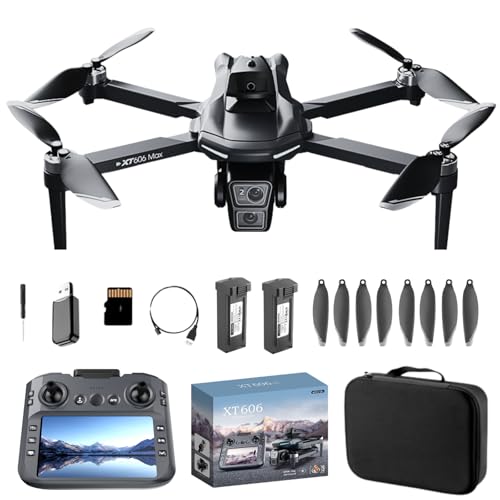
Dual HD Cameras with EIS Electronic Image Stabilization & Gimbal: Equipped with front wide‑angle HD Wi‑Fi camera and bottom optical flow camera, featuring servo gimbal stabilizer and EIS electronic anti‑shake for stable, clear aerial photos and videos
Display and Control Features
The built-in 4.5-inch HD LCD screen is one of the K600GPS-C’s most useful features. It displays the live camera feed and flight information directly on the remote, removing the usual phone-mounting and pairing step before basic flights.
The remote provides separate sticks for throttle, yaw, pitch, and roll, along with dedicated function buttons. One-key takeoff and landing helps simplify the first few flights, while selectable speed modes let you adjust the response as your confidence improves.
You also get buttons for photo and video capture and Return to Home. This physical-control approach is useful if you prefer operating the drone without constantly switching between a phone screen and the controller.
Pro Tip: Before your first outdoor flight, learn the Return to Home button, one-key landing control, and battery indicators while the drone is still close to you. Knowing those controls before increasing distance makes unexpected situations easier to manage.
Camera Capabilities
The K600GPS-C uses a 1080p HD front camera for recorded video. The camera angle can be adjusted electrically through a range of up to 90 degrees, giving you more control over whether the shot points toward the horizon or down toward the ground.
The product is also described as having a dual-camera arrangement, but the documentation identifies the main front camera and a lower optical-flow sensor used for positioning. You should therefore avoid assuming that both units function as equal high-resolution recording cameras.
Photos and videos can be stored on an SD card, and a 32GB card is included. That is convenient because you can start recording without immediately buying separate storage. After the flight, remove the card and use a compatible card reader to transfer media to a computer.
For casual vacation footage, landscape views, and learning basic aerial composition, 1080p recording can be useful. For serious filmmaking, detailed cropping, or buyers who specifically want true 4K footage, a higher-end camera drone is the more appropriate choice.
GPS, Safety, and Recovery
GPS positioning gives the drone several recovery features that are particularly useful for new pilots. Its Return to Home system can activate when the flight battery becomes critically low or when the connection between the aircraft and remote is lost. You can also trigger the function manually with the controller.
Return to Home still depends on proper setup. For GPS flights, use the drone outdoors in an open area and wait until it has acquired a suitable GPS lock before takeoff. Weak GPS reception, strong wind, or using RTH in unsuitable conditions can reduce return accuracy.
The manual also recommends maintaining visual line of sight, avoiding rain, snow, fog, and strong wind, and staying away from people, animals, buildings, and trees. The under-249g weight may affect registration requirements in some locations, but it does not remove your responsibility to follow local aviation and flight rules.
How It Performs in Real Use
For Your First Flights
The combination of one-key takeoff and landing, adjustable speed modes, GPS positioning, and a controller screen reduces several common beginner hassles. You still need to calibrate the aircraft correctly and learn the stick controls, but you do not have to add smartphone pairing to every basic flight session.
For Outdoor GPS Flying
In an open area with a solid GPS lock, Return to Home and Follow Me add useful automation. Follow Me can keep the aircraft tracking the controller’s position while you move, although you should still watch the drone and remain ready to take control.
For Casual Aerial Photography
The 90-degree adjustable camera lets you change composition without landing the aircraft. The included SD card also makes it easier to save footage directly. Image quality, however, should be judged as 1080p consumer-drone performance rather than professional cinema-drone output.
For Travel and Outdoor Trips
The aircraft’s advertised under-249g weight and included carrying case make it practical to pack with other outdoor gear. The case also gives the propellers, battery, controller, and small accessories a dedicated place during transport.
Setup Tips Before First Use
- Charge both units: Fully charge the drone battery and the controller before setup.
- Inspect the propellers: Check that each propeller is secure and free from cracks, bends, or chips.
- Start on a level surface: Pair the drone and controller and perform the required gyroscope calibration on flat ground.
- Wait for GPS outdoors: Do not rush takeoff before the drone confirms an adequate GPS lock when using GPS functions.
- Insert the SD card: Make sure the card is installed before recording if you want footage saved directly to storage.
- Choose calm conditions: Avoid strong wind, rain, fog, or other conditions that can reduce control and positioning accuracy.
- Stay close while learning: Build confidence with the controls and RTH behavior before attempting greater distances.
Cleaning, Battery Care, and Storage
After flying, wipe the drone and controller with a clean, dry cloth and remove dirt or debris around the motors and propellers. Damaged propellers should be replaced instead of reused because even small bends can affect flight stability.
Store the flight battery in a cool, dry location away from extreme heat and direct sunlight. The documentation also advises against leaving lithium batteries completely full or completely depleted during extended storage.
The included carrying case is useful for keeping the controller, aircraft, battery, propellers, SD card, and tools together while reducing the chance of damage between flights.
Pros and Cons
Pros
- 4.5-inch controller screen reduces dependence on a smartphone.
- GPS Return to Home supports low-battery, lost-signal, and manual return.
- One-key takeoff/landing and speed modes are useful for beginners.
- 32GB SD card and carrying case are included.
- Under-249g aircraft claim makes it relatively lightweight for travel.
Cons
- Verified video capture is 1080p rather than true 4K.
- A maximum flight time is not clearly established in the available product documentation.
- The documentation does not support the original 1,500-meter controller-range claim.
Is It Worth the Price?
The K600GPS-C makes the most sense as an entry-level GPS camera drone rather than a substitute for a premium photography platform. The controller screen, GPS Return to Home, included storage, carrying case, and straightforward controls give you several useful features in one package.
Its value depends heavily on the current selling price. It becomes more appealing when priced noticeably below established true-4K alternatives. If image quality is your main priority, paying more for stronger stabilization and verified 4K recording can be worthwhile.
For a beginner who values easy setup and a dedicated controller display more than maximum camera resolution, the K600GPS-C is worth considering. It is not the best fit when your main goal is professional-quality aerial video.
Products Worth Considering
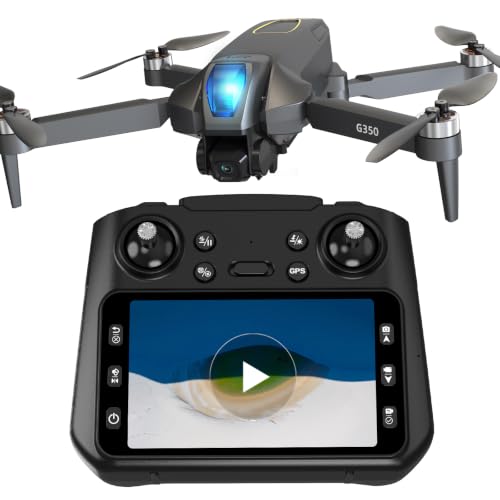
【BUILT-IN HD LCD SCREEN REMOTE & 600M LONG-DISTANCE FPV TRANSMISSION】 This camera drone comes with an all-in-one LCD screen remote, eliminating the need to connect a smartphone for instant real-time aerial preview. Remote with screen delivers lag-free stable UHD image transmission up to 600m/1969ft, realizing the immersive "Shoot What You See" FPV experience. Dual flexible control modes (screen remote & mobile APP) simplify shooting workflows, it is a drone with camera which perfectly suited for beginner pilots, travel vloggers and outdoor content creators.

【Intelligent GPS & Auto Return | Safe Flight】 Features an advanced GPS positioning system that ensures rock-solid flight stability for this professional RC quadcopter. The smart auto-return home function triggers automatically during low battery, lost signal, or when you press the one-key return button, providing ultimate peace of mind and preventing your drone from getting lost during outdoor flights.

ADVANCED GPS FLIGHT FEATURES - Built-in GPS supports Follow Me, Waypoint Flight, Orbit Mode, and Return to Home for easier navigation and stable flying. Designed for beginners and recreational pilots who want a simple flying experience.
How It Compares to Alternatives
The DJI Neo is worth comparing if camera quality and automated subject filming matter more to you. It is a lighter 135g aircraft and supports 4K stabilized video, but its control options and package configuration are different from the K600GPS-C’s screen-equipped remote approach.
The Potensic ATOM SE is another step-up option if you want documented 4K/30fps recording, a longer specified flight time, and a clearly stated long-range transmission system. The K600GPS-C remains more interesting when your priority is getting a built-in controller display and beginner-oriented GPS controls in one straightforward package.
Products Worth Considering

Screen Controller, No Phone Needed: This drone comes with a 4.5-inch remote controller with a built-in screen, making connection simple and convenient. No smartphone connection or app download is required, allowing you to fly and view real-time footage directly on the controller. Without distractions from incoming calls, messages, or notifications, you can enjoy an immersive flying experience. The all-in-one design also reduces reliance on mobile devices.

【Under 0.55lb Mid-sized Drone, No FAA Registration】Designed with a unique material composition, the N11 PRO is a remarkably valuable mid-sized GPS drone (not mini ones). Its weight is kept under 0.55lb, eliminating the need for FAA registration. This drone provides a perfect solution for hassle-free flying in the States without FAA, making it ideal for capturing stunning footage on the go.

5GHz FPV Drone with 4.5" Screen on Controller: Enjoy real-time 5GHz FPV transmission with zero delay on the built-in 4.5" HD screen — no phone needed. This GPS drone delivers a stable, sunlight-readable live view, making it a perfect FPV drone for beginners and outdoor adventures.
Frequently Asked Questions
Is the karuisrc K600GPS-C suitable for beginners?
Yes. The drone includes one-key takeoff and landing, selectable speed modes, GPS positioning, Return to Home, and a controller with its own live-view screen. You should still learn the controls and complete calibration before every appropriate flight.
Does the K600GPS-C record true 4K video?
No. The verified video capture specification is 1080p. Some promotional wording refers to 4K-like photo quality, but you should not interpret that as native 4K video recording.
Do I need a smartphone to see the camera feed?
The remote has a built-in 4.5-inch HD LCD screen that displays the live video feed and flight information. This removes the need to pair a smartphone just to obtain the basic controller view.
What is the maximum flight time?
The available documentation confirms a 2200mAh lithium-ion flight battery but does not provide enough reliable support for the original article’s approximately 30-minute claim. Check the current product listing and manual supplied with your exact package rather than buying based on an unverified flight-time figure.
How far can the drone fly from the controller?
A reliable maximum controller range is not established in the documentation reviewed for this model, so the previous 1,500-meter claim should not be treated as verified. The troubleshooting guidance recommends staying within about 50 meters for the best video transmission, and you should always follow local line-of-sight rules.
What happens if the signal is lost?
The GPS Return to Home system is designed to return the drone toward its takeoff point after loss of the controller connection. Low-battery and manual Return to Home are also supported, but a good GPS lock and suitable outdoor conditions are important for accurate operation.
Can I fly the K600GPS-C in windy conditions?
You should avoid strong wind. Wind can cause drifting, reduce Return to Home accuracy, and make a lightweight drone harder to control. Calm, open conditions are a better choice, especially while you are learning.
The Bottom Line
The karuisrc K600GPS-C is a sensible option for beginners who want GPS-assisted flight, a dedicated 4.5-inch controller display, simple controls, and an included carrying case and SD card. Its biggest limitation is the 1080p camera and the lack of reliable support for some of the aggressive range and flight-time claims commonly associated with this listing, so buyers focused on serious aerial filmmaking should consider a stronger camera platform instead.
