

Last Updated on November 4, 2026 by Caleb Warren
Looking for the best keyless locks for your front door in 2026? The Veise Keyless Entry Door Lock with Keypad is a strong all-around choice if you want simple PIN access, automatic locking, and backup keys. The TEEHO TE001 is worth considering if you prefer an easy-to-use keypad deadbolt without Wi-Fi. For fingerprint access and smartphone control, the Veise VE017 and Philips Wi-Fi smart deadbolts offer more advanced options. Below, you’ll find 11 keyless front door locks, their main benefits, important limitations, and tips to help you choose the right model.
Disclosure: As an Amazon Associate I earn from qualifying purchases. Some links on this page are affiliate links, at no extra cost to you.
Quick Answer: Which Keyless Front Door Lock Should You Choose?
Best Overall: The Veise Keyless Entry Door Lock with Keypad is a practical option for everyday home use. It combines an electronic deadbolt, included door knobs, multiple user codes, and physical backup keys.
Best Simple Keypad Deadbolt: The TEEHO TE001 is suitable if you want keyless entry without an app, Wi-Fi network, or smart home setup.
Best Fingerprint Option: The Veise VE017 provides fingerprint access, keypad codes, and Bluetooth app control. Remote access requires a compatible gateway.
Best Built-In Wi-Fi: The Philips Wi-Fi Smart Deadbolt with Alexa and Google Assistant offers remote access without a separate Wi-Fi bridge.
Important: Before ordering, check your door thickness, backset, bore-hole dimensions, required connectivity, and the exact items included in the selected Amazon listing.
Key Takeaways
- Choose a deadbolt: For a primary front-door lock, prioritize an electronic deadbolt or a lockset that includes one.
- Keypad locks are simple: They offer convenient entry without requiring internet connectivity.
- Fingerprint locks provide quick access: A backup PIN or physical key is still useful if fingerprint recognition fails.
- Wi-Fi is useful for remote access: Some locks have built-in Wi-Fi, while others require a separate gateway.
- Auto-lock is not a door sensor: A lock may attempt to extend its bolt even if the door is not fully closed.
- Check the installation measurements: Door thickness, backset, bore diameter, and clearance matter more than a generic compatibility claim.
- Plan for battery failure: Look for low-battery warnings and a documented emergency unlocking method.
| Product | Product Image | Best For | Access Options | Locking Feature | Installation / Connectivity | Amazon | Review |
|---|---|---|---|---|---|---|---|
| Veise Keyless Entry Door Lock with Keypad |  |
Best Overall | Access: Keypad codes and backup keys | Auto-Lock: Adjustable timer | Type: Keypad deadbolt with knobs; no Wi-Fi required | Check Price on Amazon | Read Our Analysis |
| TEEHO TE001 Keyless Entry Door Lock with Keypad |  |
Best Simple Keypad Deadbolt | Access: Up to 20 PIN codes and backup keys | Auto-Lock: Adjustable timer | Type: Standalone electronic deadbolt; no app required | Check Price on Amazon | Read Our Analysis |
| Fingerprint Keypad Deadbolt with Handle Set |  |
Best Fingerprint Lockset | Access: Fingerprint, PIN, app, and backup key | Auto-Lock: Adjustable | Type: Electronic deadbolt with matching handle | Check Price on Amazon | Read Our Analysis |
| Amazon Basics Keyless Keypad Deadbolt Door Lock |  |
Best Basic Electronic Deadbolt | Access: User PIN codes and physical key | Auto-Lock: Programmable | Type: Traditional electronic keypad deadbolt | Check Price on Amazon | Read Our Analysis |
| Yamiry Fingerprint Keyless Entry Deadbolt Door Lock |  |
Best Multiple Access Methods | Access: Fingerprint, keypad, app, key and compatible fob | Auto-Lock: Supported | Type: Smart deadbolt; verify gateway requirements | Check Price on Amazon | Read Our Analysis |
| Smart Front Door Lock Set with WiFi and Keyless Entry | Best Remote-Access Lockset | Access: App, fingerprint, PIN, fob, and key | Auto-Lock: Supported | Type: Wi-Fi deadbolt with lever handle | Check Product Details | Read Our Analysis | |
| Keyless Entry Door Lock with Handle Set | Best for Guest Access Codes | Access: PIN codes and backup key | Auto-Lock: Adjustable | Type: Keypad deadbolt and handle set | Check Product Details | Read Our Analysis | |
| Philips WiFi Keypad Door Lock with Fingerprint Unlock |  |
Best Connected Handle Set | Access: Fingerprint, PIN, app, and key | Auto-Lock: Supported | Type: Philips 4200 series with built-in Wi-Fi | Check Price on Amazon | Read Our Analysis |
| Philips Wi-Fi Smart Lock with Keyless Entry |  |
Best Gateway Bundle | Access: Fingerprint, PIN, app, and key | Auto-Lock: Supported | Type: Smart deadbolt and handle with Wi-Fi gateway | Check Product Details | Read Our Analysis |
| Philips Wi-Fi Smart Lock with Alexa & Google Assistant |  |
Best Built-In Wi-Fi Deadbolt | Access: App, fingerprint, PIN, and key | Auto-Lock: Supported | Type: Wi-Fi smart deadbolt; no separate hub required | Check Price on Amazon | Read Our Analysis |
| Veise VE017 Fingerprint Smart Door Lock |  |
Best Bluetooth Fingerprint Deadbolt | Access: Fingerprint, PIN, app, fob, and key | Auto-Lock: Adjustable | Type: Bluetooth smart deadbolt; G1 gateway for remote use | Check Price on Amazon | Read Our Analysis |
Comparison note: These selections are based on product descriptions, published specifications, and their suitability for common front-door needs. They are not presented as personally tested products. Product variants, included accessories, warranties, prices, and availability may change. Confirm the details on the linked Amazon listing before purchasing.
More Details on Our Top Picks
-
Veise Keyless Entry Door Lock with Keypad
The Veise Keyless Entry Door Lock with Keypad is a practical option if you want to replace a traditional front-door deadbolt with a keypad model. This package includes an electronic deadbolt and two door knobs, making it useful when you also want matching hardware.
You can program up to 20 user codes for household members and use a one-time code for a temporary visitor. The lock also includes physical backup keys, so electronic keypad entry is not your only access method.
The adjustable auto-lock timer helps if you sometimes forget to lock the door. Anti-peeping code entry and low-battery notifications add convenience without requiring an internet connection.
Why You’ll Like It: You get a keypad-operated deadbolt, matching knobs, guest-code capability, and manual backup in one package.
Best For: Homeowners who want simple keyless entry and matching door hardware without smartphone setup.
Before You Buy: Check that your door has the required deadbolt and knob preparations. This model is not designed for remote app management.
- Access Options: Up to 20 user codes, one-time codes, physical keys
- Lock Type: Electronic keypad deadbolt with two knobs
- Auto-Lock: Adjustable 10-99-second timer
- Power: 4 AA batteries
- Connectivity: Offline keypad operation
- Installation: Designed for compatible standard US door preparations
- Additional Feature: Anti-peeping PIN entry
- Additional Feature: Low-battery alert and vacation mode
- Buyer Consideration: Check current warranty and included hardware
-
TEEHO TE001 Keyless Entry Door Lock with Keypad
The TEEHO TE001 Keyless Entry Door Lock is a good fit if you want a straightforward electronic deadbolt without learning a smartphone app. It uses a keypad for everyday entry and supports up to 20 user PIN codes.
You can assign separate codes to household members and create a temporary one-time code for a visitor. The adjustable auto-lock feature can lock the deadbolt after a selected delay, helping reduce the chance of accidentally leaving it unlocked.
This model operates locally without Wi-Fi. That makes it appealing if you prefer a simpler lock with fewer connected features. The manufacturer also describes IP54 ingress protection, although proper installation and door protection remain important.
Why You’ll Like It: Its basic keypad operation makes day-to-day entry convenient without adding internet connectivity or an account-based app.
Best For: Families, homeowners, and anyone who wants a standalone keypad deadbolt.
Before You Buy: You will not get remote unlocking, smartphone notifications, or fingerprint access. Confirm the door measurements before installation.
- Access Options: Up to 20 PIN codes, one-time PIN, physical key
- Lock Type: Electronic keypad deadbolt
- Auto-Lock: Adjustable 10-99-second timer
- Power: 4 AA batteries
- Weather Resistance: Manufacturer-stated IP54 rating
- Connectivity: No app or Wi-Fi required
- Warranty: Manufacturer describes 12-month coverage; confirm current terms
- Additional Feature: Low-battery indication
- Additional Feature: Temporary one-time PIN
-
Fingerprint Keypad Deadbolt with Handle Set
The Ulecoce U68 Fingerprint Keypad Deadbolt with Handle Set is worth considering if you want biometric entry and matching front-door hardware. Instead of typing a PIN every time, registered household members can use fingerprint recognition when supported and functioning correctly.
The lockset combines an electronic deadbolt with a separate door handle. Its documented access methods include fingerprint recognition, keypad entry, app control, and a backup key.
App-based access management may be useful when several people share an entrance. However, Bluetooth app functions and remote internet access should not be treated as interchangeable. Check the exact connectivity requirements of this ASIN before purchasing.
Why You’ll Like It: It brings fingerprint entry, PIN access, and matching door hardware together in one lockset.
Best For: Families upgrading both the front-door deadbolt and handle.
Before You Buy: Confirm fingerprint capacity, app compatibility, connectivity limitations, and the dimensions of both door openings. A separate handle means you need compatible door preparations.
- Brand / Model: Ulecoce U68
- Access Options: Fingerprint, PIN, app, physical key
- Lock Type: Smart deadbolt and handle set
- Auto-Lock: Supported; verify the current timer settings
- App Access: Supported; confirm remote-access requirements
- Installation: Requires compatible deadbolt and handle openings
- Additional Feature: One-touch locking
- Additional Feature: Keypad and fingerprint operation
- Buyer Consideration: Confirm battery requirements and warranty
-
Amazon Basics Keyless Keypad Deadbolt Door Lock
If you want electronic entry without Wi-Fi, fingerprint scanning, or app setup, the Amazon Basics Keyless Keypad Deadbolt offers a straightforward approach.
This model supports six customizable user codes along with mechanical key access. That makes it a reasonable choice for smaller households that do not need dozens of separate access codes.
The automatic locking feature can extend the deadbolt after a programmed delay. Its satin nickel finish also works well with many traditional door-hardware styles.
Why You’ll Like It: You get keypad convenience while keeping the familiar operation of a keyed deadbolt.
Best For: Smaller households and homeowners who prefer basic electronic locking without smart home features.
Before You Buy: Its code capacity is more limited than many competing models. Check whether its programming features meet your needs and confirm compatibility with your existing door preparation.
- Access Options: Six customizable user codes and physical key
- Lock Type: Traditional electronic keypad deadbolt
- Auto-Lock: Programmable
- Door Thickness: Listed for 1-3/8 to 1-3/4-inch doors
- Finish: Satin nickel
- Connectivity: No Wi-Fi or app required
- Additional Feature: Backup mechanical key
- Buyer Consideration: Check current package contents and warranty
-
Yamiry Fingerprint Keyless Entry Deadbolt Door Lock
The Yamiry Fingerprint Keyless Entry Deadbolt, identified as model YR02, gives you several ways to operate your front-door lock.
Its documented entry methods include fingerprint recognition, keypad codes, app access, compatible key fobs, and physical keys. This flexibility is useful when different household members prefer different methods.
For example, you might use fingerprint entry for everyday access and a temporary code for a guest. Its auto-lock and anti-peeping features also provide useful access-management options.
Why You’ll Like It: Multiple unlocking methods make the lock adaptable to different users and situations.
Best For: Households wanting both biometric entry and traditional backup access.
Before You Buy: Confirm which accessories are included. Compatible key fobs may be sold separately. Also verify whether internet-based remote access or voice commands require additional equipment.
- Brand / Model: Yamiry YR02
- Access Options: Fingerprint, PIN, app, compatible fob, physical key
- Lock Type: Smart electronic deadbolt
- Auto-Lock: Supported
- Power: Battery-operated; check the current listing
- Connectivity: App-based features; verify gateway requirements
- Additional Feature: Anti-peeping PIN support
- Additional Feature: Multiple local unlocking methods
- Buyer Consideration: Verify key-fob inclusion and warranty terms
-
Smart Front Door Lock Set with WiFi and Keyless Entry
Best Remote-Access Lockset
Check Product Details on AmazonThe Smart Front Door Lock Set with WiFi and Keyless Entry is identified in product records as an OKIBB deadbolt-and-handle package. It is designed for homeowners who want connected access management and matching exterior door hardware.
The documented lockset includes fingerprint entry, keypad access, app control, compatible fob access, and a physical key. Built-in Wi-Fi is intended to support remote management without a separate gateway.
The included lever handle can also help create a coordinated appearance on your front door. This makes the product more appealing when you want to replace both an existing deadbolt and handle.
Why You’ll Like It: Its combination of a smart deadbolt, door handle, and connected access options offers a more complete front-door hardware upgrade.
Best For: Homeowners who want a Wi-Fi lockset rather than a deadbolt-only replacement.
Before You Buy: Confirm the manufacturer, current listing status, supported Wi-Fi frequency, app compatibility, available replacement parts, and warranty. Detailed current Amazon specifications could not be fully verified.
- Identified Brand: OKIBB
- Access Options: App, fingerprint, PIN, compatible fob, physical key
- Lock Type: Electronic deadbolt and lever handle set
- Auto-Lock: Supported
- Connectivity: Built-in Wi-Fi described in product information
- Installation: Requires compatible deadbolt and handle preparations
- Additional Feature: App-based access management
- Additional Feature: Multiple unlocking methods
- Buyer Consideration: Confirm current specifications, stock, and warranty
-
Keyless Entry Door Lock with Handle Set
The Keyless Entry Door Lock with Handle Set is identified as a Ulecoce keypad deadbolt-and-handle package. It is designed for homeowners who want a code-operated front-door lock with matching hardware.
The supplied specifications describe support for multiple user codes, one-time guest codes, automatic locking, and anti-peeping PIN entry. These features can be helpful when family members or temporary visitors need access.
A keypad lockset also avoids the need for every user to carry a physical key during routine entry. However, the exact code capacity and current package specifications should be confirmed for this ASIN.
Why You’ll Like It: It combines familiar keypad operation with a complete front-door lockset configuration.
Best For: Households wanting several PIN codes and a coordinated deadbolt-and-handle setup.
Before You Buy: Check the current Amazon listing carefully. The exact number of supported codes, installation requirements, warranty, and availability could not be independently confirmed.
- Identified Brand: Ulecoce
- Access Options: Keypad PIN codes and backup access
- Lock Type: Electronic deadbolt with handle set
- Auto-Lock: Described; confirm adjustment range
- Installation: Check deadbolt and handle-hole compatibility
- Connectivity: Confirm whether the exact variant supports app functions
- Additional Feature: Guest-code capability described
- Additional Feature: Anti-peeping PIN feature described
- Buyer Consideration: Verify final specifications and package contents
-
Philips WiFi Keypad Door Lock with Fingerprint Unlock
The Philips WiFi Keypad Door Lock with Fingerprint Unlock is a strong option if you want connected access control and matching door handles. This listing corresponds to a Philips 4200-series smart lockset.
It combines fingerprint unlocking, keypad codes, and smartphone management. Its built-in Wi-Fi is designed for app-based remote access without adding a separate bridge.
A fingerprint reader offers quick local entry, while PIN codes provide another way to unlock the door. App features can help manage access, although remote functions depend on network connectivity and the manufacturer’s supported services.
Why You’ll Like It: You can upgrade the deadbolt and door handle while adding fingerprint access and remote management.
Best For: Homeowners wanting a connected front-door lockset with fingerprint entry.
Before You Buy: Confirm that your home has a compatible 2.4GHz Wi-Fi connection and that both the deadbolt and handle fit your door. Do not assume all Philips smart locks use the same app or included accessories.
- Model Family: Philips 4200 Series
- Access Options: Fingerprint, PIN, app, physical key
- Lock Type: Smart deadbolt with door lever
- Auto-Lock: Supported
- Connectivity: Built-in Wi-Fi; verify network requirements
- App Control: Remote management features
- Additional Feature: Backlit keypad
- Additional Feature: Voice-assistant compatibility described
- Buyer Consideration: Check dimensions, battery needs, and current support terms
-
Philips Wi-Fi Smart Lock with Keyless Entry
The Philips Wi-Fi Smart Lock with Keyless Entry is another option for homeowners upgrading a front-door deadbolt and handle. Product information identifies this ASIN as a lockset with a Wi-Fi gateway.
The lock supports several access methods, including fingerprint recognition, keypad PINs, smartphone control, and physical backup access.
The included gateway configuration is an important distinction. Unlike a lock with built-in Wi-Fi, a bridge-based system depends on compatible gateway hardware for internet-connected functions.
Why You’ll Like It: It offers a coordinated front-door hardware package with connected entry management.
Best For: Homeowners who prefer a smart lockset package that includes the necessary Wi-Fi bridge.
Before You Buy: Confirm the gateway is included with the exact selected variant. Also check the supported app, Wi-Fi setup, and whether the handle configuration fits your door.
- Access Options: Fingerprint, PIN, app, physical key
- Lock Type: Smart deadbolt with handle
- Auto-Lock: Supported
- Connectivity: Wi-Fi gateway configuration
- Remote Access: Requires compatible connected gateway setup
- Installation: Check both deadbolt and handle measurements
- Additional Feature: Smartphone access management
- Additional Feature: Multiple unlocking methods
- Buyer Consideration: Verify included gateway, batteries, and warranty
-
Philips Wi-Fi Smart Lock with Alexa & Google Assistant
The Philips Wi-Fi Smart Lock with Alexa and Google Assistant is worth a closer look if remote door management is important to you. This model, identified as DDL242X-1HW, is a smart deadbolt with built-in Wi-Fi.
You can use fingerprint access, keypad PINs, compatible smartphone controls, and a physical key. The connected features can also support smart home integration through compatible Alexa and Google Assistant accounts.
Because the lock has built-in Wi-Fi, you do not need a separate bridge for its advertised remote features. Its connectivity is designed around a compatible 2.4GHz Wi-Fi network.
Why You’ll Like It: It offers fingerprint access and remote control without requiring a separate Wi-Fi gateway.
Best For: Smart home users who want a connected deadbolt-only replacement.
Before You Buy: Check Wi-Fi coverage at your front door, app compatibility, and battery requirements. Remote access depends on a working network and supported online services. Voice unlocking should be configured with appropriate authentication controls.
- Model: Philips DDL242X-1HW
- Access Options: Fingerprint, PIN, app, physical key
- Lock Type: Smart electronic deadbolt
- Auto-Lock: Supported
- Connectivity: Built-in 2.4GHz Wi-Fi
- Smart Home: Compatible Alexa and Google Assistant functions
- Additional Feature: Remote access management
- Additional Feature: Anti-peeping PIN feature
- Buyer Consideration: Confirm door fitment and current app requirements
-
Veise VE017 Fingerprint Smart Door Lock
The Veise VE017 Fingerprint Smart Door Lock is a good option if you want fingerprint entry and smartphone management without depending on Wi-Fi for everyday unlocking.
This electronic deadbolt supports fingerprint recognition, PIN entry, compatible key fobs, physical keys, and Bluetooth app control through the KK Home app.
The distinction is that VE017 does not have built-in Wi-Fi. Local app control works over Bluetooth, while remote access and Alexa or Google Assistant integration require a compatible Veise G1 Wi-Fi gateway, which is sold separately for the standard VE017 configuration.
Its adjustable auto-lock setting, anti-peeping keypad feature, and emergency USB-C power connection provide additional convenience.
Why You’ll Like It: You get several local unlocking methods and can add remote features later if you purchase the compatible gateway.
Best For: Homeowners who prefer fingerprint and Bluetooth access without requiring a constant internet connection for local entry.
Before You Buy: Do not confuse VE017 with VE017G bundles that include a gateway. Confirm the exact variant, included accessories, door measurements, and current warranty registration terms.
- Access Options: Fingerprint, PIN, Bluetooth app, compatible fob, physical key
- Lock Type: Fingerprint smart deadbolt
- Auto-Lock: Adjustable 10-180-second timer
- Power: 4 AA batteries
- Weather Resistance: Manufacturer-stated IP55
- Connectivity: Bluetooth built in; G1 gateway required for remote functions
- Door Thickness: Manufacturer lists 1-3/8 to 2 inches
- Additional Feature: USB-C emergency power port
- Additional Feature: Anti-peeping PIN entry
- Buyer Consideration: Confirm gateway inclusion and current warranty terms
How to Choose the Best Keyless Front Door Lock
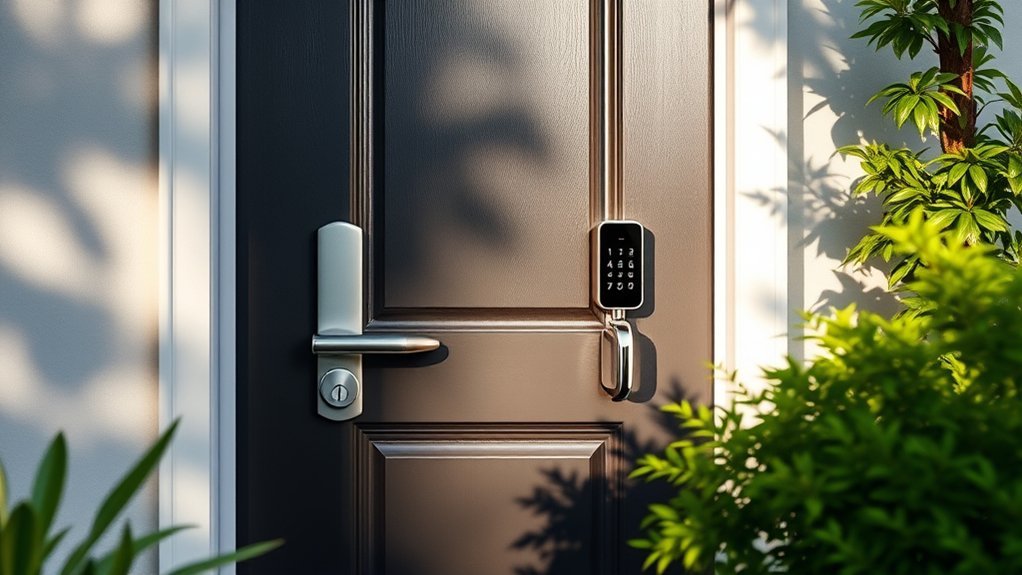
Choosing the right keyless front door lock involves more than comparing PIN-code capacity or smartphone features. Start with the lock type, your door’s measurements, and how your household prefers to enter. Then consider battery maintenance, internet connectivity, and the available backup methods.
1. Security Features and Deadbolt Type
For a primary residential entrance, consider an electronic deadbolt or a complete lockset that includes one. A keypad handle alone does not provide the same hardware configuration as a separate deadbolt.
Look for useful security features such as individual user codes, temporary PINs, automatic locking, anti-peeping PIN entry, and incorrect-code attempt limits.
Also check whether the exact model has been independently tested under an applicable ANSI/BHMA lock standard. A claimed security grade should not be confused with an IP weather-resistance rating.
Important: Even a well-designed deadbolt depends on a properly installed strike plate, sound door frame, correct bolt alignment, and secure mounting hardware. Electronic features alone do not guarantee resistance to forced entry.
2. Door Compatibility and Installation
Many electronic deadbolts are designed to replace hardware on standard US doors. However, “easy installation” does not mean every lock fits every door.
Before buying, measure:
- Door thickness: Many residential locks support common thicknesses around 1-3/8 to 1-3/4 inches, while some support thicker doors.
- Backset: Measure from the door edge to the center of the lock hole. Common sizes are 2-3/8 and 2-3/4 inches.
- Cross-bore diameter: Confirm the size of the main hole through the door.
- Edge bore: Check the hole where the deadbolt mechanism enters the door edge.
- Door handing: Some locks automatically detect handing; others require manual setup.
- Handle spacing: If you’re buying a lockset, verify the spacing between the deadbolt and handle openings.
- Door and frame clearance: Confirm that the bolt can extend fully without rubbing or binding.
A compatible lock may install with a screwdriver, but incorrectly sized holes or damaged door hardware can require additional work.
3. Battery Life and Emergency Access
Battery maintenance is an important part of owning a keyless door lock. Many electronic deadbolts use AA batteries, but the required number and battery type vary by model.
Battery life depends on factors such as daily unlocking frequency, motor resistance, temperature, and wireless connectivity. Wi-Fi operation may use more power than a basic offline keypad design.
Look for low-battery notifications and an emergency access method. Depending on the product, this could be a physical backup key or an external emergency power connection.
Pro Tip: Keep a compatible backup key in a secure location outside the locked home. If your lock supports emergency USB power, remember that this normally supplies temporary power rather than recharging ordinary AA batteries.
4. Keypad, Fingerprint, Bluetooth, or Wi-Fi?
Different access systems solve different problems. The best choice depends on how you use your front door.
| Access Type | Main Benefit | Main Limitation |
|---|---|---|
| Keypad PIN | Simple entry without carrying a key | Codes can be observed or shared |
| Fingerprint | Convenient access without typing a code | Recognition can fail with wet or damaged fingers |
| Bluetooth App | Local phone-based management | Limited to Bluetooth range without a gateway |
| Wi-Fi | Remote access and connected notifications | Depends on network availability for remote functions |
| Physical Key | Useful backup when electronics fail | Keys must be stored securely |
For most households, a keypad plus physical backup key offers a practical starting point. Fingerprint access adds convenience, while Wi-Fi is most useful if you regularly need to manage entry when you’re away.
5. Weather Resistance and Durability Ratings
Outdoor locks face rain, dust, temperature changes, and daily wear. Check whether the manufacturer specifies an IP ingress-protection rating and an appropriate operating-temperature range.
For example, IP54 indicates a defined level of dust and water-splash protection, while IP55 includes protection against water jets under specified test conditions. Neither rating means you can safely submerge the lock or ignore its installation instructions.
Some electronic locks are designed with a weather-resistant exterior assembly and an interior assembly that must remain protected from rain.
Also consider the lock material, corrosion resistance, and replaceability of components. A solid exterior housing is useful, but it does not establish the lock’s complete security performance.
Safety Note: ANSI/BHMA lock grades relate to tested mechanical performance. IP ratings address ingress protection. They measure different characteristics and should not be used interchangeably.
6. Smart Home Connectivity and Gateway Requirements
Not every smart lock connects directly to your home Wi-Fi network. Some models use Bluetooth for local phone control and require an additional gateway to enable remote features.
Before buying a connected lock, confirm:
- Whether Wi-Fi is built into the lock.
- Whether a gateway is included or sold separately.
- Whether the lock requires a 2.4GHz wireless network.
- Which smartphone app and operating systems are supported.
- Whether Alexa or Google Assistant features require a gateway.
- Which functions remain available if the internet goes down.
- Whether app access, access logs, or cloud services have ongoing fees.
For example, the Veise VE017 supports local Bluetooth operation, but remote access requires the G1 gateway. By comparison, the Philips DDL242X-1HW is designed with built-in Wi-Fi.
7. Design and Aesthetics
Your front door lock should work with the rest of your home hardware. Common finishes include satin nickel, matte black, and oil-rubbed bronze.
If you want a matching appearance, consider a deadbolt-and-handle set. If your existing handle is in good condition, a deadbolt-only replacement may be simpler and avoid unnecessary changes.
Backlit keypads can improve visibility at night. Fingerprint-reader placement and keypad height also matter for users who may have limited reach or dexterity.
Choose a design that is easy for everyone in your household to operate, not just one that looks attractive in product photos.
8. User Codes and Guest Access
If multiple people need access to your home, look for a lock that allows separate user codes. Individual codes are easier to manage than sharing one PIN among everyone.
One-time or time-limited codes can be helpful for house sitters, maintenance visitors, and short-term guests. However, these functions vary by model. Some locks provide one-time codes directly on the keypad, while others require an app.
For rental properties, verify whether the lock can create scheduled codes, revoke access remotely, and maintain entry records. Also check local property requirements and any relevant rental policies.
Pro Tip: Delete unused codes promptly and avoid simple PINs such as repeated digits, birthdays, or obvious sequences.
9. Customer Support, Replacement Parts, and Warranty
Electronic door locks contain mechanical and electrical components. Over time, you may need help with programming, battery contacts, an app issue, or a replacement part.
Before ordering, check whether the seller or manufacturer provides:
- A clear product manual.
- Compatible replacement parts.
- Firmware or app support for connected models.
- Warranty coverage for electrical and mechanical defects.
- Customer support in your country.
- A straightforward return process.
A long advertised support period is not the same as a comprehensive replacement warranty. Read the actual terms for the selected product.
Before You Buy: Front Door Lock Checklist
Use this checklist before choosing a keyless deadbolt:
- Confirm that the product includes an electronic deadbolt.
- Measure the door thickness, backset, and bore holes.
- Check whether your current door handle can remain installed.
- Confirm the number of user codes you need.
- Choose between keypad-only, fingerprint, Bluetooth, and Wi-Fi operation.
- Check for a physical key or another emergency access method.
- Verify the power requirements and battery replacement process.
- Confirm the outdoor operating conditions and weather rating.
- Check whether a Wi-Fi gateway or accessories are included.
- Review current warranty, return terms, and product availability.
Common Mistakes to Avoid With Keyless Door Locks
A keyless deadbolt can make daily entry easier, but some buying and installation mistakes can reduce its usefulness.
- Buying the wrong lock type: A keypad knob or lever is not automatically a replacement for your front-door deadbolt.
- Ignoring measurements: A product advertised for standard doors may still require different holes or additional clearance.
- Assuming every smart lock has Wi-Fi: Some locks need a separate bridge for remote features.
- Overlooking backup access: Dead batteries, a failed keypad, or a damaged fingerprint reader can interrupt electronic entry.
- Using weak PINs: Easy-to-guess codes reduce the benefits of electronic access control.
- Ignoring bolt alignment: A binding bolt can strain the motor and prevent proper locking.
- Assuming auto-lock means the door is closed: Without an appropriate door-position sensor, the lock may not detect an open door.
Frequently Asked Questions
How Secure Are Keyless Locks Compared to Traditional Locks?
A well-made electronic deadbolt can provide useful access control, but its mechanical security still matters. Check applicable lock testing, door-frame strength, strike-plate installation, and supported security features. A keypad does not automatically make a deadbolt stronger than a quality mechanical model.
Can Keyless Locks Be Hacked or Compromised?
Yes. Connected smart locks can have software or wireless vulnerabilities, while keypad codes can be guessed, observed, or shared. Use strong PINs, update supported firmware, protect your app account with strong authentication, and remove access credentials you no longer need. Offline keypad locks avoid some internet-related risks but are not immune to physical attacks.
What Happens if the Battery Dies in a Keyless Lock?
Electronic unlocking may stop working when the batteries are depleted. Many products provide a physical key, emergency power contact, or USB emergency power connection. The exact recovery process depends on the lock. Keep backup access available and replace batteries promptly after a low-battery warning.
Are Keyless Locks Weather-Resistant for Outdoor Use?
Many front-door electronic locks have weather-resistant exterior components. Check the manufacturer’s IP rating, operating-temperature range, and installation requirements. Do not assume that a weather-resistant exterior keypad means the entire lock assembly is waterproof.
How Do I Reset My Keyless Lock if I Forget the Code?
Reset procedures vary by model. Some locks require an administrator code, app authentication, or a factory-reset process performed from the interior assembly. A factory reset may erase stored user codes and settings. Follow your manufacturer’s instructions rather than attempting an unfamiliar reset sequence.
Do Keyless Door Locks Work Without Wi-Fi?
Yes. Basic keypad locks do not need Wi-Fi, and many connected locks continue to support local keypad, fingerprint, or key access when the network is unavailable. Remote app access, cloud notifications, and voice integration may stop working until connectivity returns.
Can I Install a Keyless Deadbolt Myself?
Many electronic deadbolts are designed for DIY installation with basic tools. However, successful installation depends on compatible door measurements, correct wiring or cable placement, and proper bolt alignment. If your door requires new drilling or frame modifications, professional installation may be worthwhile.
Are Fingerprint Locks Better Than Keypad Locks?
Fingerprint locks can be more convenient for frequent users because they do not require typing a PIN each time. Keypad locks are often simpler to operate and may require less setup. Fingerprint recognition can also fail under some conditions, so models with backup PINs or keys offer more flexibility.
Can I Use a Smart Lock for a Rental Property?
Yes, provided the lock suits the door and complies with applicable rental requirements. Look for individual guest codes, simple code removal, and reliable backup access. If you manage the property remotely, confirm that the selected model supports the required remote features without unexpected gateway or subscription costs.
Does Auto-Lock Mean My Door Is Fully Secured?
Not necessarily. Auto-lock usually means the lock attempts to extend the bolt after a specified delay. If the door is open or the bolt is obstructed, the door may remain unsecured. A compatible door-position sensor can provide additional information on some systems, but you should still check that the door closes and locks correctly.
Conclusion
Finding the best keyless lock for your front door becomes easier when you focus on the right hardware, access methods, and installation requirements.
For a straightforward home upgrade, the Veise Keyless Entry Door Lock with Keypad offers a useful combination of PIN access, auto-locking, backup keys, and matching knobs. The TEEHO TE001 is a practical alternative if you want a simple keypad deadbolt without Wi-Fi.
If you prefer biometric unlocking, consider the Veise VE017 or the Yamiry Fingerprint Deadbolt. For built-in Wi-Fi and connected home features, the Philips Wi-Fi Smart Deadbolt is worth comparing.
Before making your final choice, measure your door, confirm the exact lock configuration, and review the current Amazon listing for compatibility, included hardware, and warranty terms. A well-matched keyless deadbolt can make daily entry more convenient while supporting your overall home-security setup.
Final Recommendation
Choose Veise for an all-around keypad lockset, TEEHO for simple offline keypad entry, Veise VE017 for Bluetooth fingerprint access, or Philips for built-in Wi-Fi features.
No single model is ideal for every front door. The right fit, dependable backup access, and the features your household will actually use should guide your decision.
Ready to compare? Return to the Veise review, TEEHO review, Veise VE017 review, or Philips Wi-Fi review to check the relevant product details and Amazon purchase options.

