
Last Updated on September 27, 2026 by Caleb Warren
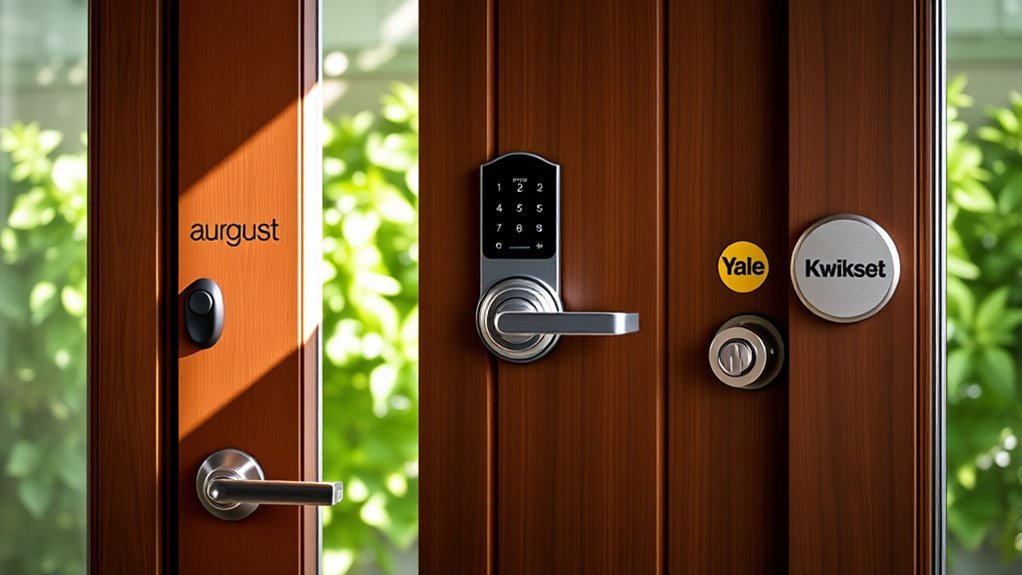
Choosing between August vs Kwikset vs Yale smart locks comes down to your door, preferred entry method, and smart home setup. August focuses on upgrading existing deadbolts, Kwikset offers complete replacements with Wi-Fi and Matter options, and Yale provides keypad, Apple Home Key, and Z-Wave models. The important differences go beyond appearance, especially when you compare connectivity, remote access, installation, and everyday security.
Quick Answer
Choose August if you want to keep your existing deadbolt and exterior keys. Consider Kwikset Halo Select for an integrated touchscreen deadbolt with Wi-Fi and Matter options. Yale Assure Lock 2 Plus suits Apple Home Key users, while Yale’s Z-Wave and keypad models offer alternatives for connected homes and doors without a standard deadbolt.
Key Takeaways
- August Wi-Fi Smart Lock attaches to the inside of a compatible single-cylinder deadbolt, preserving the exterior keyway.
- Kwikset Halo Select supports Wi-Fi and Matter over Thread, but Matter setup requires a compatible smart home controller and Thread network.
- Yale Assure Lock 2 Plus supports Apple Home Key. Bluetooth and Wi-Fi configurations offer different remote-control capabilities.
- Traditional Yale Assure Z-Wave locks require a compatible controller for connected features.
- A standalone keypad lock is not automatically a Wi-Fi smart lock. Confirm the exact configuration before purchasing.
Disclosure: As an Amazon Associate I earn from qualifying purchases. Some links on this page are affiliate links, at no extra cost to you.
Our Top August, Kwikset, and Yale Smart Lock Picks
The following models cover different door types and access needs. The product table includes both connected smart locks and electronic keypad locks, so compare the included technology rather than assuming every model has remote access.
| Kwikset Halo Select Smart Lock Wi-Fi Deadbolt | Best for Smart Integration | Type: Wi-Fi Deadbolt | Finish: Satin Nickel | Smart Home Compatibility: Amazon Alexa, Apple Home, Google Home | VIEW LATEST PRICE | Read Our Analysis | |
| Yale Assure Lock 2 Plus Smart Keyless Entry | Best for Apple Users | Type: Smart Keyless Entry Deadbolt | Finish: Satin Nickel | Smart Home Compatibility: Apple Home, Siri; additional integrations depend on configuration | VIEW LATEST PRICE | Read Our Analysis | |
| Yale Assure Lock Deadbolt with Digital Keypad | Best for Z-Wave Compatibility | Type: Digital Keypad Deadbolt | Finish: Satin Nickel | Smart Home Compatibility: Z-Wave compatible smart home systems | VIEW LATEST PRICE | Read Our Analysis | |
| August Home Wi-Fi Smart Keyless Entry Door Lock | Best for Quick Installation | Type: Wi-Fi Smart Keyless Entry Lock | Finish: Matte Black | Smart Home Compatibility: Amazon Alexa, Google Assistant, Apple HomeKit, Samsung SmartThings | VIEW LATEST PRICE | Read Our Analysis | |
| Yale Assure Lock Norwood Touchscreen Deadbolt | Best for Keyless Convenience | Type: Touchscreen Deadbolt | Finish: Satin Nickel | Smart Home Compatibility: Not specified | VIEW LATEST PRICE | Read Our Analysis | |
| August Home Wi-Fi Connected Smart Keyless Door Lock | Editor’s Choice | Type: Wi-Fi Connected Smart Lock | Finish: Matte Black | Smart Home Compatibility: Amazon Alexa, Google Assistant, Apple HomeKit, Samsung SmartThings | VIEW LATEST PRICE | Read Our Analysis | |
| Yale Assure Keypad Lever Lock – Keyless Entry | Best for Lever Doors | Type: Keypad Lever Lock | Finish: Black Suede | Smart Home Compatibility: Not specified | VIEW LATEST PRICE | Read Our Analysis |
More Details on Our Top Picks
Kwikset Halo Select Smart Lock Wi-Fi Deadbolt
The Kwikset Halo Select combines a complete deadbolt replacement with a backlit touchscreen, remote control, and flexible smart home connectivity. It suits homeowners who want keypad entry without adding an external accessory.
In Wi-Fi mode, the Kwikset app provides remote locking, unlocking, access management, and activity information without a separate hub. You can create up to 250 temporary, scheduled, or permanent access codes for family members and guests.
The lock also supports Matter over Thread. However, using Matter requires a compatible controller and Thread network. Its available features can differ between Wi-Fi and Matter modes.
Other useful features include auto-lock, geofencing, door status alerts, intrusion notifications, and physical backup keys. The Halo Select also includes a door sensor that can report when the door remains ajar.
- Type: Wi-Fi Deadbolt
- Finish: Satin Nickel
- Smart Home Compatibility: Amazon Alexa, Apple Home, Google Home, and compatible Matter platforms
- Remote Access: Yes, via Wi-Fi
- Keypad Entry: Yes, LED backlit touchscreen
- Warranty: Limited lifetime warranty; check electronic-component terms
- Additional Feature: No hub required for Wi-Fi mode
- Additional Feature: 250 access codes supported
- Additional Feature: Real-time intrusion alerts
Yale Assure Lock 2 Plus Smart Keyless Entry
The Yale Assure Lock 2 Plus is designed around Apple Home Key. After setup, you can tap a compatible iPhone or Apple Watch against the lock to gain entry without typing a code.
It also supports touchscreen entry, Siri, auto-lock, and Yale’s DoorSense technology, which detects whether the door is open or closed.
The connectivity configuration matters. Bluetooth models support local control and Apple Home Key. Remote operation through Apple Home requires a compatible Apple home hub, while remote control through Yale Access requires the appropriate Wi-Fi connection.
That distinction makes it worth checking whether the package includes a Yale Wi-Fi Smart Module. Apple Home Key itself is built into the Assure Lock 2 Plus and does not require purchasing a separate module.
The key-free design removes the exterior keyway. Its emergency power terminals provide an alternative if the installed batteries run out.
- Type: Smart Keyless Entry Deadbolt
- Finish: Satin Nickel
- Smart Home Compatibility: Apple Home and Siri; other integrations depend on configuration
- Remote Access: Through an Apple home hub or supported Yale Wi-Fi connection
- Keypad Entry: Yes, touchscreen keypad
- Warranty: Manufacturer’s limited warranty
- Additional Feature: Apple Home Key support
- Additional Feature: Auto-lock feature
- Additional Feature: DoorSense technology
Yale Assure Lock Deadbolt with Digital Keypad
The Yale Assure Lock with Digital Keypad offers code-based access and Z-Wave connectivity for compatible home automation systems. It suits households that already use a Z-Wave controller.
The backlit keypad makes entering your code easier in low light. You can also enable automatic relocking or lock the door using its keypad controls.
With a compatible Z-Wave system, supported features can include remote locking, unlocking, access history, and notifications. Exact capabilities depend on the controller and its software.
Unlike Wi-Fi smart locks, this model relies on a compatible Z-Wave hub for connected access. The keypad remains useful for local entry even when remote connectivity is unavailable.
Yale’s traditional Assure Z-Wave lineup includes motorized deadbolts, and selected configurations retain physical backup keys.
- Type: Digital Keypad Deadbolt
- Finish: Satin Nickel
- Smart Home Compatibility: Z-Wave compatible smart home systems
- Remote Access: Yes, via compatible Z-Wave controller
- Keypad Entry: Yes, digital keypad
- Warranty: Lifetime limited warranty on eligible hardware components
- Additional Feature: Z-Wave compatibility
- Additional Feature: Motorized locking mechanism
- Additional Feature: Quiet operation
August Home Wi-Fi Smart Keyless Entry Door Lock
The August Wi-Fi Smart Lock attaches to the inside of your existing compatible deadbolt. This design keeps the original exterior keyway and lets you continue using your physical keys.
August describes installation as taking about 10 minutes with a screwdriver, although the actual time depends on your door and deadbolt.
Built-in Wi-Fi supports remote access through the August app. You can share temporary or permanent virtual access, review activity, and use supported voice assistants.
DoorSense reports whether the door is open or closed. Auto-lock and auto-unlock provide hands-free convenience when configured correctly.
The standard lock does not include an exterior keypad. An optional Smart Keypad adds code entry, while compatible keypad accessories can add other access methods. Phone-based biometric verification is different from having a fingerprint reader built into the lock.
- Type: Wi-Fi Smart Keyless Entry Lock
- Finish: Matte Black
- Smart Home Compatibility: Amazon Alexa, Google Assistant, Apple HomeKit, Samsung SmartThings
- Remote Access: Yes, via August app
- Keypad Entry: Optional Smart Keypad
- Warranty: One-year limited warranty
- Additional Feature: Fits compatible existing deadbolts
- Additional Feature: Hands-free unlocking
- Additional Feature: Optional keypad and biometric access accessories
Yale Assure Lock Norwood Touchscreen Deadbolt
The Yale Assure Lock Norwood package combines a touchscreen deadbolt with a matching passage lever for a coordinated entryway.
Its backlit touchscreen provides code-based entry, while automatic relocking helps secure the door after use.
This package is useful when you want to replace both the deadbolt and visible door hardware. The matching satin nickel components offer a consistent appearance.
However, the Norwood lever is a hardware style, not a connectivity standard. Yale offers different Assure configurations, including standalone keypad and connected models.
Confirm the exact deadbolt model and included connectivity module before assuming that a particular Norwood bundle supports Wi-Fi, Bluetooth, Z-Wave, or remote access.
- Type: Touchscreen Deadbolt
- Finish: Satin Nickel
- Smart Home Compatibility: Not specified
- Remote Access: Depends on the included lock configuration
- Keypad Entry: Yes, backlit touchscreen
- Warranty: Limited warranty on eligible hardware components
- Additional Feature: Touchscreen keypad access
- Additional Feature: Matching passage lever included
- Additional Feature: Auto relock feature
August Home Wi-Fi Connected Smart Keyless Door Lock
This August Wi-Fi Smart Lock listing offers the same general retrofit approach: upgrade a compatible existing deadbolt without changing the exterior hardware.
It provides built-in Wi-Fi, app-based access management, automatic locking and unlocking, and DoorSense monitoring.
The August app lets you issue virtual keys and review door activity. Supported integrations include Amazon Alexa, Google Assistant, Apple HomeKit, and Samsung SmartThings.
You can also add a compatible keypad if household members prefer entering a code instead of using a phone.
Because this listing overlaps with the other August Wi-Fi model in this comparison, compare the exact finish, package contents, and included accessories rather than treating the listings as two different generations with separate capabilities.
- Type: Wi-Fi Connected Smart Lock
- Finish: Matte Black
- Smart Home Compatibility: Amazon Alexa, Google Assistant, Apple HomeKit, Samsung SmartThings
- Remote Access: Yes, via August app
- Keypad Entry: Optional Smart Keypad
- Warranty: One-year limited warranty
- Additional Feature: Maintains exterior appearance
- Additional Feature: Retains existing physical keys
- Additional Feature: Optional Smart Keypad
Yale Assure Keypad Lever Lock – Keyless Entry
The Yale Assure Keypad Lever Lock is intended for doors that use a lever or knob rather than a separate deadbolt.
It is especially useful for compatible single-hole doors, including selected side entrances, interior access doors, and home offices.
The backlit keypad lets you enter a code without carrying a physical key. You can create separate codes for trusted users and enable automatic relocking.
Yale offers standalone and connected versions of its Assure Lever. A standalone model provides keypad entry without remote app control, while compatible Wi-Fi and Z-Wave configurations add connected functions.
Check the exact model and included module before purchasing, particularly if smartphone control is essential.
- Type: Keypad Lever Lock
- Finish: Black Suede
- Smart Home Compatibility: Not specified
- Remote Access: Depends on included connectivity module
- Keypad Entry: Yes, backlit keypad
- Warranty: Lifetime limited warranty on eligible hardware components
- Additional Feature: Designed for single-hole doors
- Additional Feature: One-touch locking feature
- Additional Feature: Unique entry code creation
August vs Kwikset vs Yale: What Are the Main Differences?
August, Kwikset, and Yale approach smart locks differently. August’s Wi-Fi model upgrades existing deadbolts, Kwikset Halo Select replaces the deadbolt, and Yale provides several lock styles and connectivity options.
The brand matters, but the exact model determines which features you receive.
| Feature | August Wi-Fi | Kwikset Halo Select | Yale Assure |
|---|---|---|---|
| Installation | Retrofits existing deadbolt | Replaces deadbolt | Deadbolt or lever replacement, depending on model |
| Built-in Wi-Fi | Yes | Yes | Depends on model and module |
| Apple Home Key | No native tap-to-unlock Home Key feature | Not on standard Halo Select | Yes, Assure Lock 2 Plus |
| Keypad | Optional accessory | Built-in touchscreen | Built-in on the listed keypad models |
| Physical key | Existing key remains usable | Included | Depends on keyed or key-free model |
| Main distinction | Preserves existing exterior hardware | Wi-Fi and Matter connectivity options | Multiple entry and connectivity configurations |
For example, supporting Apple Home does not automatically mean a lock supports Apple Home Key. Apple Home provides connected control, while Home Key lets you tap a compatible iPhone or Apple Watch against the lock.
Factors to Consider When Choosing Between August Vs Kwikset Vs Yale (2026): Which Smart Lock Is Better to Buy?

The right smart lock must fit your door, work with your preferred devices, and provide a reliable way to enter when connectivity fails. Compare installation, access options, security ratings, and ongoing maintenance before focusing on appearance.
Installation Process Comparison
August offers a different installation method from Kwikset and Yale. Its Wi-Fi Smart Lock attaches to the inside of your existing compatible deadbolt rather than replacing the entire locking mechanism.
According to August’s retrofit installation guidance, the process involves removing the interior thumb turn, attaching the mounting plate, and installing the smart lock.
Kwikset Halo Select and Yale Assure deadbolt models replace existing deadbolt hardware. Their installation generally requires a screwdriver, compatible door preparation, and proper lock calibration.
Before purchasing, check these measurements and conditions:
- Door thickness and existing bore-hole dimensions.
- Deadbolt backset, meaning the distance from the door edge to the center of the lock hole.
- Clearance around the interior lock and thumb turn.
- Whether your existing deadbolt is compatible with a retrofit lock.
- Whether the door closes without forcing the bolt against the strike plate.
Yale Assure Lever models serve a different purpose. They replace a compatible knob or lever on a single-hole door rather than upgrading a separate deadbolt.
Warning: Do not install or calibrate a smart lock while the door is closed unless the manufacturer specifically directs you to do so. Test the bolt with the door open first, then verify that it operates smoothly when the door is shut. A poorly aligned deadbolt can jam or drain batteries faster.
Smart Home Compatibility
Connectivity determines how you control a smart lock and whether additional equipment is required. Wi-Fi, Bluetooth, Matter, and Z-Wave serve different purposes.
August Wi-Fi Smart Lock uses built-in Wi-Fi for remote control and supports integrations with Alexa, Google Assistant, and Apple HomeKit.
Kwikset Halo Select includes Wi-Fi and Matter capabilities. In Wi-Fi mode, you can use the Kwikset app without purchasing a separate hub.
For Matter over Thread, however, Kwikset specifies a compatible Matter controller and Thread network. Thread is a low-power wireless networking technology used by compatible smart home devices.
Yale Assure Lock 2 Plus supports Apple Home Key through its built-in technology. Yale’s Assure Lock 2 Plus support guidance explains that remote operation requires an appropriate Apple home hub or Yale Wi-Fi connection.
Traditional Yale Assure Z-Wave models connect through a compatible Z-Wave controller. This can be useful if you already manage other devices through a connected home security system.
Choose the connection method based on your existing equipment. A lock’s listed compatibility does not guarantee that every feature works in every app or configuration.
Security Features Overview
Smart lock security includes both the physical deadbolt and its connected features. A reliable app cannot compensate for a badly installed strike plate or a door that does not close properly.
Look for documented security testing, controlled access sharing, lock activity records, and automatic locking.
Kwikset publishes detailed Halo Select specifications, including BHMA Grade AAA and a UL 20-minute fire rating for the specified product.
BHMA ratings evaluate physical lock performance, including security, durability, and finish. A rating for one model should not be assumed to apply to every product from the same brand.
Useful security features include:
- Access codes: Give trusted users separate credentials instead of sharing one permanent code.
- Auto-lock: Lock the door after a selected delay or supported door-status event.
- Door sensors: Identify whether the door is physically open or closed.
- Activity history: Review supported lock and access events.
- App protection: Use account authentication and available biometric verification.
- Software updates: Maintain supported firmware and smartphone applications.
Some products support fingerprint access, but it may require a different model or accessory. Do not assume every August or Yale lock contains a built-in fingerprint reader.
Access Management Options
Access management determines how easily you can admit family members, visitors, and service providers without handing out permanent physical keys.
August allows virtual access through its app. You can grant access to trusted people and manage permissions without changing the exterior lock.
Kwikset Halo Select supports up to 250 access codes, including temporary and scheduled codes. Its event history helps you review supported lock activity.
Yale Assure Lock 2 Plus provides keypad codes and app-based access management, with remote capabilities depending on the installed connectivity option.
For existing Z-Wave households, Yale’s Z-Wave keypad model supports connected control through compatible automation systems. Available code management and notifications depend on the controller.
Before giving someone access, consider whether they need permanent, scheduled, or one-time entry. Remove unused credentials when they are no longer needed.
Design and Aesthetics
August preserves your original exterior deadbolt, which makes it useful when you want to keep matching hardware or avoid changing the appearance of a rental property’s entrance.
Its interior housing remains visible from inside the home, so check clearance near nearby handles, trim, and decorative hardware.
Kwikset Halo Select provides an integrated touchscreen in a contemporary deadbolt design. Its satin nickel finish can coordinate with other entry hardware.
Yale offers touchscreen and physical keypad designs. Selected packages include matching passage levers, allowing you to replace the visible door hardware together.
Remember that matching handlesets and levers do not determine the lock’s connectivity. Check the actual model and included smart module separately.
Warranty and Support
Warranty coverage differs between brands and can also differ between mechanical parts, finishes, and electronics. A limited lifetime warranty does not necessarily cover every component for life.
August states that its smart locks include a one-year warranty. Yale and Kwikset offer limited warranties with coverage determined by the specific product and component.
For Yale’s standalone lever, the official product specifications distinguish the standalone configuration from connected alternatives.
Yale also sells a Wi-Fi version of the Assure Lever, demonstrating why the model number matters when comparing support, replacement modules, and functionality.
Keep your purchase receipt, installation instructions, and model number. These details make troubleshooting and warranty claims easier.
What Happens When Wi-Fi or Power Stops Working?
A smart lock does not necessarily stop operating when your internet connection fails. Local entry methods usually remain available while the lock has functioning batteries.
However, remote access, notifications, and connected automations may stop until connectivity returns.
- August: The existing physical key remains available, and supported local Bluetooth control can continue.
- Kwikset Halo Select: The touchscreen and physical key provide alternative entry methods.
- Yale Assure Lock 2 Plus: Local keypad and compatible Apple Home Key access remain available while the lock has power.
- Yale Z-Wave: Local keypad entry can continue even when the controller is unavailable.
Battery-powered locks can also keep operating during a household power outage. Remote access may still fail if the router or smart home controller loses power.
For key-free Yale models, emergency power terminals provide an alternative when the installed batteries are depleted. This is different from a permanent external power supply.
Which Smart Lock Should You Choose for Your Situation?
Choose the specific lock that matches your door and the way your household enters the home. The most advanced connectivity option is not useful if it requires hardware you do not own.
- Keep existing keys and exterior hardware: Consider August Wi-Fi Smart Lock, provided your deadbolt is compatible.
- Use an integrated touchscreen: Kwikset Halo Select combines keypad entry and connected control in one replacement deadbolt.
- Use Apple Home Key: Yale Assure Lock 2 Plus provides tap-to-unlock access with compatible Apple devices.
- Use an existing Z-Wave network: A compatible Yale Assure Z-Wave model can join your current automation system.
- Upgrade a single-hole lever door: Yale Assure Lever provides a keypad-based alternative to a traditional knob or lever.
- Coordinate exterior hardware: A Yale Assure bundle with a matching Norwood lever may suit your entryway.
If several models meet your needs, compare their included accessories, battery type, installation requirements, and warranty terms before purchasing.
Frequently Asked Questions
Can I use these smart locks with existing deadbolts?
August Wi-Fi Smart Lock attaches to a compatible existing single-cylinder deadbolt and preserves its exterior keyway. Kwikset Halo Select and Yale Assure deadbolt models generally replace the original deadbolt. Yale Assure Lever replaces a compatible knob or lever on a single-hole door.
What is the battery life of each smart lock?
Battery life varies by model, usage, connectivity, and door alignment. August Wi-Fi Smart Lock uses two CR123 batteries, while Kwikset Halo Select and Yale Assure Lock 2 Plus use four AA batteries. Frequent operation, weak connectivity, and a binding deadbolt can shorten battery life.
Are these locks compatible with smart home systems?
Yes, but compatibility depends on the model and connection type. August Wi-Fi supports several major smart home platforms, Kwikset Halo Select offers Wi-Fi and Matter options, and Yale sells Apple Home Key, Wi-Fi, and Z-Wave configurations. Standalone keypad locks may not provide connected control.
How secure are smart locks against hacking?
Smart locks use security measures such as encrypted connections and account authentication, but no connected device is completely immune to attack. Use unique account passwords, enable available multi-factor authentication, install security updates, and remove access for people who no longer need it.
Do the locks offer a warranty or guarantee?
Yes. August states that its smart locks have a one-year warranty. Kwikset and Yale provide limited warranties that vary by product and component. Mechanical and finish coverage may differ from electronic coverage, so retain your receipt and review the terms for your exact model.
Do you need Wi-Fi for a smart lock to work?
No. Local keypad entry and physical keys can work without Wi-Fi, depending on the model. Bluetooth and other local connections may also remain available. Internet access is generally needed for cloud-based remote control and notifications, while Matter and Z-Wave have separate controller requirements.
What happens if a smart lock’s batteries die?
The available backup method depends on the model. August retains your existing physical key, and Kwikset Halo Select includes physical backup keys. Key-free Yale models provide emergency power terminals on supported configurations. Replace batteries when the lock reports low power.
Conclusion
August, Kwikset, and Yale offer different approaches to smart home entry. August preserves existing deadbolts, Kwikset Halo Select combines a touchscreen with flexible connectivity, and Yale provides multiple keypad, Apple Home Key, and Z-Wave configurations.
Before making your choice, identify your door type, preferred entry method, and existing smart home system. Then compare the exact model numbers and included accessories to avoid purchasing a lock that needs additional equipment.
Sources
- Kwikset Halo Select product specifications: Connectivity, access codes, door sensors, physical keys, and security ratings.
- Kwikset Matter troubleshooting guidance: Matter controller and Thread network requirements.
- Yale Assure Lock 2 Plus FAQ: Apple Home Key, supported modules, DoorSense, and remote access requirements.
- Yale Assure Lock with Z-Wave Plus: Compatible systems, keypad features, and controller requirements.
- August Wi-Fi Smart Lock specifications: Batteries, compatibility, included accessories, and warranty.
- August retrofit smart lock guidance: Installation and existing-deadbolt compatibility.
- Yale Assure Lever Keypad, Standalone: Standalone keypad operation and lever specifications.
- Yale Assure Lever Keypad with Wi-Fi: Connected lever configuration and remote access features.
